

AI Development Tools
Lovable AI Agents: Building Autonomous Applications
A practical guide to understanding and implementing AI agents in the Lovable platform


Senior Software Developer & Trading Technology Specialist
Ethan Parker is a software developer with over 8 years of experience in building web applications, trading tools, and financial technology solutions. He specializes in Python, JavaScript, API integrations, and trading automation, helping traders improve efficiency through innovative technology.
Lovable AI Agents represent a shift in how developers approach application building. Instead of writing every line of code manually, you describe what you want in plain language and the system constructs the application, complete with backend logic, database schema, authentication, and deployment configuration. This approach moves beyond simple code generation into territory where the AI maintains context across an entire project lifecycle.
Contents
- 1. Core Architecture and Capabilities
- 1.1. Natural Language Interface
- 1.2. Tool Integration Framework
- 1.3. Memory and Context Management
- 2. Building Your First Agent-Driven Application
- 2.1. Project Setup and Initial Prompting
- 2.2. Defining Agent Behavior Through Iteration
- 2.3. Testing and Debugging Workflow
- 3. Agent Templates and Common Patterns
- 4. Integration with External Services
- 4.1. Supabase Database and Authentication
- 4.2. Stripe Payments and Billing
- 4.3. GitHub and Deployment Workflows
- 5. Security Model and Access Control
- 6. Pricing Structure and Resource Limits
- 7. Performance Characteristics
- 8. Comparison with Alternative Approaches
- 9. Real-World Implementation Patterns
- 9.1. Startup MVP Pattern
- 9.2. Agency and Freelancer Workflow
- 9.3. Internal Tool Development
- 10. Limitations and Workarounds
- 11. Community and Learning Resources
- 12. Final Assessment of Lovable AI Agents
The platform combines large language models with a structured development environment. When you prompt Lovable, it doesn't just output snippets — it creates files, configures services, and maintains a coherent codebase that you can extend. The agent understands React, TypeScript, Tailwind CSS, and Vite as its default stack, but the real differentiator is how it handles the glue between frontend and backend through Supabase integration.
What makes this different from chatting with ChatGPT or Claude about code? The environment persists. The agent remembers your database schema, your authentication setup, your API routes, and your component library. It can refactor across files, add features to existing pages, and debug its own output by reading console errors. This persistence transforms the interaction from a conversation into a development session.
Core Architecture and Capabilities
At its foundation, Lovable AI Agents operate on a prompt-to-production pipeline. You provide intent through natural language, and the system translates that into a complete application structure. The architecture separates concerns into distinct layers: the conversational interface that interprets requests, the code generation engine that produces typed TypeScript, the integration layer that connects to external services, and the deployment pipeline that pushes changes to a live URL.
Natural Language Interface
The chat interface accepts instructions ranging from high-level product descriptions to specific technical modifications. You might say "build a CRM for real estate agents with property listings, client management, and email campaigns" and receive a multi-page application with routing, forms, and data models. Alternatively, you can request "add a dark mode toggle to the header" and the agent locates the relevant component, modifies it, and updates the theme context. The same interface handles both scopes.
- Project initialization from product descriptions
- Feature addition to existing codebases
- Bug fixes guided by error messages
- Refactoring across multiple files
- Database schema modifications
- Third-party service configuration
Tool Integration Framework
The agent's ability to connect services distinguishes it from pure code generators. Supabase integration handles PostgreSQL databases, authentication, real-time subscriptions, edge functions, and storage. Stripe integration manages products, prices, checkout sessions, and webhook handling. GitHub integration enables version control, pull requests, and CI/CD pipelines. Each connector includes pre-built patterns so the agent knows how to structure the code for that service.
Scroll horizontally to see all columns
| Service | Capabilities | Setup Complexity |
|---|---|---|
| Supabase | Database, Auth, Realtime, Edge Functions, Storage | Automatic |
| Stripe | Payments, Subscriptions, Webhooks, Customer Portal | Guided |
| GitHub | Repo Creation, Commits, PRs, Actions | One-click |
| Vercel | Deployment, Preview URLs, Custom Domains | Automatic |
Memory and Context Management
Context persistence solves the classic problem of AI coding assistants forgetting earlier decisions. The agent maintains a project manifest tracking file structure, dependencies, database schema, environment variables, and component inventory. When you request a change, it reads relevant files first, then proposes modifications. This means adding a field to a database table automatically updates the TypeScript types, the form component, the API validation, and the database migration — all in one interaction.
The system also tracks conversation history within the project. You can reference earlier decisions — "use the same pattern we used for the user profile page" — and the agent retrieves that context. This creates a compounding effect where the agent becomes more effective the longer you work on a project, learning your preferences and architectural patterns.
Building Your First Agent-Driven Application
Starting a project requires no local setup. You visit the platform, describe your idea, and the agent begins generating. The first response typically includes a project plan outlining pages, data models, and integrations. You can approve, modify, or reject this plan before any code is written. This planning phase prevents the agent from going down wrong paths that would require extensive rework.
Project Setup and Initial Prompting
Effective initial prompts share certain characteristics. They describe the core problem, target users, key features, and any specific technical requirements. Vague prompts like "make a SaaS app" produce generic results. Specific prompts like "build a B2B invoicing platform for freelancers with Stripe subscriptions, PDF generation, and client portal" yield usable starting points. The agent asks clarifying questions when requirements are ambiguous, creating a dialogue before committing to code.
- Define the primary user and their main workflow
- List must-have features versus nice-to-have
- Specify integrations needed (payments, email, analytics)
- Mention design preferences or brand guidelines
- Note any compliance or data requirements
Defining Agent Behavior Through Iteration
The development loop follows a pattern: prompt, review, refine. After each agent response, you see a diff view showing changed files. You can accept changes individually or in bulk. If something looks wrong, you explain the issue in natural language — "the date picker should use the user's timezone, not UTC" — and the agent corrects it. This iterative refinement feels more like pair programming than traditional development.
Testing and Debugging Workflow
Every project gets a live preview URL that updates with each change. You can test functionality in the browser, then copy console errors or describe broken behavior back to the agent. The agent reads the error, identifies the cause, and proposes a fix. This closes the feedback loop without leaving the platform. For deeper debugging, you can export the code to GitHub and run it locally, but most issues resolve within the chat interface.
The preview environment includes a simulated backend for rapid iteration. Database changes apply instantly. Authentication flows work end-to-end. Stripe runs in test mode. This means you can validate complete user journeys — signup, onboarding, payment, feature usage — without deploying. When ready, a single click deploys to a production URL with custom domain support.
Agent Templates and Common Patterns
The platform includes a template library covering common application types. These aren't static starters — they're prompt sequences that guide the agent through building specific products. Templates exist for SaaS dashboards, marketplaces, CRM systems, booking platforms, learning management systems, and internal tools. Each template encodes best practices for that domain: proper data models, authentication flows, permission structures, and UI patterns.
Scroll horizontally to see all columns
| Category | Example Applications | Typical Complexity |
|---|---|---|
| SaaS Products | Invoicing, Project Management, Analytics Dashboards | Medium-High |
| Marketplaces | Service Booking, Digital Goods, Freelance Platforms | High |
| Internal Tools | Admin Panels, Inventory, Reporting | Low-Medium |
| Content Platforms | Blogs, Documentation, Course Builders | Low |
| E-Commerce | Subscriptions, Digital Downloads, Physical Goods | Medium-High |
Templates accelerate development by providing proven architectures. Instead of discovering the right data model for a multi-tenant SaaS through trial and error, you start with a template that already implements organizations, teams, roles, and billing. You then customize the domain-specific parts. The agent understands the template structure and maintains its integrity while adapting to your requirements.

Custom templates can be created by saving a project as a template. This captures the prompt history, file structure, and configuration. Teams use this to standardize their stack — ensuring every new project follows the same conventions for API structure, component organization, testing patterns, and deployment configuration. The template becomes a living document that evolves with the team's practices.
Integration with External Services
Real applications require external services. The agent handles integration complexity by generating boilerplate, managing environment variables, and implementing error handling. You describe the integration in business terms — "users should pay $29/month for the pro plan" — and the agent creates the Stripe products, prices, checkout flow, webhook handler, and database subscription tracking. It also builds the customer portal for subscription management.
Supabase Database and Authentication
Supabase integration is the deepest. The agent creates tables with proper indexes, row-level security policies, triggers for updated_at timestamps, and foreign key relationships. For authentication, it configures email/password, OAuth providers (Google, GitHub, Discord), magic links, and MFA. The generated frontend includes protected routes, session management, profile completion flows, and password reset. Row-level security policies follow the principle of least privilege — users only access their own data unless explicitly granted broader permissions.
- Automatic migration generation for schema changes
- Type-safe database client with generated TypeScript types
- Real-time subscriptions for collaborative features
- Edge functions for server-side logic
- Storage buckets with signed URLs for file uploads
Stripe Payments and Billing
Stripe integration covers the full billing lifecycle. The agent creates products and prices in Stripe dashboard via API, builds checkout sessions with success/cancel redirects, implements webhook handlers for subscription events (created, updated, cancelled, payment_failed), and syncs subscription status to the database. It also generates a billing portal session so customers can manage payment methods, view invoices, and cancel subscriptions. The code handles edge cases like grace periods, trial endings, and proration.
GitHub and Deployment Workflows
GitHub integration creates a repository, pushes the initial commit, and configures GitHub Actions for continuous deployment. The workflow runs type checking, linting, and tests on every push. Preview deployments create unique URLs for pull requests. Production deployments trigger on merges to main. The agent writes the workflow YAML, so you don't need to know GitHub Actions syntax. Custom domains connect through Vercel with automatic SSL.
Security Model and Access Control
Security in agent-generated applications relies on Supabase's row-level security (RLS) as the primary enforcement layer. The agent writes RLS policies for every table based on the data model and user roles. For a typical SaaS, this means users see only their organization's data, admins see everything, and service roles bypass RLS for backend operations. The agent also implements frontend route guards, API input validation with Zod schemas, and secure handling of secrets through environment variables.

Authentication security includes secure password hashing via Supabase Auth, JWT tokens with short expiry, refresh token rotation, and optional MFA. The agent generates login, signup, password reset, and email verification flows that follow OWASP recommendations. For API routes, it implements rate limiting, CORS configuration, and request validation. Secrets never appear in client bundles — they remain in Supabase Vault or Vercel environment variables.
Scroll horizontally to see all columns
| Layer | Protections | Configuration |
|---|---|---|
| Database | Row-level security, foreign keys, constraints | Agent-generated policies |
| Authentication | MFA, OAuth, magic links, session management | Supabase Auth defaults |
| API | Validation, rate limiting, CORS, auth guards | Middleware + Zod schemas |
| Frontend | Route guards, XSS prevention, CSP headers | React best practices |
| Infrastructure | HTTPS, secret management, DDoS protection | Vercel + Supabase managed |
Pricing Structure and Resource Limits
Lovable uses a credit-based pricing model. The free tier includes 50 credits monthly, enough for small projects and learning. Paid tiers — Starter at $20/month, Launch at $50/month, Scale at $100/month, and Enterprise with custom pricing — increase credit allocations and add features like private projects, team collaboration, priority support, and higher rate limits. Credits consume based on AI interaction complexity: simple edits cost fewer credits than generating entire features.
The underlying infrastructure costs (Supabase, Vercel, Stripe) are separate. Supabase offers a generous free tier (500MB database, 1GB file storage, 50K monthly active users). Vercel's hobby tier covers personal projects. Stripe charges standard transaction fees. For production applications, budget $25-100/month for infrastructure beyond the Lovable subscription. The agent helps estimate costs by showing resource usage in the project dashboard.
Performance Characteristics
Applications built with Lovable inherit the performance profile of the Vite+React+Tailwind stack. Initial page loads are fast due to code splitting, tree shaking, and optimized builds. The agent implements React best practices: lazy loading for routes, memoization for expensive computations, virtualized lists for large datasets, and proper dependency arrays in effects. Database queries use Supabase's PostgREST with selective column fetching and pagination.
Real-time features use Supabase Realtime with WebSocket connections. The agent configures appropriate broadcast channels and presence tracking. For high-frequency updates (collaborative editing, live dashboards), consider the connection limits on Supabase's free tier. The Scale plan supports more concurrent connections. Edge functions run close to users for low-latency server-side logic.
- Code-split routes for faster initial load
- Image optimization via Vercel's image component
- Database indexes generated for common query patterns
- Caching headers for static assets
- Bundle analysis available in build output
Comparison with Alternative Approaches
Lovable occupies a middle ground between no-code platforms (Bubble, Webflow) and traditional development. Compared to no-code, you get full code ownership, version control, and the ability to customize any layer. Compared to manual coding, you gain 5-10x speed for initial development and standard features. The trade-off is less control over architectural decisions and occasional need to override agent choices.
Scroll horizontally to see all columns
| Aspect | Lovable AI Agents | Traditional Coding | No-Code Platforms |
|---|---|---|---|
| Time to MVP | Hours to days | Weeks to months | Days to weeks |
| Code Ownership | Full (export anytime) | Full | Limited/None |
| Customization Depth | Unlimited (edit code) | Unlimited | Platform constraints |
| Learning Curve | Low-medium | High | Low |
| Team Collaboration | Git + platform | Git | Platform only |
| Vendor Lock-in | Low (standard stack) | None | High |
Against AI coding assistants like Cursor or GitHub Copilot, Lovable's advantage is the integrated environment. Copilot suggests code in your IDE; Lovable builds the project, configures services, and deploys it. The disadvantage is less flexibility for non-standard architectures. If you need a custom WebSocket server, a specific database extension, or an unusual deployment target, traditional development with AI assistance offers more control.
The platform excels at the 80% of applications that follow common patterns. For the 20% requiring novel architecture, you'll eventually need to take the wheel.
Real-World Implementation Patterns
Teams using Lovable in production follow recognizable patterns. Startups build MVPs in weeks, validate with users, then either continue on the platform or graduate to a traditional codebase. Agencies use it for rapid client prototypes and internal tools. Product managers build functional specs that engineers can extend. Non-technical founders create working products without hiring developers initially. Each pattern leverages different platform strengths.
Startup MVP Pattern
The most common pattern: founder describes product, agent builds v1, founder tests with users, iterates based on feedback. The speed allows multiple pivots without sunk cost. When product-market fit appears, the codebase exports cleanly to GitHub. Engineers can then optimize, add tests, and scale infrastructure. The transition works because the stack is standard — React, TypeScript, Supabase, Vercel — not proprietary.
Agency and Freelancer Workflow
Agencies use Lovable for discovery phases and client demos. A prompt like "build a property management dashboard for a real estate client with listings, inquiries, and analytics" produces a working prototype in hours. Clients interact with real functionality, not static mockups. This reduces requirement misunderstandings. Once approved, the agency either continues on Lovable for speed or exports for custom development. The platform's team features support client review workflows.
Internal Tool Development
Internal tools — admin panels, reporting dashboards, data entry forms, approval workflows — map perfectly to the platform's strengths. They follow standard CRUD patterns, need authentication and roles, connect to existing databases, and prioritize function over unique design. The agent builds these rapidly. Engineers appreciate not spending sprint cycles on admin interfaces. The GitHub integration means internal tools live in the organization's repo with proper review processes.
Limitations and Workarounds
The platform has constraints. Complex state management (think Figma-like collaborative editing) exceeds what the agent reliably generates. Heavy computational workloads (video processing, ML inference) need custom backend services. Mobile apps require React Native or Capacitor wrappers — the agent generates web-first code. Legacy system integration often needs manual API wrapper code. The agent struggles with highly opinionated architectural patterns like domain-driven design or event sourcing.
- No native mobile app generation (web only)
- Limited support for WebSocket servers
- No GraphQL layer (REST via PostgREST)
- Monorepo support requires manual setup
- Custom Vite plugins need manual configuration
Workarounds exist for most limitations. For mobile, export and wrap with Capacitor. For WebSockets, add a separate Node.js service on Railway or Render. For GraphQL, layer Hasura on Supabase. For monorepos, use Turborepo with the exported code. The platform doesn't prevent these extensions — it just doesn't automate them. The escape hatch is always the code export.
The agent builds the happy path well. Edge cases, error recovery, and operational concerns still need human attention.
Community and Learning Resources
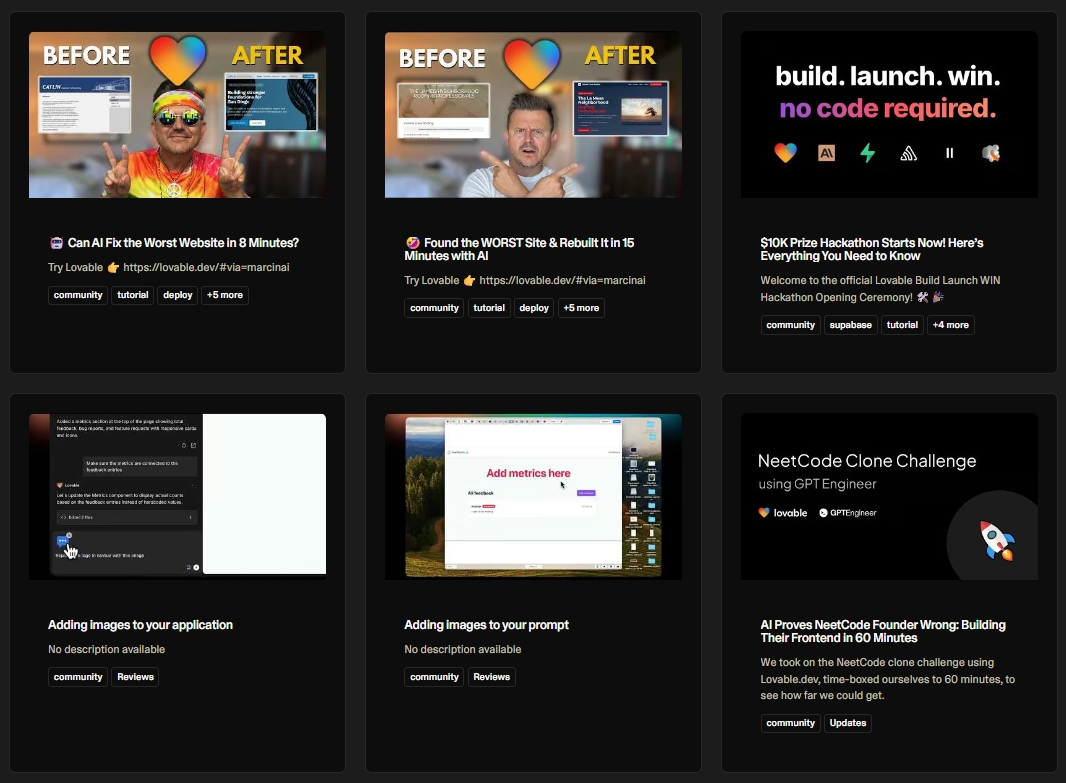
The platform's community produces templates, guides, and example projects. The Discord server has channels for showcases, troubleshooting, and feature requests. Official documentation covers the prompt language, integration patterns, and deployment guides. Video tutorials walk through complete builds. The template gallery includes community submissions vetted by the team. This ecosystem reduces the learning curve — you rarely start from zero.
Prompt engineering for Lovable has developed its own conventions. Experienced users structure prompts with context, requirements, constraints, and examples. They reference previous project patterns by name. They use the agent's planning capability explicitly — "first create a plan, then implement step 1." This meta-prompting improves results significantly. The community shares prompt templates for common tasks like "add role-based access control" or "implement soft deletes."
Frequently Asked Questions
Can I use Lovable AI Agents without any coding experience?
Yes. The platform is designed for non-technical users to build functional applications through natural language. However, understanding basic concepts like databases, APIs, and authentication helps you give better prompts and troubleshoot issues.
What happens if I exceed my monthly credit limit?
You can purchase additional credits or upgrade your plan. The platform will notify you when approaching limits. Unused credits do not roll over to the next month on most plans.
Can I connect my own database instead of using Supabase?
The agent generates code for Supabase by default. You can export the code and modify it to use any PostgreSQL-compatible database, but the automated integration features (migrations, type generation, RLS policies) only work with Supabase.
Is the generated code production-ready?
The code follows security and performance best practices for the chosen stack. However, you should review authentication logic, test edge cases, load test before launch, and add monitoring. Treat it as a well-structured starting point, not a final audit.
How does collaboration work for teams?
Paid plans include team workspaces where multiple members can chat with the agent on the same project. Changes sync in real-time. GitHub integration provides standard pull request workflows for code review beyond the platform.
Can I use Lovable for client work as an agency?
Yes. Many agencies use it for rapid prototyping and MVP delivery. You can export the codebase and hand it to clients, or maintain it on the platform. The Enterprise plan includes features for agency workflows like white-labeling and client billing integration.
What programming languages and frameworks does the agent support?
The default stack is React with TypeScript, Vite, and Tailwind CSS. The agent can generate vanilla JavaScript, Next.js, or other frameworks on request, but the integrated tooling (deployment, preview, type safety) works best with the default stack.
Final Assessment of Lovable AI Agents
Lovable AI Agents deliver on the promise of turning descriptions into deployed applications. The integration of code generation, service configuration, and deployment in a single conversational interface removes friction from the standard development loop. For the large category of applications that follow established patterns — SaaS products, marketplaces, internal tools, content platforms — it reduces time-to-market from weeks to days without sacrificing code ownership or flexibility.
The platform's value compounds with use. As the agent learns your project's architecture, each iteration becomes faster. Teams build shared prompt libraries and templates that encode their standards. The GitHub integration ensures the work remains portable. The credit-based pricing aligns cost with usage, though production infrastructure costs remain separate. For startups validating ideas, agencies delivering prototypes, and product teams building internal tools, the return on investment is clear.
The limitations are real but bounded. Complex real-time collaboration, heavy backend processing, native mobile apps, and highly custom architectures require stepping outside the automated flow. The export path handles this transition cleanly. The platform doesn't claim to replace engineers — it accelerates the predictable parts of development so engineers focus on the novel parts. That positioning, combined with a standard stack and genuine code ownership, makes it a practical tool rather than a demo.