

Software Development
Lovable Documentation: Complete Guide for Builders
Your roadmap to mastering Lovable's platform, from basics to advanced integrations

Senior Software Developer & Trading Technology Specialist
Ethan Parker is a software developer with over 8 years of experience in building web applications, trading tools, and financial technology solutions. He specializes in Python, JavaScript, API integrations, and trading automation, helping traders improve efficiency through innovative technology.
Lovable has quickly become a go-to platform for developers and non-technical founders who want to build full-stack applications without wrestling with boilerplate. The documentation sits at the center of that experience. It's not just a reference manual — it's the primary way most people learn the platform, troubleshoot issues, and discover what's possible. This guide walks through the documentation structure, highlights the most useful sections, and points out where the gaps are.
Contents
- 1. Getting Started with Lovable Documentation
- 2. Navigating the Documentation Structure
- 3. Core Concepts and Terminology
- 4. Building Your First Application
- 5. Integrations: Supabase, GitHub, Stripe
- 6. Advanced Features and Customization
- 7. Security and Best Practices
- 8. Troubleshooting Common Issues
- 9. Community Resources and Support
- 10. Pricing Tiers and Documentation Access
- 11. Gaps and Workarounds
- 12. Final Assessment of Lovable Documentation
If you've used other AI coding tools, you know the documentation quality varies wildly. Some platforms bury critical information in Discord threads or scattered blog posts. Lovable takes a different approach. The official docs live at docs.lovable.dev and they're organized around how people actually build: getting started, core concepts, integrations, deployment, and troubleshooting. There's also a separate guides section with step-by-step tutorials for specific use cases like SaaS dashboards, marketplaces, and internal tools.
The documentation assumes you're building with React, TypeScript, Vite, and Tailwind CSS — that's the default stack. Supabase handles the backend: database, auth, storage, and edge functions. Stripe integration comes pre-configured for payments. GitHub sync is built in so you can version control and deploy from your own repository. Understanding this stack upfront makes the docs much easier to navigate because every guide references these technologies by name.
Getting Started with Lovable Documentation
The getting started section covers account creation, the chat interface, and your first project. It's concise — intentionally so. You sign up, describe what you want to build in natural language, and Lovable generates a working prototype. The docs explain how to iterate through chat, when to switch to code view, and how to connect Supabase for persistence. There's a quickstart video embedded that runs about eight minutes. Watch it. The text version misses the nuance of how the chat actually behaves when you ask for changes.
One thing the getting started guide doesn't emphasize enough: your first prompt matters disproportionately. Vague prompts like "build a SaaS" produce generic results. Specific prompts — "build a project management tool with teams, tasks, due dates, and Stripe subscriptions" — yield something you can actually extend. The docs include a prompting guide with examples, but it's buried under "Advanced" when it should be front and center.
- Create account at lovable.dev — supports GitHub, Google, or email
- Start a new project from the dashboard or duplicate a template
- Describe your app in the chat panel; be specific about features and data model
- Connect Supabase when prompted or add it later from the integrations panel
- Preview changes in real time; switch to code view to inspect generated files
- Push to GitHub when ready to version control or deploy manually
Navigating the Documentation Structure
The main documentation splits into five top-level categories: Introduction, Building, Integrations, Deployment, and Reference. Introduction covers pricing, limits, and FAQ. Building is the meat — components, styling, state management, routing, forms, and the AI chat workflow. Integrations documents Supabase, GitHub, Stripe, Figma, and custom APIs. Deployment covers custom domains, environment variables, and preview deployments. Reference holds API documentation, CLI commands, and configuration schemas.
There's a separate Guides section that doesn't appear in the main nav. You find it via the "Guides" link in the footer or by searching. These are end-to-end tutorials: "Build a SaaS with Auth and Payments," "Create a Multi-Tenant Dashboard," "Build an AI Chat Interface." They're more practical than the reference docs because they show how pieces fit together. The guides also get updated more frequently than the reference section.
Scroll horizontally to see all columns
| Section | Purpose | Best For |
|---|---|---|
| Introduction | Platform overview, pricing, limits | New users evaluating the platform |
| Building | Core development concepts and workflows | Daily development work |
| Integrations | External service connections | Adding auth, payments, APIs |
| Deployment | Going live, domains, environments | Production launches |
| Guides | Step-by-step project tutorials | Learning by building |
Core Concepts and Terminology
Lovable introduces a few concepts that don't map directly to standard React development. "Projects" are your applications. "Sessions" are chat conversations within a project — each session maintains context, so you can have separate threads for different features. "Versions" are snapshots created automatically at checkpoints or manually via the history panel. You can roll back to any version, which is essential when the AI makes sweeping changes you didn't intend.
The "chat" is the primary interface. You type natural language, Lovable generates or modifies code. There's also a "code view" that shows the file tree and lets you edit directly. Changes in code view sync back to the chat context. This bidirectional sync is the platform's differentiator — you're not locked into one mode. The docs explain this but understate how often you'll switch between them. In practice, you chat for structure, code view for precision.
Building Your First Application
The documentation walks through a todo app as the canonical first project. It's fine for learning the mechanics but doesn't represent real work. A more useful first project: a simple CRM with contacts, companies, and deals. This forces you to use Supabase tables, row-level security, authentication, and relational data — the patterns you'll actually need. The guides section has a "Build a CRM" tutorial that's worth following even if you don't need a CRM.
When building, you'll hit the token limit on complex requests. The docs mention this briefly under "Limits." What they don't say: break large features into multiple chat messages. Ask for the data model first, then the API routes, then the UI components, then the integration. Each step stays within the context window and produces reviewable code. Trying to generate a full dashboard in one prompt usually fails or produces hallucinated imports.
- Define your data model in Supabase before prompting for UI
- Build one feature per chat session — auth, then data, then UI
- Use the preview panel to verify each step before continuing
- Commit to GitHub after each working feature
- Test edge cases manually; the AI doesn't write tests automatically
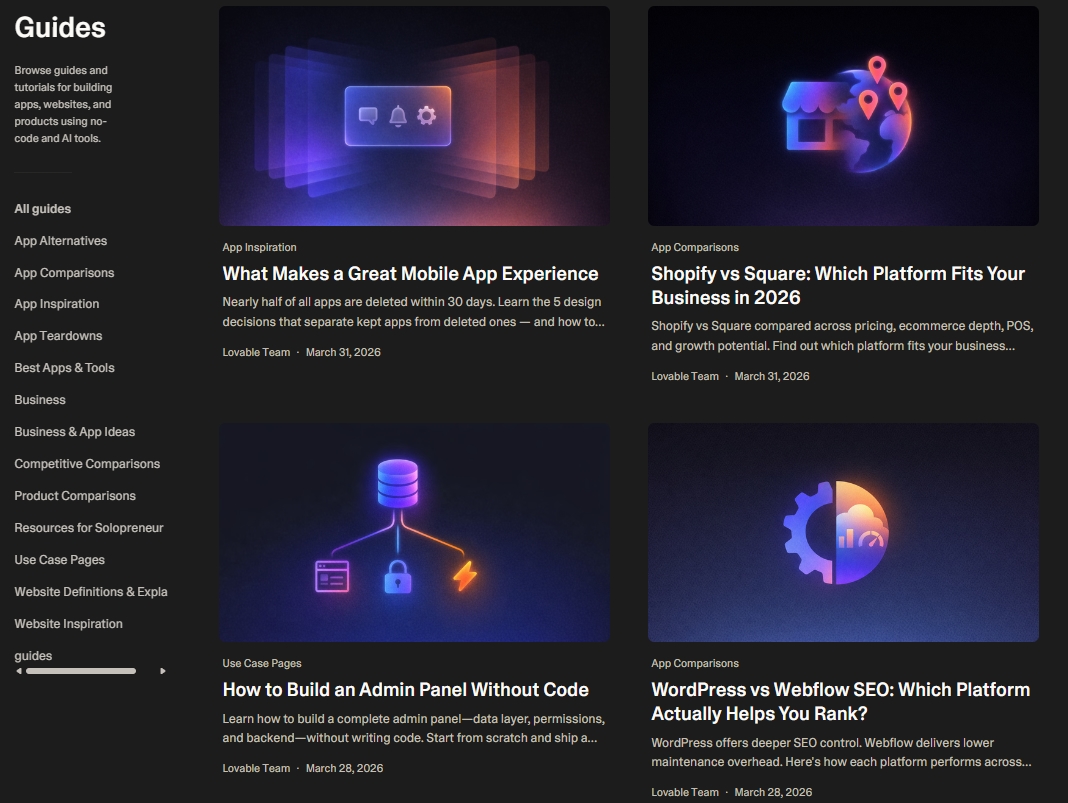
The guides page shows tutorials organized by use case: SaaS, marketplaces, internal tools, AI apps, and more. Each guide estimates completion time and lists prerequisites. The SaaS guide takes about 45 minutes and covers auth, subscriptions, and multi-tenancy — the hardest parts to get right from scratch.
Integrations: Supabase, GitHub, Stripe
Supabase integration is the backbone. The docs cover connecting a project, running migrations, using the client library, and configuring row-level security. What's missing: a clear explanation of when to use Supabase client vs. server-side helpers. The generated code mixes both patterns. For server components and API routes, use the server client. For client components, use the browser client. The docs show examples of each but don't articulate the rule.
GitHub sync is straightforward — connect your account, select a repository, and Lovable pushes commits on every save. The docs explain branch protection, preview deployments, and how to handle merge conflicts. One practical tip not in the docs: enable branch protection on main and require PR reviews. Lovable's commits are frequent and sometimes include unintended changes. Reviewing them before merge catches issues early.
Stripe integration covers products, prices, checkout sessions, webhooks, and the customer portal. The docs include a complete SaaS billing example. Webhook handling is the trickiest part — you need a Supabase edge function to receive events and update your database. The example works but uses a generic webhook secret. In production, configure separate secrets per environment and verify signatures. The docs mention this but don't show the implementation.
Scroll horizontally to see all columns
| Service | Setup Time | Common Issues |
|---|---|---|
| Supabase | 5-10 minutes | RLS policies, client vs server usage |
| GitHub | 2-3 minutes | Merge conflicts, commit noise |
| Stripe | 15-20 minutes | Webhook configuration, test mode |
| Figma | 10 minutes | Design token mapping, component naming |
Advanced Features and Customization
Beyond the basics, the documentation covers custom components, API routes, edge functions, and the plugin system. Custom components let you wrap existing React libraries or build design system primitives. The docs show how to create a component folder, export components, and import them in chat prompts. This is powerful — you can build a component once and reference it by name in future prompts.
API routes follow Next.js conventions (app router). You create files under app/api/ and export HTTP handlers. The docs cover authentication, request validation, and response formatting. Edge functions run on Supabase's Deno runtime — useful for webhooks, scheduled jobs, and heavy computation. The documentation includes examples but assumes familiarity with Deno's standard library. If you've only used Node, expect a learning curve.
The plugin system is underdocumented relative to its potential. Custom plugins let you extend the AI's capabilities with your own tools, but the API is still evolving.
Figma integration deserves its own mention. You can import designs and Lovable generates components matching your design system. The docs walk through framing, naming conventions, and the import workflow. In practice, it works best for marketing pages and simple UI. Complex interactive components still need manual refinement. The documentation is honest about this limitation.

The templates gallery includes starters for SaaS, marketplaces, dashboards, landing pages, and AI apps. Each template is a full project you can clone and modify. The documentation doesn't emphasize this enough: starting from a relevant template saves hours versus building from scratch. The SaaS template includes auth, billing, team management, and an admin dashboard — features that take weeks to build correctly.
Security and Best Practices
The security section covers environment variables, secrets management, row-level security, and data privacy. It's thorough on Supabase RLS — the most critical piece for multi-tenant apps. The docs show policies for common patterns: users see only their data, admins see everything, team members see team data. Copy these patterns. Writing RLS from scratch is error-prone and the AI sometimes generates policies with subtle bugs.
Environment variables are stored encrypted and injected at build and runtime. The docs explain the difference between public variables (prefixed with VITE_) and server-only secrets. A common mistake: putting Supabase service role keys in VITE_ variables. This exposes them in the browser bundle. The documentation warns against this but the warning appears in a callout that's easy to miss.
Troubleshooting Common Issues
The troubleshooting section addresses build failures, deployment errors, Supabase connection issues, and AI hallucinations. Build failures usually stem from TypeScript errors in generated code. The docs suggest checking the console output and fixing imports. In practice, many TypeScript errors are false positives from the AI using outdated type definitions. Running `npm install` in the local clone often resolves them.
Deployment errors on custom domains typically involve DNS propagation or SSL certificate generation. The docs say "wait up to 24 hours" which is technically correct but unhelpful. Most domains resolve in 15-30 minutes. If it's been over an hour, check the DNS records in your provider match exactly what Lovable shows. A common issue: CNAME vs A record confusion for apex domains.
AI hallucinations are the hardest to troubleshoot. The AI invents APIs that don't exist, imports packages not in package.json, or references files that were never created. The docs suggest "be more specific in your prompt." Better approach: when the AI hallucinates, switch to code view, fix the immediate error, then continue chatting. The fixed code becomes part of the context and the AI adapts.
- Build fails: check TypeScript errors, run npm install locally
- Supabase connection: verify project URL and anon key in env vars
- Stripe webhooks: test with Stripe CLI locally before deploying
- Custom domain: verify DNS records match Lovable's requirements exactly
- AI hallucinations: fix in code view, then resume chat
- Slow performance: check Supabase query plans, add indexes
Community Resources and Support
Official support channels: documentation, Discord community, email support for paid plans, and the changelog. Discord is the most active — developers share workarounds, component libraries, and prompt patterns. The #showcase channel is worth browsing for inspiration. The documentation links to Discord but doesn't highlight specific channels. The #prompt-engineering and #supabase-help channels have the highest signal-to-noise ratio.
The changelog at changelog.lovable.dev documents every release. It's detailed — new features, bug fixes, model updates, and known issues. Subscribe to the RSS feed or follow their Twitter for updates. Model updates are particularly important because they change how the AI interprets prompts. A prompt that worked perfectly last week might produce different results after a model swap.
The community has built more practical knowledge than the official docs contain. Search Discord before filing a support ticket — someone has likely solved your problem.

The documentation interface shows the hierarchical structure with collapsible sections. Search works well for exact terms but struggles with conceptual queries. Searching "authentication" returns the auth guide. Searching "how do I protect routes" returns nothing useful — you need to know the term "route guards" or "middleware."
Pricing Tiers and Documentation Access
All documentation is free and public. Pricing affects platform limits — monthly credits, concurrent projects, team seats, and support tier — not documentation access. The free tier includes 50 credits monthly, enough for learning and small projects. Pro at $25/month adds 500 credits, private projects, and priority support. Teams at $59/user/month adds collaboration features. Enterprise includes dedicated support, SSO, and custom limits.
Credits consume based on AI interactions and build minutes. Complex prompts with many file changes use more credits. The documentation includes a pricing calculator but it's rough — actual usage varies wildly by project complexity. A simple landing page might cost 2-3 credits. A full SaaS with auth, payments, and admin dashboard could cost 50-100 credits in the initial build, then 5-10 per feature iteration.
Scroll horizontally to see all columns
| Feature | Free | Pro | Teams |
|---|---|---|---|
| Monthly Credits | 50 | 500 | 500 per seat |
| Private Projects | No | Yes | Yes |
| Team Collaboration | No | No | Yes |
| Priority Support | No | Yes | Yes |
| Custom Domains | Yes | Yes | Yes |
Gaps and Workarounds
No documentation is complete. Lovable's gaps cluster around three areas: testing, CI/CD customization, and advanced Supabase patterns. The docs don't cover testing strategies. The AI doesn't write tests. You'll need to set up Vitest or Playwright manually in your GitHub repo. There's no guide for this. CI/CD customization is limited — you can't easily add custom build steps, linting, or deployment targets beyond what Lovable provides. The workaround: use GitHub Actions in your synced repo for anything beyond standard deployment.
Advanced Supabase patterns — real-time subscriptions, database functions, custom types, and complex migrations — get minimal coverage. The docs show basic CRUD and RLS. For anything beyond that, you're reading Supabase's own documentation and adapting. This is reasonable — Lovable can't document every Supabase feature — but the docs could link more aggressively to relevant Supabase guides.
Final Assessment of Lovable Documentation
Lovable's documentation is solid for a platform this young. It covers the happy path well — getting started, core integrations, deployment. The guides section is the standout feature, offering practical tutorials that teach the platform by building real applications. The reference documentation is thinner than mature platforms like Vercel or Supabase, but it's improving with each release. The biggest weakness isn't missing content — it's discoverability. Critical information lives in Discord, the changelog, or guide footnotes rather than the main navigation.
For new users, start with the SaaS guide even if you're not building SaaS. It teaches the patterns you'll use everywhere: auth, data modeling, RLS, payments, and deployment. For experienced developers, the reference section plus Discord search covers most needs. The documentation won't answer every question, but it gives you enough to start building productively — and that's the only metric that matters.
Frequently Asked Questions
Where is the official Lovable documentation hosted?
The official documentation lives at docs.lovable.dev. There's also a separate guides section accessible from the footer or via guides.lovable.dev.
Do I need a paid plan to access the documentation?
No. All documentation, guides, and API references are free and publicly accessible regardless of your subscription tier.
How often is the documentation updated?
The documentation updates alongside platform releases. Check the changelog at changelog.lovable.dev for the latest changes. Major updates typically coincide with new feature releases.
What's the difference between the main docs and the guides section?
The main documentation is reference-oriented — concepts, APIs, configuration. Guides are step-by-step tutorials that build complete features or applications end-to-end.
Can I contribute to the documentation?
The documentation source isn't currently open for public contributions. Feedback can be submitted through the Discord community or the in-app feedback widget.
Does the documentation cover testing strategies?
Not currently. Testing is a known gap. Most developers set up Vitest or Playwright in their synced GitHub repository and follow standard React testing practices.
How do I find help for advanced Supabase patterns?
The Lovable docs cover basic Supabase usage. For advanced patterns — real-time, database functions, complex migrations — refer to the official Supabase documentation at supabase.com/docs.