

AI Development Tools
Lovable Database: Built-in Backend for AI-Generated Apps
Understanding the database layer that powers Lovable apps without separate backend setup.


Senior Software Developer & Trading Technology Specialist
Ethan Parker is a software developer with over 8 years of experience in building web applications, trading tools, and financial technology solutions. He specializes in Python, JavaScript, API integrations, and trading automation, helping traders improve efficiency through innovative technology.
Lovable Database is not a standalone database product. It is the built-in data layer that appears automatically when you describe an application to Lovable's AI. The system provisions a Postgres database through Supabase, configures authentication, sets up row-level security, and wires the frontend to the backend — all from a natural language prompt. You do not create tables manually. You do not write SQL migrations by hand. You describe what the app should do, and the database schema emerges as a side effect.
Contents
- 1. How the Supabase Integration Works Under the Hood
- 2. Schema Generation from Natural Language
- 3. Authentication and Row-Level Security Defaults
- 4. Migrations, Version Control, and Local Development
- 5. Real-time Features and When to Use Them
- 6. Storage, Edge Functions, and Beyond Core Database
- 7. Performance Considerations at Scale
- 8. Comparing Lovable Database to Traditional Backends
- 9. Common Application Patterns and How They Map
- 10. Limitations You Will Eventually Hit
- 11. Pricing Tiers and Database Limits
- 12. Security Posture and Compliance Considerations
- 13. Developer Experience: What Works and What Frustrates
- 14. Migration Path: From Lovable Database to Custom Backend
- 15. Final Assessment: When Lovable Database Makes Sense
This approach changes the economics of building software. A founder can go from idea to a working multi-user application with persistent data in an afternoon. A product manager can prototype a dashboard with real user accounts and live data before committing engineering resources. The trade-off is control: you accept the schema Lovable generates, the security defaults it chooses, and the hosting environment it manages. For many projects, that trade-off is worth it. For others, it becomes a constraint that forces migration to a custom backend.
The database itself is standard Postgres. Supabase runs it. Lovable manages the connection strings, the migration history, and the TypeScript types that keep the frontend in sync. When you ask Lovable to add a feature — say, a comments system on a blog post — it creates the table, adds the foreign key, updates the RLS policies, regenerates the types, and modifies the React components to read and write that data. The feedback loop is tight enough that you can iterate on data models in conversation.
How the Supabase Integration Works Under the Hood
Every Lovable project gets a dedicated Supabase project. You can see it in the Lovable dashboard under the Backend tab. The credentials are stored in the project settings, and the AI has access to them when generating code. When you prompt for a new feature, the AI reads the current schema from the database, plans the changes, and executes them through the Supabase Management API. This is why the AI can add columns, create indexes, or modify policies without you copying connection strings or running CLI commands.
The integration uses Supabase's PostgREST layer for the API. Your frontend code imports a generated client from @/integrations/supabase/client. That client is typed against the current schema. If the AI adds a table called "profiles" with columns "id", "username", and "avatar_url", the TypeScript types update automatically. Your IDE shows autocomplete for the new table immediately. This type safety is one of the biggest productivity gains — you catch schema mismatches at compile time instead of runtime.
Authentication uses Supabase Auth with email/password, OAuth providers, and magic links. The AI configures the providers you request and sets up the necessary redirect URLs. Row-level security policies are created alongside tables. By default, new tables enable RLS and the AI writes policies that match typical access patterns: users can read their own data, admins can read everything, public data is readable by anyone. You can override these policies by asking the AI to adjust them, or by editing the SQL directly in the Supabase dashboard.
Real-time subscriptions work out of the box. When you ask for a collaborative feature — a shared whiteboard, a live chat, a presence indicator — the AI adds the necessary Realtime configuration to the Supabase client and sets up the subscription hooks in React. The database publishes changes via Postgres logical replication. Clients subscribe to specific tables or filters. Latency is typically under 100ms for users in the same region as the database.
Schema Generation from Natural Language
The most distinctive aspect of Lovable Database is how schemas originate. You do not design an ER diagram. You describe features: "Users can create projects. Projects have tasks. Tasks can be assigned to users. Tasks have due dates and status." The AI infers the tables: users, projects, tasks. It infers the relationships: projects belong to users, tasks belong to projects, tasks have a many-to-one to users for assignees. It chooses column types: UUID primary keys, timestamps with timezone, text for status, date for due dates. It adds indexes on foreign keys and commonly queried columns.
This inference works well for standard CRUD applications. It struggles with domain-specific modeling decisions. For example, if you need a many-to-many relationship between tasks and tags, the AI will create a join table. But it might not add a unique constraint on (task_id, tag_id) unless you explicitly ask. It might not consider a composite primary key versus a surrogate key. It defaults to UUIDs everywhere, which is fine for most cases but can be inefficient for high-volume join tables where a composite key would be smaller and faster.
You can guide the AI by being more specific: "Create a tags table and a task_tags join table with a unique constraint on task_id and tag_id." The AI will execute that SQL. You can also provide existing SQL migrations and ask the AI to adapt them. The more context you give about your data model, the better the generated schema. But the default behavior — inferring from feature descriptions — is what makes the tool accessible to non-technical founders.
Authentication and Row-Level Security Defaults
Supabase Auth handles user management. Lovable configures it based on your prompts. If you say "users can sign up with email and Google," the AI enables those providers. It sets up the email templates, the redirect URLs for password reset and email confirmation, and the OAuth callback routes. The frontend gets pre-built auth pages: sign up, sign in, forgot password, update password. These pages use the design system from your project (Tailwind, shadcn/ui) so they match your app visually.
Row-level security is enabled on every table the AI creates. The default policies follow a simple pattern: authenticated users can select/insert/update/delete their own rows (where user_id = auth.uid()). Public tables (like a blog post marked published) get a policy allowing anon select. Admin roles are not created by default — you have to ask for them or configure them in Supabase. The AI can create an "admin" claim in the JWT and write policies that check for it, but this requires a specific prompt.
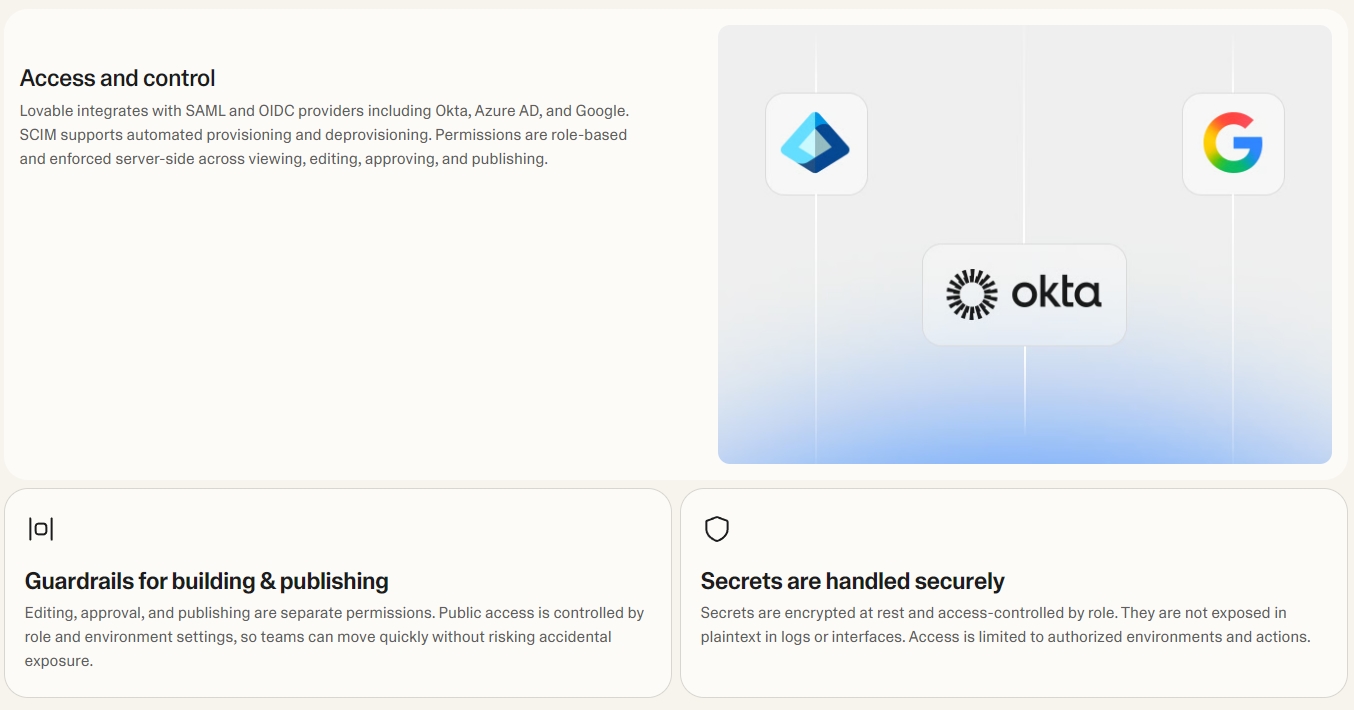
The RLS approach has a learning curve if you come from application-level authorization. In a traditional backend, you check permissions in your API layer. With RLS, the database enforces them. This means a malicious or buggy frontend cannot bypass authorization — the database simply returns no rows. But it also means complex authorization logic ("user can edit if they are the owner OR a team admin OR the document is in draft state") must be expressed in SQL policies. The AI can write these policies, but debugging them requires reading the policy definitions in the Supabase dashboard.
RLS moves authorization to the data layer. It eliminates a whole class of bugs where the API forgets to check permissions. But it pushes complexity into SQL policies that can be harder to test and version control.
Migrations, Version Control, and Local Development
Every schema change the AI makes creates a migration file in the Supabase project. You can see these in the Supabase dashboard under Database > Migrations. They are named with timestamps and descriptions like "20240115120000_create_tasks_table.sql". The migration history is the source of truth for the database schema. If you need to roll back, you can revert migrations in Supabase, though this is risky in production if data depends on the migrated schema.
For local development, you have two options. The first is to work entirely in the cloud: prompt the AI, it updates the hosted Supabase project, you test against the hosted database. This is the default workflow and requires no local setup. The second is to pull the project locally using the Supabase CLI. You run "supabase link --project-ref <ref>" and "supabase db pull" to get the schema and migrations on your machine. Then you can run "supabase start" for a local Postgres instance, develop against it, and push changes with "supabase db push".
The local workflow is useful when you need to write complex SQL that the AI struggles with, or when you want to test migrations against a copy of production data. But it adds friction: you must keep the local schema in sync with the AI's changes. If the AI creates a table while you have uncommitted local migrations, you get conflicts. Most teams pick one workflow and stick with it. The cloud-only workflow is simpler and works well for the majority of Lovable projects.
Scroll horizontally to see all columns
| Aspect | Cloud-Only | Local with CLI |
|---|---|---|
| Setup time | Zero | 15-30 minutes |
| Schema sync | Automatic | Manual (pull/push) |
| Complex SQL | Limited to AI capability | Full control |
| Data testing | Production data only | Local seed data |
| Team collaboration | Built-in | Requires Git sync |
Real-time Features and When to Use Them
Supabase Realtime broadcasts database changes to subscribed clients via WebSockets. Lovable makes this accessible by generating the subscription code when you ask for live features. Common patterns: a chat app where messages appear instantly, a kanban board where card moves sync across browsers, a dashboard where metrics update without refresh. The AI adds the channel subscription in a useEffect, listens for INSERT/UPDATE/DELETE events, and updates local React state.
Realtime is not free. Each concurrent connection consumes resources on the Supabase platform. The free tier includes 200 concurrent realtime connections. The Pro tier ($25/month) includes 500. Enterprise tiers go higher. If your app has thousands of simultaneous users all listening to the same table, you will hit limits. The AI does not automatically implement connection pooling or presence optimization — you have to ask for it or implement it yourself.
A practical pattern: only subscribe to the data the current user needs. In a team chat, subscribe to the channels the user belongs to, not all messages. In a dashboard, subscribe to the specific metrics the user is viewing. The AI can implement this filtering if you describe it: "Only subscribe to tasks assigned to the current user." Without that guidance, it may subscribe to the entire table, which works for small datasets but scales poorly.
Storage, Edge Functions, and Beyond Core Database
Lovable Database includes access to Supabase Storage for file uploads. When you ask for "user avatars" or "document uploads," the AI creates a storage bucket, configures RLS policies for it, and generates the upload components. Files are served via CDN. The free tier includes 1GB of storage and 2GB of bandwidth. This covers most MVP needs. For larger files or higher volume, you move to a paid tier or integrate S3 directly.
Edge Functions (Deno-based serverless functions) are available but not automatically used by the AI. You have to explicitly ask: "Create an edge function that processes uploaded images and generates thumbnails." The AI will write the function, deploy it, and wire the frontend to call it. This is useful for operations that should not run in the browser: sending emails, calling third-party APIs with secret keys, heavy computation, scheduled jobs. The free tier includes 500,000 function invocations per month.
Postgres extensions are enabled on request. Common ones: pgvector for embeddings (AI search, recommendations), pg_cron for scheduled jobs, uuid-ossp for UUID generation (enabled by default), postgis for geospatial data. The AI knows how to use these extensions in migrations and queries. For example, if you ask for "semantic search on document content," the AI will enable pgvector, add a vector column, create an index, and write the similarity search query.

Performance Considerations at Scale
The default Lovable schema uses UUID primary keys, timestamps with timezone, and foreign keys with indexes. This is a reasonable baseline. But as data grows, you encounter standard Postgres performance issues: missing indexes on query patterns, N+1 queries from the frontend, unoptimized realtime subscriptions, connection exhaustion. The AI does not proactively analyze query plans. You have to notice slow queries and ask for fixes.
Common optimizations you may need to request: composite indexes for multi-column WHERE clauses, partial indexes for filtered queries (e.g., WHERE status = 'active'), materialized views for expensive aggregations, partitioning for very large tables, connection pooling via PgBouncer (Supabase provides this automatically on paid tiers). The AI can write the migration SQL for these. But you must identify the need.
The PostgREST API that Supabase exposes has its own performance characteristics. It paginates with limit/offset by default, which degrades on deep pages. Cursor-based pagination is better for large datasets but requires explicit implementation. The AI can switch to cursor pagination if you ask. Similarly, PostgREST does not support JOINs across more than a few levels efficiently. For complex relational queries, you may need a Postgres function or a view that the AI can create and expose via RPC.
Scroll horizontally to see all columns
| Symptom | Likely Cause | Fix to Request |
|---|---|---|
| Slow list views with filters | Missing composite index | Add index on (status, created_at) or similar |
| Deep pagination timeouts | Offset pagination on large table | Switch to cursor-based pagination |
| Realtime lag with many users | Full table subscription | Filter subscription to user scope |
| Connection errors under load | Exhausted connection pool | Enable PgBouncer (paid tier) or reduce pool size |
| Complex query latency | Multiple PostgREST requests | Create Postgres function or view |
Comparing Lovable Database to Traditional Backends
A traditional backend (Node/Express, Python/FastAPI, Go, etc.) gives you full control over the API layer, the database schema, the deployment infrastructure, and the authentication logic. You write the SQL. You design the indexes. You handle migrations with a tool like Prisma, Drizzle, or raw SQL. You deploy to AWS, Railway, Fly.io, or your own servers. The effort is higher but so is the flexibility. You can optimize any layer, use any database (not just Postgres), and implement any authorization model.
Lovable Database trades that control for speed. You get a working backend in minutes instead of days. You lose: choice of database engine (Postgres only), control over API design (PostgREST conventions), ability to run custom middleware, direct access to the database server for tuning, and the option to self-host. For an MVP, internal tool, or founder-led product, the trade-off is often correct. For a high-scale consumer product with unique performance requirements, it may not be.
There is a middle path. You can start with Lovable Database, validate the product, then migrate the backend to a custom implementation while keeping the Lovable-generated frontend. The frontend code is standard React with a Supabase client. You can point that client at a different Postgres database with a compatible schema. The migration effort is non-trivial — you must replicate the auth, RLS, realtime, and storage functionality — but it is possible. Some teams do exactly this.
Lovable Database is not a lifelong commitment. It is a starting point that can carry you through validation and early traction. The exit door exists, but walking through it requires engineering investment.
Common Application Patterns and How They Map
Certain application patterns map cleanly to Lovable Database. SaaS dashboards with user accounts, teams, projects, and billing — the AI has seen this pattern thousands of times and generates solid schemas. Marketplaces with listings, bookings, reviews, and payments — also well-trodden. Internal tools with CRUD interfaces, role-based access, and audit logs — the AI excels here because the patterns are repetitive. Content platforms with posts, comments, likes, follows — standard social schema.
Patterns that strain the system: complex multi-tenant architectures with shared databases and row-level tenant isolation (possible but requires careful RLS design), high-frequency trading or gaming backends needing microsecond latency (wrong tool), applications requiring graph databases, time-series databases, or document stores (Postgres can approximate but not replace), workflows with long-running transactions or complex saga patterns (better handled by a dedicated orchestration layer).
- SaaS dashboards: users, teams, subscriptions, usage tracking — excellent fit
- Marketplaces: listings, transactions, reviews, messaging — excellent fit
- Internal tools: CRUD, RBAC, audit trails, approval flows — excellent fit
- Content platforms: posts, comments, feeds, notifications — excellent fit
- E-commerce: products, carts, orders, inventory — good fit with Stripe integration
- Real-time collaboration: presence, cursors, conflict resolution — good fit with guidance
- Multi-tenant B2B: shared schema with tenant isolation — possible with careful RLS
- High-write analytics: event ingestion, rollups, dashboards — consider dedicated analytics DB
- Geospatial apps: PostGIS works but requires explicit extension enablement
- AI/ML pipelines: pgvector for embeddings works; training pipelines need external compute
Limitations You Will Eventually Hit
The first limitation most teams hit is the AI's inability to understand implicit domain knowledge. You ask for "a booking system" and it creates a generic appointments table. But your business has buffer times between appointments, resource constraints, recurring bookings with exceptions, timezone-aware availability, and cancellation policies with fees. The AI does not know these unless you enumerate them. You end up writing detailed prompts that are essentially pseudocode. At that point, writing the migration yourself is faster.
The second limitation is debugging AI-generated migrations. When a migration fails — perhaps a foreign key references a non-existent table, or a policy causes a recursion error — the error comes from Supabase, not from Lovable. You must read the SQL, understand the failure, and either fix it in the Supabase dashboard or prompt the AI with the error message. The AI can usually fix it on the second try, but the round trip breaks flow.
The third limitation is schema drift between environments. If you use the cloud-only workflow, your development database is the production database. There is no staging environment by default. You can create a second Lovable project pointing to a different Supabase project for staging, but keeping schemas in sync requires discipline. The AI does not manage environment promotion. This is a gap for teams that need proper CI/CD.
Pricing Tiers and Database Limits
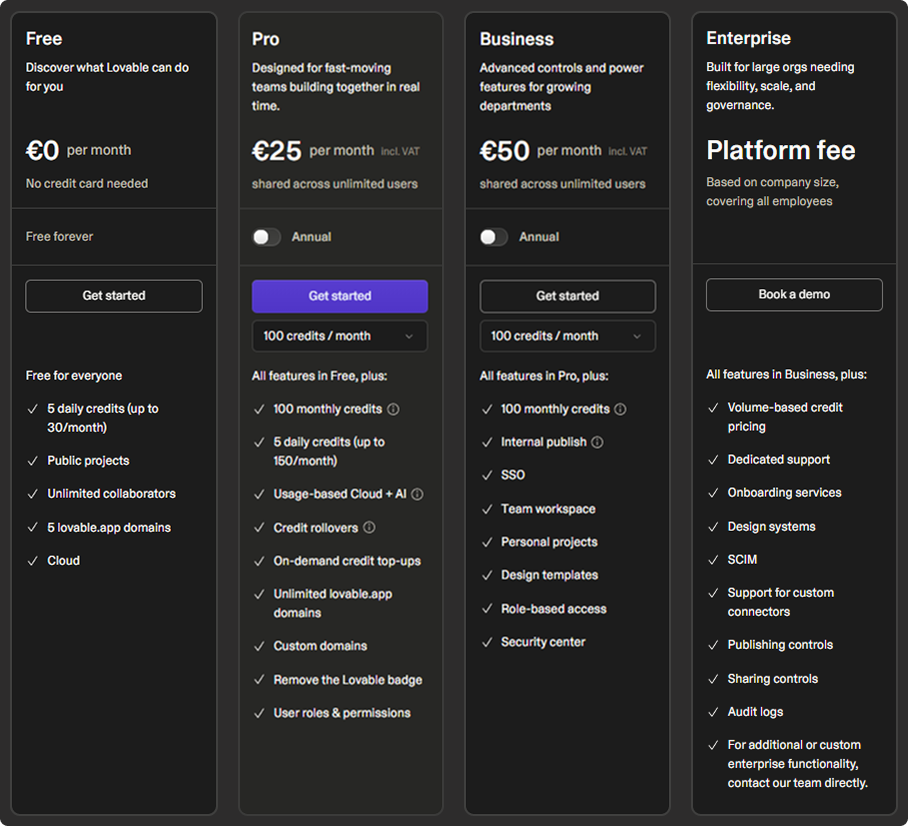
Lovable's pricing tiers map to Supabase's underlying limits. The Free tier includes a shared Supabase project with 500MB database, 1GB storage, 2GB bandwidth, 200 realtime connections, and 50,000 monthly active users. This is generous for prototypes and personal projects. The Starter tier ($20/month) moves you to a dedicated Supabase project with 8GB database, 100GB storage, 500GB bandwidth, 500 realtime connections, and 100,000 MAU. The Launch tier ($50/month) increases to 16GB database, 200GB storage, 1TB bandwidth, 1,000 realtime connections, and 500,000 MAU.
The Scale tier ($100/month) and Enterprise tiers provide larger limits, dedicated infrastructure, and SLA guarantees. Database size is the most common limit teams hit first. 8GB sounds like a lot, but Postgres indexes, WAL files, and temporary tables consume space. A moderately active SaaS with a few thousand users can exceed 8GB in a year. You can monitor usage in the Supabase dashboard. When you approach limits, you either upgrade or archive old data.
Bandwidth limits apply to both API responses and realtime messages. A chatty realtime application with frequent updates can consume bandwidth quickly. The AI does not optimize for bandwidth — it sends full row data on every change. You can reduce payload by selecting only needed columns in the subscription, but this requires manual intervention. Storage limits apply to Supabase Storage buckets (avatars, uploads, generated assets). Database backups are included and do not count against your storage quota.
Security Posture and Compliance Considerations
Supabase (and therefore Lovable Database) runs on AWS. Data is encrypted at rest (AES-256) and in transit (TLS 1.2+). Supabase is SOC 2 Type II certified. HIPAA compliance is available on Enterprise tiers with a BAA. GDPR compliance is supported through data processing agreements and the ability to delete user data. The database is hosted in AWS regions: US East, US West, EU West, AP Northeast, AP Southeast. You choose the region when creating the Supabase project (or Lovable chooses a default).
Secrets management: API keys, database passwords, and OAuth secrets are stored in Supabase's vault. The Lovable AI has access to the anon key and service role key for the project. The service role key bypasses RLS — it is used for admin operations like user management. You should not expose the service role key in frontend code. The AI knows this and only uses the anon key in generated frontend code. But if you write custom edge functions, you must be careful not to leak the service role key.
Audit logging is not enabled by default. Supabase provides Postgres audit logging (pgaudit) on paid tiers. You can enable it to track all SQL statements, which is useful for compliance. Lovable does not surface this setting in its UI — you enable it in the Supabase dashboard. Point-in-time recovery (PITR) is available on paid tiers, allowing restore to any second in the last 7-30 days depending on tier. This is a safety net for accidental data loss.
The security defaults are solid for a startup. But compliance requirements (HIPAA, SOC 2, GDPR) require configuration beyond what the AI sets up automatically. Plan for this before you need it.
Developer Experience: What Works and What Frustrates
The developer experience is polarized. When the AI understands your intent, it feels like magic. You type "add a notification system with email and in-app preferences" and three minutes later you have a notifications table, a preferences table, RLS policies, a React bell icon component, a realtime subscription, and an edge function skeleton for sending emails. The types are correct. The UI matches your design system. You commit and deploy.
When the AI misunderstands, it feels like fighting a stubborn junior developer. You ask for "soft deletes on the projects table" and it adds a deleted_at column but forgets to update the RLS policies to filter out deleted rows. You ask it to fix the policies and it adds a policy that references the wrong column. You paste the error, it apologizes, tries again, and finally gets it right on the third attempt. The cycle burns minutes that you could have spent writing the SQL yourself.
The friction points are consistent: complex RLS policies, multi-step migrations (add column, backfill data, add constraint), schema changes that require coordinated frontend updates, and anything involving raw SQL performance tuning. The AI is excellent at generating boilerplate and standard patterns. It is poor at architectural decisions and edge cases. Experienced developers learn to use the AI for the 80% and write the 20% themselves.
Migration Path: From Lovable Database to Custom Backend
If you decide to migrate off Lovable Database, the path is straightforward but labor-intensive. Your frontend is a standard React application using the Supabase JavaScript client. You can point that client at any Postgres database that exposes a PostgREST-compatible API (Supabase self-hosted, PostgREST on your own server, or a custom API that mimics the same endpoints). The TypeScript types are generated from the schema — you can regenerate them against your new database.
The hard parts: replicating Supabase Auth (you can migrate users with password hashes, but OAuth providers need reconfiguration), replicating RLS (you must reimplement authorization in your API layer or use Postgres RLS on your own database), replicating Realtime (you need a WebSocket server that publishes Postgres logical replication changes), replicating Storage (migrate files to S3 and update upload components), replicating Edge Functions (rewrite in your preferred runtime).
A pragmatic migration strategy: keep the Supabase project running. Move the frontend to your own hosting. Gradually replace Supabase services with custom implementations behind feature flags. Start with the most painful limitation (usually a specific API endpoint that needs custom logic). Route that endpoint to your new backend while the rest still hits Supabase. Over months, shift more traffic. This avoids a big-bang rewrite and lets you validate each piece.
Scroll horizontally to see all columns
| Service | Migration Difficulty | Recommended Approach |
|---|---|---|
| Database (Postgres) | Low | Dump/restore or logical replication |
| Auth | Medium | Migrate users, reconfigure OAuth |
| RLS Policies | High | Reimplement in API layer |
| Realtime | High | Custom WebSocket + logical replication |
| Storage | Low | Copy files to S3, update client |
| Edge Functions | Medium | Rewrite in target runtime |
Final Assessment: When Lovable Database Makes Sense
Lovable Database is a lever. It lets one person do the work of a small full-stack team for the first three to six months of a product. The leverage comes from eliminating the backend boilerplate: auth scaffolding, API routes, database migrations, type generation, deployment configuration, environment management. You describe features. The infrastructure appears. This is genuine productivity, not marketing fluff.
The leverage has a ceiling. As the product matures, the things you need — a staging environment, custom API semantics, specialized indexes, background job processing, audit trails, multi-region deployment — fall outside what the AI can manage. You either accept the constraints or invest in migration. The right decision depends on your team, your traction, and your technical requirements. There is no universal answer.
For a non-technical founder validating a B2B SaaS idea, Lovable Database is often the difference between shipping and not shipping. For a team of three engineers building a consumer social app with real-time requirements, it may accelerate the first month but become a bottleneck by month three. For an internal tools team at a mid-size company, it can replace weeks of custom admin panel development. The tool fits a specific phase of a specific type of project. Know the phase. Know the project. Decide accordingly.
Frequently Asked Questions
Can I use Lovable Database without the Lovable AI frontend builder?
No. The database is provisioned and managed through the Lovable platform. You cannot create a standalone Supabase project via Lovable and use it independently. However, you can export the schema and migrate to a self-managed Supabase project later.
What happens to my data if I cancel my Lovable subscription?
Your Supabase project remains accessible directly through Supabase. You retain full ownership of the data. Lovable does not delete the underlying database when you cancel. You can continue using the Supabase dashboard, API, and CLI independently.
Does Lovable Database support branching for feature development?
Not natively. Each Lovable project connects to a single Supabase project. For feature branching, you would need separate Lovable projects pointing to separate Supabase projects, or use Supabase's branching feature (available on paid tiers) directly in the Supabase dashboard.
Can I run raw SQL migrations instead of relying on the AI?
Yes. You can use the Supabase SQL editor in the dashboard to run any SQL. The AI will see the resulting schema changes on its next prompt. However, the AI may not understand custom migrations you wrote manually, so subsequent AI-generated changes could conflict.
How does Lovable handle database backups and disaster recovery?
Supabase provides automatic daily backups with point-in-time recovery on paid tiers (7 days on Pro, 30 days on Enterprise). Free tier includes daily backups but no PITR. You can also configure custom backup schedules and export snapshots via the Supabase CLI.
Is there a way to preview schema changes before the AI applies them?
The AI shows a summary of planned changes in the chat before executing. You can approve or request modifications. For complex changes, you can ask the AI to generate the migration SQL first, review it, then ask it to apply.
What are the hard limits on database size and connections?
Limits depend on your Lovable tier which maps to Supabase tiers. Free: 500MB database, 200 realtime connections. Starter: 8GB, 500 connections. Launch: 16GB, 1,000 connections. Scale and Enterprise offer larger limits with dedicated infrastructure.