

Web Development
Building Lovable Landing Pages with AI
A practical guide to designing, launching, and optimizing landing pages with Lovable's AI-powered platform.


Senior Software Developer & Trading Technology Specialist
Ethan Parker is a software developer with over 8 years of experience in building web applications, trading tools, and financial technology solutions. He specializes in Python, JavaScript, API integrations, and trading automation, helping traders improve efficiency through innovative technology.
Landing pages have always been the workhorses of digital marketing. They sit at the intersection of design, copy, and technical implementation — and historically, building them meant choosing between speed and quality. You could hand-code a custom page in React, which gave you total control but took days. You could use a drag-and-drop builder, which was fast but often produced bloated code and limited flexibility. Lovable Landing Pages changes that equation by letting you describe what you want in plain English and generating production-ready React code with Tailwind CSS underneath.
Contents
- 1. How the Template Library Works
- 2. Prompting for Custom Landing Pages
- 3. Design System and Component Consistency
- 4. Integrations That Matter for Landing Pages
- 5. Responsive Behavior and Mobile-First Output
- 6. Performance Characteristics
- 7. Deployment and Hosting Options
- 8. Collaboration Between Technical and Non-Technical Team Members
- 9. SEO and Metadata Handling
- 10. A/B Testing and Analytics Integration
- 11. Limitations and When to Look Elsewhere
- 12. Migrating From Template to Production
- 13. Maintaining and Iterating on Live Pages
- 14. Final Assessment of Lovable Landing Pages
The platform sits in a category that barely existed two years ago: AI-powered application builders that output real code rather than locking you into a proprietary runtime. When you ask Lovable to create a landing page, it doesn't generate a JSON configuration for a closed ecosystem. It writes actual TypeScript files, sets up Vite, configures Tailwind, and structures components the way a senior frontend developer would. You can download the project, push it to GitHub, and deploy it anywhere — Vercel, Netlify, your own infrastructure. That distinction matters more than it might seem at first glance.
This guide walks through how Lovable handles landing pages specifically — from the template library and AI prompting workflow to integrations, deployment, and the practical limits you'll hit when pushing the platform. Whether you're a founder validating an idea, a marketer who needs to move faster than your engineering team can support, or a developer looking to offload repetitive UI work, the goal is to give you a clear picture of where this tool fits and where it doesn't.
How the Template Library Works
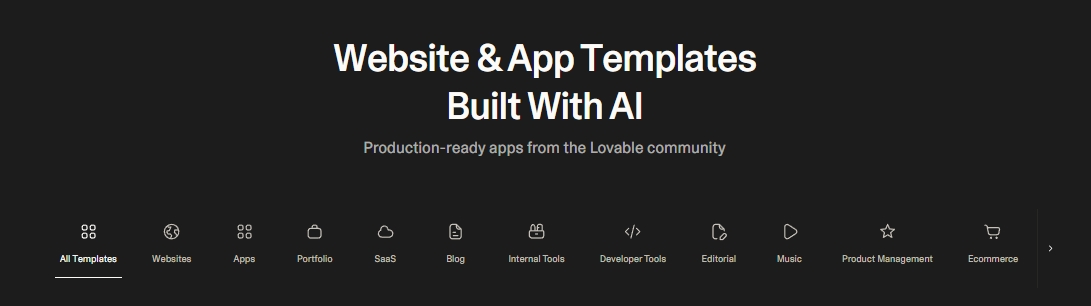
Lovable ships with a curated set of landing page templates that cover the most common patterns: SaaS hero sections, waitlist signups, product showcases, pricing tables, and feature grids. These aren't generic Bootstrap-style templates. Each one is built as a proper React component tree with TypeScript interfaces, responsive breakpoints, and accessibility attributes already in place. You can browse them in the dashboard, preview at different viewport sizes, and clone any template into a new project with one click.
What makes the template system useful isn't just the starting designs. It's that each template demonstrates patterns you'll reuse: how to structure a hero with a background gradient and animated elements, how to build a pricing toggle that switches between monthly and annual without a page reload, how to implement a FAQ accordion that works with keyboard navigation. When you clone a template, you're not just getting a design — you're getting reference implementation code you can study and adapt.
The templates also integrate with Lovable's backend primitives. A waitlist template comes pre-wired to Supabase for email capture. A SaaS pricing page includes Stripe Checkout buttons that work once you add your price IDs. An e-commerce template has product cards connected to a Supabase products table. This means the gap between "template" and "working page with real data" is often measured in minutes rather than hours.
Prompting for Custom Landing Pages
Templates cover the common cases, but the real power shows up when you describe something specific. The prompting interface accepts natural language — you type what you want, and Lovable generates the code. The quality of results depends heavily on how you structure the request. Vague prompts like "make me a landing page for my startup" produce generic output. Specific prompts like "create a landing page for a B2B analytics tool called MetricFlow. Hero with headline, subhead, and two CTAs: 'Start Free Trial' and 'Watch Demo'. Three-column feature grid with icons. Testimonial carousel with headshots. Pricing table with three tiers. Footer with links and social. Use dark navy background with teal accents. Mobile-first responsive." will get you remarkably close to a finished page.
There's a learning curve to prompting effectively. The platform responds best when you specify: the page sections in order, the visual hierarchy (what's primary vs secondary), the color scheme or at least a mood, responsive behavior expectations, and any interactive states (hover, focus, loading). You can also reference existing components — "use the same button style as the hero CTA" — and Lovable will maintain consistency across the page. It helps to think of the prompt as a design brief you'd give a contractor, not a casual request.
The chat interface maintains context across turns. If the hero looks good but the feature grid needs adjustment, you can say "make the feature cards taller, add a subtle border, and change the icon size to 32px" and it will modify just that section. This iterative workflow mirrors how designers and developers actually collaborate — review, feedback, refine — except the iteration cycle is seconds instead of hours.
Design System and Component Consistency
One of the subtle strengths of Lovable's approach is that it builds a design system as it goes. When you create your first button, the platform establishes a Button component with variants (primary, secondary, ghost, destructive), sizes (sm, md, lg), and states (default, hover, focus, disabled, loading). Subsequent prompts reuse and extend this component rather than creating new one-off styles. The same happens with cards, inputs, modals, and layout primitives. By the time you've built a full landing page, you have a coherent component library that matches your brand.
You can also seed the design system upfront. If you have a Figma file or a style guide, you can describe your tokens — color palette, spacing scale, typography, border radius, shadow depths — and Lovable will create a theme configuration file and apply it consistently. This is where the tool starts to feel less like a toy and more like a legitimate frontend accelerator. The generated theme file is standard Tailwind config, so your design tokens live in code where version control tracks changes.
The trade-off is that the design system lives in the generated code, not in a separate visual editor. If you want to change the primary color across the entire page, you either edit the Tailwind config directly or prompt Lovable to do it. There's no visual theme builder with live preview. For teams used to tools like Figma or Webflow's design panel, this feels like a step backward. For developers, it's exactly where they want the source of truth to be.
Integrations That Matter for Landing Pages
A landing page without integrations is just a brochure. Lovable's integration layer connects the frontend to the services that make pages functional: Supabase for database and auth, Stripe for payments, Resend or SendGrid for email, Google Analytics and Plausible for tracking, and various form handlers. The integration setup happens through the chat — you say "add Supabase auth with email/password and a waitlist table" and it creates the Supabase client, the database types, the auth context, and the form component with validation and error handling.
The Supabase integration is the most mature. It handles the full stack: database schema generation, Row Level Security policies, realtime subscriptions, storage for file uploads, and edge functions for server-side logic. When you build a waitlist landing page, you get a working backend that stores emails, prevents duplicates, sends confirmation emails via Resend, and exposes an admin dashboard to view signups — all from a few prompts. The generated code uses the Supabase TypeScript client with proper typing derived from your schema.
Stripe integration covers Checkout Sessions, Customer Portal, and webhook handling for subscription events. You describe your pricing tiers, and Lovable creates the pricing table component, the checkout redirect logic, and the webhook endpoint structure. You still need to deploy the webhook handler and configure Stripe Dashboard settings, but the boilerplate that usually takes an afternoon is done. The same pattern applies to other integrations — the platform handles the client-side glue code; you handle the provider-specific configuration.
Scroll horizontally to see all columns
| Service | What Lovable Generates | What You Configure |
|---|---|---|
| Supabase | Client, types, auth context, forms, RLS policies | Project URL, anon key, database schema |
| Stripe | Checkout buttons, pricing tables, webhook structure | Price IDs, webhook secret, dashboard settings |
| Resend | Email templates, send functions, contact forms | API key, domain verification, templates |
| Google Analytics | Gtag script, event helpers, consent banner | Measurement ID, consent settings |
| Plausible | Script tag, custom event functions | Domain, script URL, event names |
One gap worth noting: there's no built-in form builder that outputs to a generic endpoint. If you need a contact form that posts to a Zapier webhook or a custom API, you'll either prompt for a custom fetch implementation or add it manually. The platform assumes you're using one of its supported backends. This is reasonable for the target use case but can surprise users coming from Webflow or Framer where form handling is a first-class visual feature.
Responsive Behavior and Mobile-First Output
Every component Lovable generates uses Tailwind's mobile-first breakpoints by default. The hero section stacks on mobile, goes side-by-side at md (768px), and may adjust again at lg (1024px) or xl (1280px). Spacing, typography, and component density all scale appropriately. You don't need to specify responsive behavior in every prompt — it's baked into the component patterns. But you can override it: "make the feature grid two columns on tablet, three on desktop" works reliably.
The platform also handles the fiddly details that often get missed in hand-built pages: touch target sizes on mobile, focus-visible outlines for keyboard navigation, reduced-motion preferences for animations, proper heading hierarchy for screen readers, and viewport meta tags. These aren't flashy features, but they're the difference between a page that passes a basic accessibility audit and one that doesn't. Lovable includes them by default because the underlying component patterns were built with them in mind.
The accessibility baseline is genuinely useful. I've shipped pages that scored 95+ on Lighthouse accessibility without me thinking about it once.
Testing responsive behavior happens in the browser preview pane, which lets you toggle device widths. There's no automated visual regression testing or device lab integration. For critical pages, you'll still want to test on real devices — especially for touch interactions, font rendering differences, and Safari-specific quirks. The preview is reliable for layout verification but not a substitute for QA.
Performance Characteristics
Because the output is a standard Vite + React + Tailwind stack, performance is largely what you'd expect from a well-configured modern frontend. The production build includes code splitting, tree shaking, CSS minification, and asset hashing. Images referenced in prompts are not automatically optimized — you'll want to use a proper image CDN or add an optimization step. The generated code doesn't include a service worker or offline support by default, though you can prompt for Workbox configuration.
Bundle size for a typical landing page with hero, feature grid, testimonials, pricing, and footer runs 120-180KB gzipped before adding heavy libraries. Adding charting, animation libraries, or 3D components increases this predictably. The platform doesn't inject runtime bloat — there's no framework-specific runtime beyond React itself. This means you can optimize further with standard techniques: lazy-load below-the-fold sections, defer non-critical CSS, preload hero images, use dynamic imports for heavy components.
One area where the AI-generated code sometimes needs manual tuning: animation performance. Prompts like "add smooth scroll animations to each section" often produce IntersectionObserver-based animations that work fine on desktop but can cause jank on lower-end mobile devices. The fix is usually reducing animation complexity, using transform/opacity only, or adding will-change hints. This isn't a platform flaw — it's the same judgment call a developer makes when implementing scroll animations manually.
Deployment and Hosting Options
Lovable doesn't host your pages. It generates a GitHub repository with a complete project structure, and you deploy from there. The platform can create the repo for you, push the initial commit, and even open a pull request — but the deployment target is your choice. Vercel and Netlify are the most common because they detect the Vite framework automatically, provide preview deployments for every push, and handle custom domains, SSL, and edge caching without configuration.
The deployment workflow typically looks like this: you finish the page in Lovable's chat, click "Push to GitHub," the platform creates a private repo (or pushes to an existing one), you connect that repo to Vercel, and the first deploy goes live in under two minutes. Subsequent changes — whether made in Lovable or locally — trigger new preview deployments automatically. This is a standard modern workflow, and Lovable fits into it cleanly because it outputs standard code.
For teams with existing CI/CD pipelines, the generated project includes a GitHub Actions workflow that runs type checking, linting, and build on every push. You can extend this with visual regression tests, Lighthouse CI, or deployment to your own Kubernetes cluster. The platform doesn't lock you into its own hosting or deployment infrastructure — a deliberate design choice that respects engineering teams' existing investments.

Collaboration Between Technical and Non-Technical Team Members
The most interesting dynamic Lovable enables isn't technical — it's organizational. A marketer can prompt the initial landing page structure, a designer can review the visual output in the preview and request adjustments via chat, and a developer can pull the repo, add custom logic, write tests, and push back. All three roles work on the same artifact without handoff friction. The marketer doesn't need to file a ticket and wait two weeks. The developer doesn't need to translate a Figma file into code from scratch.
This works because the chat history serves as a living spec. Every prompt, every refinement, every "make the button larger" is recorded. A developer joining the project can read the conversation to understand intent. A designer can scroll back to see why a spacing decision was made. This transparency reduces the miscommunication that plagues traditional design-to-development handoffs. It's not perfect — there's still no visual redlining tool or design token sync with Figma — but it's a meaningful step toward shared ownership of the frontend.
There's a practical limit to this collaboration model. Once a developer makes manual changes to the codebase — adding a custom hook, integrating a niche API, refactoring component structure — those changes won't be reflected in Lovable's understanding of the project. The platform doesn't (yet) pull from GitHub to update its internal model. If you continue prompting after manual edits, you risk the AI overwriting or conflicting with hand-written code. The current best practice: use Lovable for the initial scaffold and major structural changes, then switch to local development for fine-tuning and custom logic.
SEO and Metadata Handling
Landing pages live or die by search visibility, and Lovable handles the basics well. Each page gets a proper HTML structure with semantic elements (header, main, section, article, footer), heading hierarchy, meta tags for title, description, Open Graph, and Twitter cards. You prompt for these: "set the page title to 'MetricFlow - Analytics for Modern Teams' and description to 'Real-time dashboards for product teams. Start free, no credit card required.'" The platform generates the appropriate index.html transformations and a reusable SEO component.
For more advanced SEO needs — structured data (JSON-LD), sitemap generation, robots.txt, canonical URLs, hreflang — you'll need to add them manually or prompt for specific implementations. The platform can generate a Schema.org Organization or Product schema if you describe it, but it doesn't have an SEO audit built in. There's no "check my meta tags" button. This is consistent with the overall philosophy: Lovable writes the code you ask for; verifying it meets search requirements is still your job.
One advantage of the code-first approach: you can implement programmatic SEO at scale. If you need 500 landing pages for different city-service combinations, you can prompt Lovable to create a dynamic route structure with getStaticPaths (or the Next.js equivalent if you've migrated the project), a content collection from a CMS or JSON files, and the page template. The platform understands file-system routing and data fetching patterns. This is something visual builders struggle with — they're built for one-off pages, not programmatic generation.
A/B Testing and Analytics Integration
Lovable doesn't include a built-in A/B testing framework. This is a deliberate scope boundary — the platform generates the frontend; experimentation infrastructure is a separate concern. However, the code it produces works cleanly with client-side testing tools like PostHog, GrowthBook, or even Google Optimize (while it existed). You can prompt for a variant system: "create a hook that returns 'A' or 'B' consistently per user using localStorage" and use it to conditionally render different hero copy, button colors, or pricing layouts.
Analytics integration is more straightforward. The platform can add Plausible, Google Analytics, PostHog, or custom event tracking with a few prompts. Events fire on button clicks, form submissions, scroll depth, and time-on-page. The event naming convention follows the platform's defaults (e.g., "cta_click", "form_submit") but you can specify your own taxonomy. For teams with established analytics governance, this flexibility matters — you're not forced into a proprietary event schema.
The lack of built-in A/B testing feels like a gap until you realize every visual builder's testing tool is either too simple or locks you in. Better to own your experimentation stack.
For server-side testing or feature flags, you'd integrate a service like LaunchDarkly or build a simple flag system against your backend. The generated React code accepts props and context normally, so there's no architectural barrier — just the manual work of wiring it up.
Limitations and When to Look Elsewhere
Lovable Landing Pages excels at marketing pages, waitlists, product showcases, and simple conversion funnels. It struggles with highly interactive applications — dashboards with complex state, real-time collaborative editors, data-heavy admin panels, or anything requiring intricate client-side orchestration. The AI can generate the UI shell for these, but the logic layer quickly exceeds what prompting can reliably produce. You'll hit a wall where the chat starts producing buggy code, and fixing it through prompts takes longer than writing it yourself.
Another limitation: the platform doesn't yet support design token synchronization with Figma. If your design team works in Figma and expects pixel-perfect implementation, you'll still do manual translation work. There's no "import from Figma" button that produces clean components. Some competitors in the AI builder space are experimenting with this, but Lovable's current focus is code generation from text, not design file parsing.
The pricing model also deserves attention. The free tier includes a generous number of daily prompts and public projects, but private projects and higher prompt volumes require a paid plan. For a solo founder validating one idea, the free tier is usually sufficient. For an agency building multiple client landing pages per month, the costs add up. There's no per-project pricing — it's a subscription for the builder seat. Factor this into your tooling budget.
The competitive landscape includes v0.dev (Vercel's AI builder), Bolt.new, Base44, and traditional no-code tools like Webflow and Framer. v0 is excellent for React component generation but less focused on full-page assembly. Bolt runs a full Node environment in the browser, which is impressive but can be slower for simple pages. Webflow and Framer give you visual control and hosting but lock you into their ecosystems. Lovable's differentiator is the combination of code ownership, GitHub-native workflow, and backend integrations that produce working full-stack pages — not just frontend mockups.
Migrating From Template to Production
The path from a Lovable-generated landing page to a production asset involves a few consistent steps. First, review the generated code locally. Pull the repo, run the dev server, and click through every interaction. Check console for warnings. Run the type checker (npm run typecheck or equivalent). Run the linter. Fix any issues — the AI occasionally misses a dependency in a useEffect or leaves a console.log. This review takes 15-30 minutes for a typical page and catches the class of errors that only appear in a real development environment.
Second, add your production environment variables. The generated .env.example lists what's needed: Supabase URL and keys, Stripe keys, Resend API key, analytics IDs. Never commit actual secrets. Configure these in your deployment platform's environment variable settings. Verify each integration works in a preview deployment before promoting to production.
Third, set up monitoring. Add error tracking (Sentry, LogRocket), uptime monitoring (Better Uptime, Pingdom), and performance monitoring (Vercel Analytics, SpeedCurve). The generated code doesn't include these — they're operational concerns, not page concerns. But a landing page driving paid traffic without error tracking is a blind spot you'll regret.
Fourth, configure your custom domain and SSL. This happens in your DNS provider and deployment platform, not in Lovable. Add a CNAME or ALIAS record pointing to your Vercel/Netlify domain, verify ownership, and enable HTTPS. Test the live URL thoroughly — form submissions, analytics events, third-party scripts, mobile experience. The first 24 hours after launch are when you'll catch the issues that only appear under real traffic.
Maintaining and Iterating on Live Pages
A landing page is never finished. Conversion optimization means continuous iteration: testing headlines, adjusting form fields, adding social proof, tweaking CTAs. Lovable supports this cycle in two ways. You can return to the chat and prompt for changes — "change the hero headline to 'Ship Features Twice as Fast' and make the CTA 'Start Free 14-Day Trial'" — then push the updated code. Or you can make changes locally in your IDE and push. Both workflows work; the choice depends on the change complexity and who's making it.
For text and styling changes, the chat is often faster. For structural changes — adding a new section, restructuring the navigation, integrating a new service — local development with full IDE support (TypeScript intelligence, refactoring tools, test runner) is more reliable. The generated codebase is standard enough that any React developer can work in it productively. There's no "Lovable-specific" knowledge required to maintain the code.
Version control gives you safety. Every deployment is a commit. If a change tanks conversion, you can revert in seconds. You can also run A/B tests by deploying two branches to different preview URLs and splitting traffic at the edge (Vercel's middleware or Cloudflare Workers). This is standard practice, but it's worth emphasizing: the fact that Lovable outputs a normal Git repository means you have access to the entire modern deployment toolchain. You're not locked into a proprietary preview system.
Frequently Asked Questions
Can I use Lovable Landing Pages without knowing React or TypeScript?
Yes. The chat interface generates code from natural language prompts. You don't need to write code to create and deploy a landing page. However, understanding the basics helps you review output, troubleshoot issues, and make advanced customizations.
Does Lovable host my landing pages or do I need separate hosting?
Lovable does not host pages. It generates a GitHub repository with a complete Vite + React + Tailwind project. You deploy to Vercel, Netlify, Cloudflare Pages, or your own infrastructure. This gives you full ownership and portability.
How does Lovable handle form submissions and lead capture?
Forms integrate with Supabase by default. The platform generates the database schema, Row Level Security policies, the React form component with validation, and the API route to store submissions. You can also connect Resend for confirmation emails or webhook endpoints for CRM integration.
Can I import my existing Figma designs into Lovable?
Not currently. Lovable generates UI from text prompts, not from design files. You can describe your design system (colors, spacing, typography) in prompts to establish consistency, but there's no automated Figma-to-code import.
What happens if I need custom functionality beyond what the AI generates?
You pull the repository locally and write custom code. The generated project is a standard React + TypeScript + Vite application. Any React developer can extend it. The AI doesn't need to understand your custom additions — you maintain them manually.
Is there a limit to how many landing pages I can create?
The free tier includes a daily prompt limit and public projects only. Paid plans increase prompt limits and allow private projects. There's no hard limit on the number of projects or pages within a project — each landing page is typically a route in a single application.
How does Lovable compare to Webflow or Framer for landing pages?
Webflow and Framer are visual, hosted platforms with built-in CMS and hosting. Lovable generates code you own and deploy anywhere. Choose Webflow/Framer for visual editing and all-in-one convenience. Choose Lovable for code ownership, GitHub workflow, backend integrations, and developer handoff.
Final Assessment of Lovable Landing Pages
Lovable Landing Pages occupies a practical middle ground: more powerful than pure no-code tools, more accessible than hand-coding everything. It's best suited for teams that want to move from idea to working page in hours rather than days, and that value code ownership enough to accept a text-based interface instead of a visual canvas. The platform won't replace your frontend team — nor should it try to. It replaces the sprint where your frontend team builds the same hero section, feature grid, and pricing table for the fifth time this year.
The real measure isn't whether the AI writes perfect code on the first try. It's whether the generated code is readable, maintainable, and close enough that a developer can finish the job in a fraction of the usual time. In that sense, Lovable delivers. The output passes code review. The components follow modern patterns. The integrations work. The deployment story is standard. For landing pages specifically — which are structurally repetitive but visually distinct — this is a genuine productivity gain.
If your needs fit the template: marketing pages, waitlists, product launches, simple conversion funnels — Lovable is worth a serious evaluation. If you need a visual CMS for content editors, complex animation timelines, or Figma synchronization, look elsewhere. The tool is honest about what it is: an AI pair programmer for frontend scaffolding, not a complete design-to-production platform. Used within that scope, it's one of the more useful additions to the modern web development toolkit in recent memory.