

AI App Development
Lovable Templates: Build Apps Faster with Pre-Built Starting Points
A practical guide to using and customizing Lovable templates for your projects


Senior Software Developer & Trading Technology Specialist
Ethan Parker is a software developer with over 8 years of experience in building web applications, trading tools, and financial technology solutions. He specializes in Python, JavaScript, API integrations, and trading automation, helping traders improve efficiency through innovative technology.
Lovable templates give you a running start on almost any web application idea. Instead of staring at a blank editor, you pick a starter that already has the structure, styling, and core features wired up. The platform ships with dozens of options covering SaaS dashboards, landing pages, e-commerce storefronts, internal tools, and more. Each template is a full React + TypeScript + Tailwind project backed by Supabase, so you can open it, tweak the prompt, and deploy without touching infrastructure.
Contents
- 1. How the Template Library Is Organized
- 2. Remixing a Template Into Your Own Project
- 3. SaaS Starter Templates Deep Dive
- 4. Dashboard and Admin Panel Templates
- 5. Landing Page and Marketing Templates
- 6. E-Commerce and Marketplace Starters
- 7. Internal Tools and Admin Interfaces
- 8. Mobile-Responsive and PWA Templates
- 9. AI Agent and RAG Templates
- 10. Community Templates and Discover
- 11. Customizing Templates for Production
- 12. When to Start From Scratch Instead
- 13. Template Versioning and Updates
- 14. Pricing and Plan Limits for Templates
- 15. Finding the Right Template for Your Project
- 16. Final Assessment of Lovable Templates
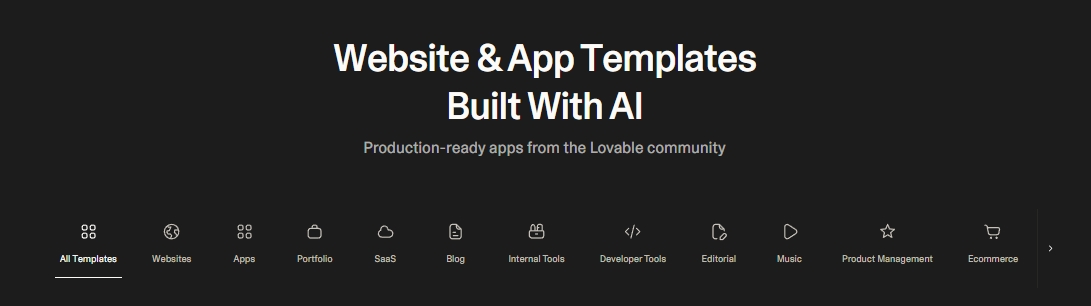
The template library lives inside the Lovable dashboard under the Discover section. You can browse by category, search by keyword, or filter by popularity. Every listing shows a live preview, the tech stack badges, and a one-click remix button that forks the project into your own workspace. From there the AI takes over — you describe changes in plain English and watch the code update in real time. This workflow turns what used to be days of scaffolding into minutes of conversation.
Templates are not just for beginners. Experienced developers use them to skip boilerplate on client projects, internal admin panels, or proof-of-concept demos. Because the generated code is standard React with Vite, you can eject at any point and continue in your local IDE. The Supabase integration means authentication, database, storage, and edge functions are configured out of the box. You own the repository, the data, and the deployment target.
How the Template Library Is Organized
Lovable groups templates into collections that map to common product types. The main categories include SaaS, Dashboard, Landing Page, E-Commerce, Internal Tools, Mobile App, and AI Agents. Each collection contains anywhere from a handful to two dozen starters. The SaaS collection alone has variants for subscription billing, multi-tenant architecture, usage-based pricing, and team workspaces. Dashboard templates range from simple analytics views to full-featured admin panels with role-based access control.
You can also browse by technology tags. Tags surface templates that use specific integrations — Stripe for payments, Resend for email, OpenAI for embeddings, Mapbox for geolocation, and so on. This is useful when you already know which services your project needs and want a starter that has them pre-wired. The tag filter works in combination with category search, so you can narrow to "SaaS + Stripe + Supabase Auth" in a few clicks.
Popularity sorting helps you find battle-tested starters. Templates with higher remix counts tend to have fewer rough edges because the community has already stress-tested them. The platform also highlights "Featured" picks chosen by the Lovable team — these usually demonstrate a new integration or a best-practice pattern. You can bookmark templates to a personal collection for later reference.
Remixing a Template Into Your Own Project
Clicking Remix on any template creates a private copy in your workspace. The new project inherits the full file structure, environment variable placeholders, and Supabase project link. You immediately land in the chat interface with the template loaded. The first thing most people do is ask the AI to walk through the codebase — it summarizes the key files, explains the data model, and points out where customization typically happens.
From there you iterate with prompts like "Change the color scheme to match my brand," "Add a settings page with notification preferences," or "Swap the Stripe checkout for Lemon Squeezy." The AI edits multiple files per request, maintains TypeScript types, and updates the Supabase schema when needed. You can preview changes in the built-in browser pane before committing. Each turn creates a git commit automatically, so you can roll back or diff any step.
Environment variables are the main thing you need to configure after remixing. The template README lists required keys — typically Supabase URL and anon key, Stripe secret and publishable keys, maybe an OpenAI API key. Lovable stores these securely in the project settings and injects them at build time. You never commit secrets to the repository. When you deploy to Vercel, Netlify, or Lovable's own hosting, the same variables carry over.
SaaS Starter Templates Deep Dive
The SaaS category is the most populated and the most used. The flagship "SaaS Starter" template includes landing page, pricing table, authentication flows, onboarding wizard, dashboard layout, subscription management, and an admin panel. It uses Supabase Auth with email/password and OAuth providers, Row Level Security for data isolation, and Stripe Billing for subscriptions. The database schema covers users, teams, subscriptions, invoices, and feature flags.
There are specialized variants for different business models. The "Usage-Based SaaS" template adds metering logic with Supabase Edge Functions that track API calls or feature usage and report to Stripe Metered Billing. The "Marketplace SaaS" template includes a two-sided platform flow with provider onboarding, commission splitting via Stripe Connect, and a searchable listing page. The "Enterprise SaaS" template adds SAML/SSO, audit logs, and role hierarchies.
Scroll horizontally to see all columns
| Template | Auth | Billing | Multi-Tenant | Best For |
|---|---|---|---|---|
| SaaS Starter | Email, OAuth | Stripe Subscriptions | Teams + RLS | Standard B2B SaaS |
| Usage-Based SaaS | Email, OAuth | Stripe Metered | Teams + RLS | API products, AI tools |
| Marketplace SaaS | Email, OAuth | Stripe Connect | Providers + Customers | Two-sided platforms |
| Enterprise SaaS | SAML, SSO, OAuth | Stripe Subscriptions | Orgs + Roles + Audit | Large contract sales |
Customizing the pricing page is a common first task. The template uses a configurable pricing table component that reads from a JSON file. You edit the tiers, features, and Stripe price IDs there. The checkout flow automatically creates a Stripe Checkout Session and redirects. After payment, a webhook handler provisions the subscription in Supabase and assigns the user to the correct team. All of this works without writing backend code — the template includes the Edge Functions and webhook endpoints.
The SaaS Starter saves roughly two weeks of scaffolding work. Authentication, billing, teams, and admin — it's all there and it works.
Dashboard and Admin Panel Templates
Dashboard templates focus on data visualization and management interfaces. The "Analytics Dashboard" template comes with Recharts components for line, bar, area, and pie charts. It includes a date range picker, metric cards with period-over-period comparisons, and a real-time updates toggle using Supabase Realtime. The "Admin Panel" template adds a sidebar navigation, user management table with sorting and filtering, role assignment modal, and an audit log viewer.
These templates assume you already have data in Supabase. They don't generate fake data — you connect your existing project or seed the database with a script. The components are built to handle pagination, server-side filtering, and optimistic updates. You can ask the AI to add new chart types, change the color palette, or wire up a CSV export button. The table components use TanStack Table under the hood, so column visibility, pinning, and resizing work out of the box.
A frequent customization is adding a custom report builder. The template doesn't include one by default, but the AI can scaffold a drag-and-drop query builder that constructs Postgres queries safely through a Supabase RPC function. This is a good example of where the template provides the foundation and you extend it with domain-specific features. The same pattern applies to adding webhook receivers, scheduled jobs, or third-party API integrations.
Landing Page and Marketing Templates
Landing page templates are lighter weight — no authentication, no database, just static content with optional form handling. The "Product Launch" template includes hero, feature grid, testimonial carousel, pricing toggle, FAQ accordion, and footer. It uses Framer Motion for scroll animations and is optimized for Lighthouse scores above 90. The "Waitlist" template adds an email capture form that writes to a Supabase table or sends to Resend/ConvertKit via an Edge Function.
These templates are popular for validating ideas before building the full product. You can deploy a waitlist page in under an hour, drive traffic, and measure conversion. If the idea works, you remix a SaaS template and reuse the branding. The design system (colors, fonts, spacing) is defined in a single Tailwind config file, so consistency across pages is trivial.
Scroll horizontally to see all columns
| Template | Animations | Form Backend | CMS Ready | Deploy Target |
|---|---|---|---|---|
| Product Launch | Framer Motion | Resend, Supabase | No | Vercel, Netlify, Lovable |
| Waitlist | CSS Transitions | Resend, ConvertKit, Supabase | No | Vercel, Netlify, Lovable |
| Coming Soon | Minimal | Supabase only | No | Any static host |
| Documentation Site | None | None (MDX files) | Yes (MDX) | Vercel, Netlify |
The Documentation Site template is worth a special mention. It's not a marketing page — it's a full docs framework with MDX support, sidebar navigation, search (via Algolia DocSearch or a local index), version dropdown, and dark mode. Teams use it to ship product documentation alongside their app. Because it's just React, you can embed live Lovable previews or interactive API explorers directly in the docs.
E-Commerce and Marketplace Starters
E-commerce templates handle product catalog, cart, checkout, and order management. The "Shopify Headless" template uses the Storefront API for product data and cart operations, while Supabase manages user accounts and order history. The "Stripe Direct" template skips Shopify entirely — products live in Supabase, checkout uses Stripe Payment Links or Elements, and fulfillment webhooks update order status. Both include an admin dashboard for inventory and orders.
The "Digital Products" template is tailored for downloads, licenses, and subscriptions. It generates secure, expiring download links via Supabase Storage signed URLs. License keys are validated through an Edge Function that checks a Supabase table. This template is popular for selling courses, templates, plugins, and software licenses. No Shopify fees, full control over the customer experience.
Headless Shopify gives you the best of both worlds — Shopify's battle-tested commerce engine and Lovable's design freedom. But it adds complexity. For simple digital sales, Stripe Direct is faster to launch and cheaper to run.
Internal Tools and Admin Interfaces
Internal tools templates are built for speed over polish. The "Admin CRUD" template generates a full create-read-update-delete interface for any Supabase table. You point it at a schema and it builds tables, forms, validation, and permission checks. The "Support Dashboard" template adds a ticket inbox with status workflow, customer lookup, canned responses, and SLA timers. The "Ops Dashboard" template focuses on metrics — revenue, churn, activation funnels — with drill-down capability.
These templates shine when you need to give non-technical teammates a safe interface to your data. Row Level Security policies ensure they only see and edit what they should. The AI can add approval workflows, audit trails, or export buttons in minutes. Because the code is standard React, your engineering team can review and extend it without learning a proprietary low-code platform.
A common pattern is starting with an internal tool template, then gradually promoting it to a customer-facing feature. The codebase doesn't care — it's all the same stack. You add authentication, polish the UI, write tests, and deploy to a separate domain. This path from internal script to product feature is one of Lovable's underrated strengths.
Mobile-Responsive and PWA Templates
Every Lovable template is mobile-responsive by default because Tailwind's utility classes make breakpoint handling straightforward. But some templates go further. The "Mobile App" template configures a PWA manifest, service worker (via Vite PWA plugin), and native-like navigation patterns — bottom tab bar, pull-to-refresh, safe-area insets. It includes Capacitor configuration so you can build iOS and Android apps from the same codebase.
The "Offline-First" template adds IndexedDB caching via Dexie.js and background sync for mutations. This is useful for field workers, delivery apps, or any scenario with unreliable connectivity. The template shows how to queue writes locally and replay them when online. Supabase Realtime subscriptions automatically reconnect and sync missed changes.
Scroll horizontally to see all columns
| Template | PWA | Capacitor | Offline Support | Push Notifications |
|---|---|---|---|---|
| Mobile App | Yes | Configured | Basic (cache) | Via Capacitor + Firebase |
| Offline-First | Yes | Optional | Full (IndexedDB + sync) | Via Service Worker |
| Responsive Web | No | No | No | No |
Building a true mobile app still requires Xcode and Android Studio for the final build and store submission. Lovable generates the Capacitor config and native project scaffolding, but you'll need a Mac for iOS builds. Many teams use GitHub Actions or Codemagic for CI/CD. The template includes example workflows for both platforms.
AI Agent and RAG Templates
The newest category covers AI-powered applications. The "Chat with PDF" template implements Retrieval-Augmented Generation using Supabase pgvector for embeddings, OpenAI for completion, and a streaming chat UI. You upload documents, they're chunked and embedded via an Edge Function, and the chat endpoint retrieves relevant context before calling the LLM. The "AI Agent" template adds tool calling — the model can invoke Supabase functions to query data, send emails, or trigger workflows.
These templates are more complex than the others because they orchestrate multiple services. The prompt engineering is baked into system prompts stored in the database, so you can tweak behavior without code changes. The streaming response uses Vercel AI SDK patterns adapted for Supabase Edge Functions. Token usage and cost tracking are built in.
RAG templates look simple on the surface but the chunking strategy, embedding model choice, and retrieval parameters make or break answer quality. The template gives you sensible defaults — expect to tune them for your domain.
Community Templates and Discover
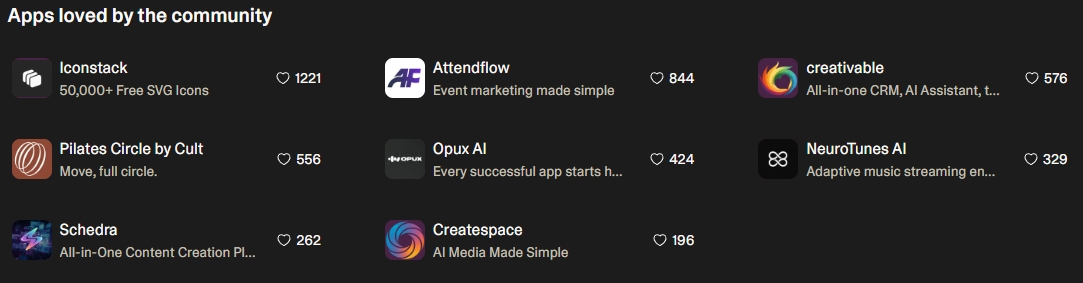
Beyond the official templates, the Discover section surfaces community-published projects. Any Lovable user can publish their project as a template with one click. These range from niche calculators to full clones of popular apps. Quality varies — some are polished and documented, others are rough proofs of concept. The platform shows remix count, last updated date, and a verification badge for templates that pass automated checks.
Community templates are where you find the long tail: "Real Estate CRM," "Fitness Tracker with Apple Health Sync," "Multi-Language Blog with i18n," "Event Ticketing with QR Codes." They're valuable not just as starting points but as reference implementations. You can open any community template, read the chat history (if the author made it public), and see exactly how they solved a particular problem.
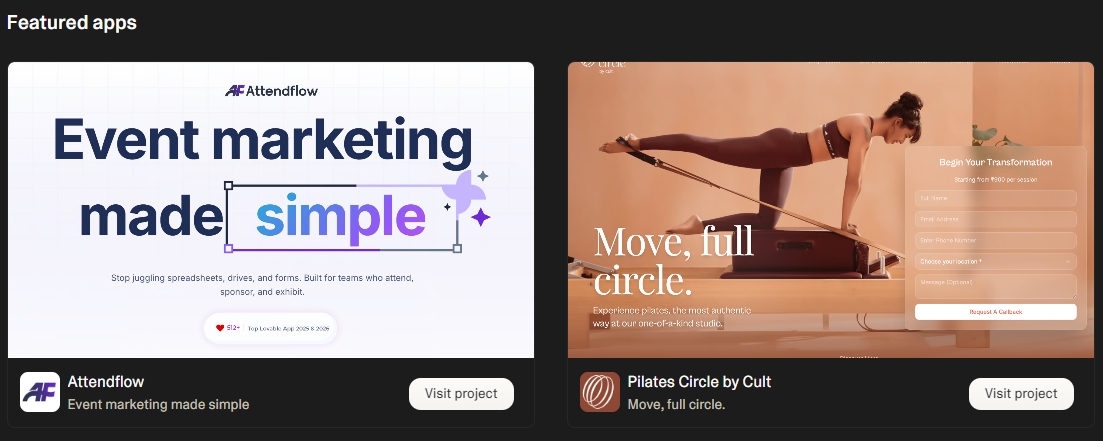
Publishing your own template is a way to give back and get visibility. The publish flow asks for a name, description, category, tags, and a thumbnail. You can choose to include the chat history — this is a powerful teaching tool because newcomers see the actual prompts that built the feature. Published templates earn the creator a small revenue share when remixed by Pro or Team plan users.
Customizing Templates for Production
A template gets you to a working prototype. Production hardening is a separate phase. The main areas that need attention: error boundaries and logging (Sentry integration is a one-prompt add), automated tests (the AI can generate Vitest unit tests and Playwright e2e specs), CI/CD pipelines (GitHub Actions workflows for lint, typecheck, test, deploy), and monitoring (Supabase logs, Vercel analytics, custom events).
Database migrations deserve special care. The template includes the initial schema as SQL files in the supabase/migrations folder. As you iterate with the AI, it creates new migration files. Before going live, squash migrations, review indexes, add foreign keys where missing, and run a load test. Supabase's branching feature lets you test migrations against a copy of production data without risk.
Scroll horizontally to see all columns
| Area | Template Default | Production Action |
|---|---|---|
| Error Tracking | Console only | Add Sentry SDK |
| Testing | None | Generate Vitest + Playwright suites |
| CI/CD | None | Add GitHub Actions workflow |
| Database | Dev schema only | Review migrations, add indexes, test rollback |
| Auth Security | Defaults | Enable MFA, review RLS, set password policy |
| Rate Limiting | None | Add Edge Function middleware or Supabase pg_rate_limit |
| Monitoring | None | Configure alerts for errors, latency, costs |
Cost monitoring is often overlooked. The template doesn't include budget alerts. Set up billing alerts in Supabase, Stripe, Vercel, and your AI provider. A runaway Edge Function or an inefficient query can spike costs quickly. The AI can add a simple admin page that aggregates spend across providers via their APIs — worth building early.
When to Start From Scratch Instead
Templates accelerate the common cases. But they add baggage — dependencies, patterns, and assumptions you may not need. If your project is highly unusual (a WebGL game, a real-time collaboration engine, a custom compiler), a template will fight you. The AI is perfectly capable of generating a clean Vite + React + Tailwind setup from a blank prompt. You get exactly what you ask for, no more, no less.
Another reason to skip templates: learning. If you're new to the stack, building a small app from scratch teaches you where the pieces live and how they connect. You'll understand the template better later. A good middle ground — start from scratch for a throwaway weekend project, then use a template for the real thing.
Template Versioning and Updates
Official templates receive updates when Lovable releases new features or fixes security issues. Your remixed project doesn't auto-update — that would break your customizations. Instead, the template page shows a changelog and a "Update Available" badge when your fork diverges. You can view a diff and cherry-pick changes manually, or ask the AI to apply specific updates.
Community templates update at the author's discretion. Many are abandoned after the initial publish. Check the last updated date and remix count before relying on one. A template with 500+ remixes and a recent update is generally safe. One with 3 remixes and a year-old timestamp probably has stale dependencies.
Treat templates like npm packages — pin the version you started with, update deliberately, test thoroughly. The AI makes updates easier but doesn't eliminate the need for regression testing.
Pricing and Plan Limits for Templates
All templates are free to remix on any plan, including the Free tier. The Free plan includes 5 projects and 50 AI messages per day — enough to explore and customize a template. Pro and Team plans remove the daily message limit and add private projects, custom domains, and priority support. Enterprise adds SSO, audit logs, and dedicated support.
There's no template marketplace with paid templates. Everything in Discover is free. Some community creators accept sponsorships via GitHub Sponsors or Ko-fi links in their template description, but that's voluntary. Lovable takes no cut of template usage.
Scroll horizontally to see all columns
| Feature | Free | Pro | Team | Enterprise |
|---|---|---|---|---|
| Projects | 5 | Unlimited | Unlimited | Unlimited |
| Daily AI Messages | 50 | Unlimited | Unlimited | Unlimited |
| Private Projects | No | Yes | Yes | Yes |
| Custom Domains | No | Yes | Yes | Yes |
| Team Collaboration | No | No | Yes | Yes |
| SSO / Audit Logs | No | No | No | Yes |
Finding the Right Template for Your Project
Start with the category that matches your product type. If you're building a B2B SaaS, go to SaaS. If it's a client dashboard, go to Dashboard. Use the tag filter to match your required integrations — Stripe, Supabase, OpenAI, Mapbox, etc. Sort by popularity to see what others have validated. Open the top 3-5 candidates in new tabs and compare their live previews.
Read the template description and feature list. Some templates are opinionated about architecture (e.g., "uses tRPC" vs "uses REST"). If you have a preference, check before remixing. The chat history preview (when available) shows the complexity level — templates built with 50+ prompts tend to be more feature-complete but also more complex to modify.
Don't overthink it. The cost of a wrong choice is low — you can always remix another template and copy over your custom components. The AI makes porting features between projects straightforward. Many teams start with one template, realize they need a different foundation, and switch within the first week.
Frequently Asked Questions
Can I use a Lovable template for a commercial product?
Yes. All official templates are MIT licensed. Community templates default to MIT unless the author specifies otherwise. You own the code you generate and can sell the resulting product.
Do I need to know React to customize a template?
Not strictly. The AI handles code changes from natural language prompts. But understanding React basics helps you review changes, debug issues, and communicate more precisely with the AI.
What happens if I hit the Free plan message limit while customizing?
You can wait for the daily reset, upgrade to Pro, or export the code and continue locally. The project remains yours regardless of plan.
Can I combine features from multiple templates?
Yes. Remix each template into separate projects, then copy the components, hooks, and Supabase functions you need. The AI can help port features between projects if you describe what you want.
Are templates updated for new Lovable features automatically?
No. Your remixed project is independent. Official templates show an update badge when changes are available. You review and apply updates manually or ask the AI to merge specific improvements.
How do I publish my own template to the community?
Open your project, click Publish to Discover, fill in the metadata (name, description, category, tags, thumbnail), choose whether to include chat history, and submit. It appears in Discover after a brief review.
What if a template uses a deprecated API or has a security issue?
Official templates are patched promptly. For community templates, you're responsible for updates. Check the GitHub repo for issues and PRs. The AI can help you migrate off deprecated patterns.
Final Assessment of Lovable Templates
Lovable templates are the fastest way to go from idea to deployed application on the platform. They eliminate the blank-page problem, encode best practices for the Supabase + React + Tailwind stack, and give you a reference implementation you can actually read. The official SaaS, Dashboard, and Landing Page templates cover 80% of what most teams build. Community templates fill the long tail with surprising depth.
The trade-off is template debt — you inherit someone else's architectural decisions. For standard products, that's a feature. For unusual ones, it's friction. The AI mitigates this by making large-scale refactors feasible, but you still need to understand what you're changing. The sweet spot: use a template for the foundation, then treat the codebase as yours to shape. Don't be afraid to rip out the parts that don't fit.
If you're evaluating Lovable, spend an hour remixing the template closest to your idea. Push it until something breaks or feels wrong. That's the real test — not the feature list, not the demo, but how the template behaves when you make it yours. The platform's value isn't the templates themselves; it's how easily they bend to your specific requirements.