

AI Development Tools
Lovable for Designers: AI App Building Without Code
A practical look at the design-to-code workflow, Figma integration, and team collaboration features.

Senior Software Developer & Trading Technology Specialist
Ethan Parker is a software developer with over 8 years of experience in building web applications, trading tools, and financial technology solutions. He specializes in Python, JavaScript, API integrations, and trading automation, helping traders improve efficiency through innovative technology.
Designers have spent years watching developers turn their mockups into living products. The handoff process usually involves specification documents, endless Slack threads, and the sinking feeling that something got lost in translation. Lovable changes that dynamic by letting designers describe what they want in plain language and watch a working application appear in the browser. The platform targets the gap between design intent and production code, and it does so without requiring designers to learn React, TypeScript, or backend architecture.
Contents
- 1. From Figma Frame to Running Application
- 2. Component Library and Design System Support
- 3. Prototyping Speed and Iteration Cycles
- 4. Collaboration With Engineering Teams
- 5. Pricing Structure for Design Teams
- 6. Real Designer Experiences and Limitations
- 7. Security and Data Handling
- 8. Final Assessment of Lovable for Designers
The core promise is straightforward: you describe an application, and Lovable generates the code. For designers, this means the distance between a Figma frame and a deployed URL shrinks from weeks to minutes. The platform handles the full stack — frontend components, database schema, authentication, API routes, and hosting — through a chat interface that feels more like collaborating with a senior developer than prompting an AI tool.
This article examines how Lovable works specifically for design professionals. We'll look at the Figma integration, the component library approach, prototyping speed, collaboration workflows with engineering teams, pricing considerations, and where the platform still falls short. The goal is to give you a clear picture of whether this tool fits into your design process or remains an interesting experiment.
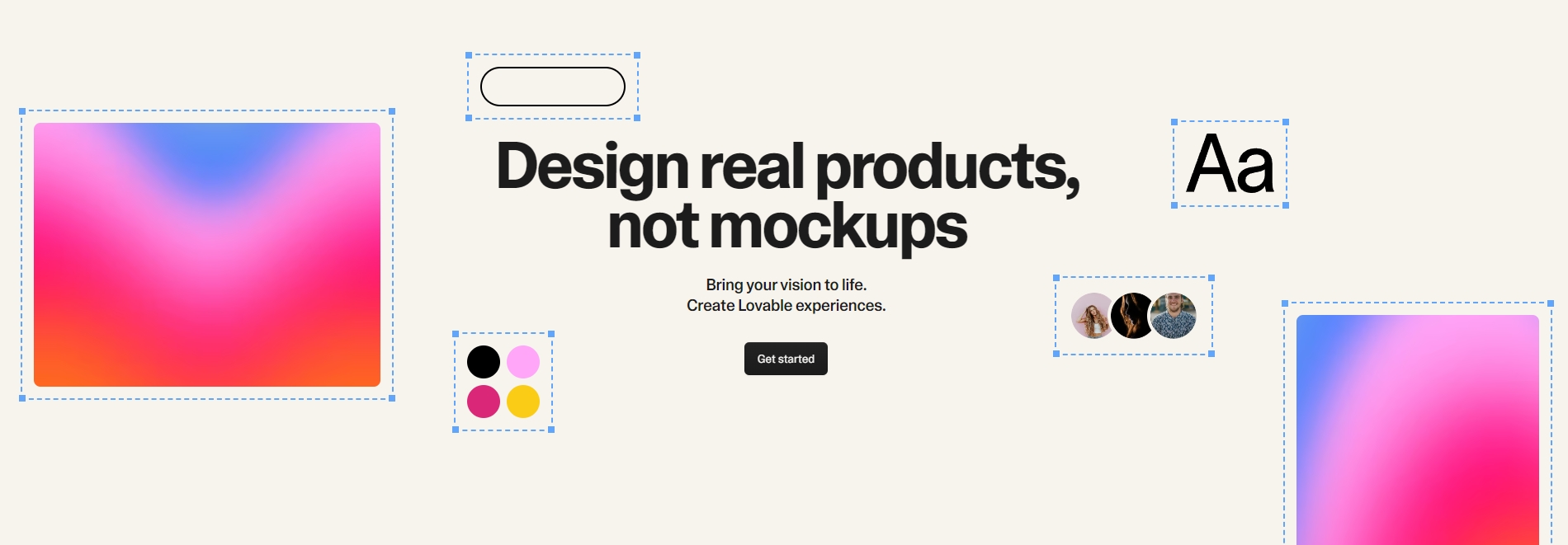
The designer landing page makes the value proposition immediately clear. Rather than leading with technical specifications, it shows design files transforming into interactive applications. The messaging centers on concepts designers already understand — components, design systems, responsive layouts, and handoff friction — rather than framework internals.
From Figma Frame to Running Application
The Figma integration is the feature that most directly addresses designer workflow. You can paste a Figma file URL into the chat, and Lovable analyzes the design — extracting colors, typography, spacing, component structure, and layout hierarchy. It then generates a React codebase with Tailwind CSS that matches the visual specification. The process handles auto-layout frames, component variants, and design tokens automatically.
In practice, the translation works best when the Figma file follows consistent patterns. Design systems with well-defined component libraries produce cleaner code than exploratory files with one-off overrides. The AI makes assumptions about responsive behavior based on auto-layout settings, but complex breakpoint logic sometimes requires manual adjustment through follow-up prompts.
A typical workflow looks like this: you share a Figma link, describe the interactions you want (button clicks, form submissions, navigation), and Lovable builds the frontend with placeholder data. Then you connect Supabase for the backend — authentication, database tables, row-level security — all through the same chat interface. The platform writes the SQL migrations, creates the TypeScript types, and wires up the API layer.
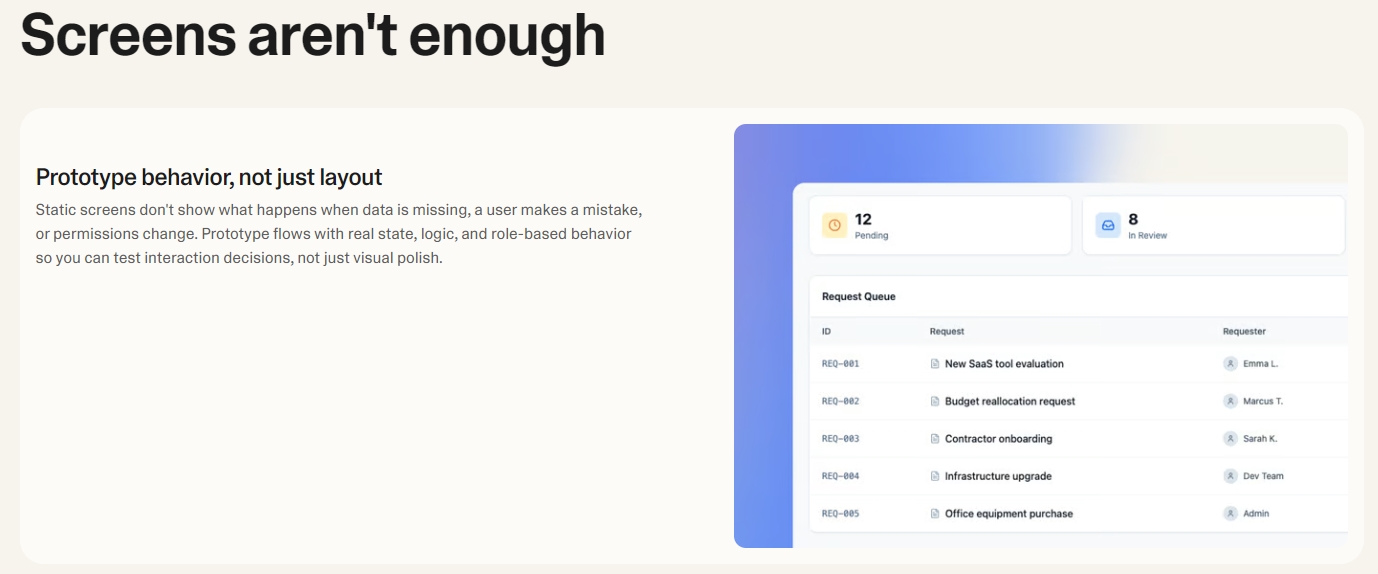
The generated code is not a black box. You can view, edit, and extend every file through the built-in code editor or by connecting the project to GitHub. This matters because designers who want to learn code can study the output, and developers who take over the project receive a standard React codebase — not a proprietary format that locks them in.
Component Library and Design System Support
Design teams often maintain component libraries in Figma — buttons, inputs, cards, modals, data tables — with multiple variants for states like hover, focus, disabled, and loading. Lovable recognizes these patterns when they follow Figma's component and variant structure. The platform generates a corresponding React component library with TypeScript interfaces that match the variant props.
This capability shines when you have an established design system. Instead of rebuilding components from scratch for each project, you can reference your Figma library and get a coded version that respects your tokens. The generated components use class-variance-authority (CVA) for variant management, which is a pattern many React developers already know.
However, the translation has limits. Complex component interactions — like a combobox with keyboard navigation, a date picker with range selection, or a data table with virtualized scrolling — often need manual refinement. The AI generates a reasonable starting point, but accessibility details and edge-case behavior typically require a developer's attention.
Scroll horizontally to see all columns
| Figma Element | Generated Output | Typical Refinement Needed |
|---|---|---|
| Button variants (primary, secondary, ghost) | CVA component with variant props | Loading state, keyboard focus styles |
| Input fields with validation states | React Hook Form integration | Custom validation messages, mask patterns |
| Card components with slots | Compound components with children | Responsive grid layouts, image optimization |
| Navigation menus with nested items | Recursive component structure | Mobile drawer, keyboard navigation |
| Data table with sorting and pagination | TanStack Table integration | Virtualization, column resizing, export |
The table above reflects real-world patterns. Simple components translate cleanly. Complex interactive components give you a structural foundation that handles the layout and styling, but the behavioral logic often needs iteration. This is not a failure of the tool — it's the nature of translating static design artifacts into dynamic interfaces.
The best use case is not replacing developers. It's giving designers a working prototype that developers can extend rather than rebuild from scratch.
Prototyping Speed and Iteration Cycles
Traditional prototyping tools create the illusion of a working product. Clickable Figma prototypes simulate flows but cannot handle real data, authentication, or server-side logic. Lovable sits in a different category — it produces actual code that runs in a browser, connects to a real database, and handles user sessions. This changes what you can validate during design reviews.
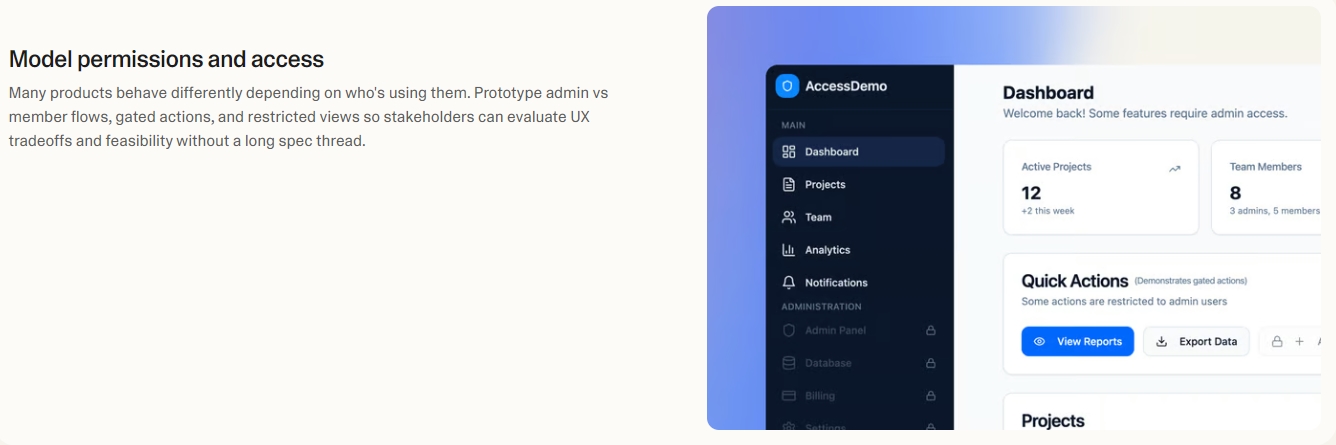
A designer can build a functional signup flow with email verification, a dashboard that reads from a live database, or a multi-step form with conditional logic — all in the time it would take to create a high-fidelity prototype in Figma. The difference is that stakeholders can interact with real data, not placeholder content. This surfaces usability issues that static prototypes miss: loading states, error handling, empty states, and permission boundaries.
Iteration works through the chat interface. You type changes — "make the sidebar collapsible," "add a dark mode toggle," "change the date picker to a range selector" — and the platform updates the codebase. The preview refreshes automatically. For designers accustomed to the Figma-to-developer handoff cycle, this immediate feedback loop feels almost too fast at first.
The speed advantage compounds when you need variations. Creating three versions of a dashboard layout in Figma means duplicating frames and maintaining consistency manually. In Lovable, you ask for each variation and get separate branches or commits. You can compare them side by side in the browser, share links with stakeholders, and gather feedback on working software rather than static images.
Collaboration With Engineering Teams
The handoff problem persists even with AI-generated code. Developers inherit a codebase they did not write, with architectural decisions made by an LLM. Lovable addresses this through GitHub integration — every project can sync to a repository, creating a standard commit history that developers can review, branch from, and extend.
The generated stack uses technologies most React developers already know: Vite, React 18, TypeScript, Tailwind CSS, TanStack Query for data fetching, React Router for navigation, and Supabase for the backend. There is no proprietary runtime or custom framework. A developer joining the project reads familiar patterns.
Effective collaboration still requires process. Designers should treat the AI as a pair programmer, not a replacement for technical review. A practical workflow: designers build the initial version, developers review the architecture and add tests, then both iterate together. The chat history serves as documentation — you can see why certain decisions were made by reading the prompts that generated them.
Scroll horizontally to see all columns
| Artifact | Provided By Lovable | Designer Responsibility |
|---|---|---|
| React component library | Generated from Figma components | Verify variant completeness |
| TypeScript interfaces | Inferred from component props | Add missing strict types |
| Database schema | SQL migrations from chat prompts | Review relationships and indexes |
| Authentication flow | Supabase Auth integration | Define role permissions |
| API layer | Serverless functions via Supabase | Add rate limiting, validation |
| Deployment config | Vercel or Netlify ready | Configure environment variables |
The table shows where the platform accelerates work and where human judgment remains necessary. Database schema generation is particularly useful — describing a data model in plain language produces proper foreign keys, indexes, and row-level security policies. But complex access control logic still needs a developer who understands the security implications.
Developers who dismiss this as 'just generated code' miss the point. The code is readable, standard, and editable. The alternative is developers writing the same boilerplate manually.
Pricing Structure for Design Teams
Lovable offers a free tier with daily message limits, which is sufficient for exploration and small prototypes. Paid plans unlock higher message limits, team collaboration features, and priority support. The pricing page presents four tiers: Free, Pro, Business, and Enterprise, with the main differentiators being message quotas, team seats, and support levels.
For individual designers, the Pro tier at $20 per month provides enough capacity for regular prototyping work. Teams need the Business tier at $50 per user per month for shared projects, centralized billing, and admin controls. Enterprise pricing is custom and includes SSO, audit logs, and dedicated support.

Message limits are the practical constraint. Each chat interaction — a prompt, a code generation, a refinement — consumes messages. Complex projects with many iterations can exhaust a free tier quickly. The Pro tier's limit is generous for solo work, but teams sharing a project will hit Business-tier thresholds. There is no per-project pricing; you pay for the team's aggregate usage.
Real Designer Experiences and Limitations
Designers who adopt Lovable report a learning curve that is more about mental model than syntax. You need to think in terms of data flow, component hierarchy, and state management — concepts that exist in design systems but operate differently in code. The chat interface masks complexity, but understanding what the AI is doing helps you prompt more effectively.
Common friction points emerge around responsive design, animation, and complex form validation. The AI defaults to mobile-first Tailwind breakpoints, but translating a designer's precise breakpoint specifications sometimes requires explicit prompts. Animations — Framer Motion is available — need specific direction because the AI has no visual reference for timing and easing preferences.
Form handling illustrates the prototype-to-production gap. Lovable integrates React Hook Form and Zod validation well. But multi-step wizards with conditional fields, file uploads with progress indicators, and cross-field validation rules often need manual code edits. Designers who cannot read the generated TypeScript will hit a wall here.
Performance is another consideration. The generated code uses standard patterns, but AI-generated components can include unnecessary re-renders, missing memoization, or inefficient query patterns. For prototypes, this rarely matters. For production applications with real user loads, a performance audit by a developer is prudent.
Security and Data Handling
Lovable builds on Supabase, which means your data lives in a PostgreSQL database with row-level security. The platform generates security policies based on your prompts — "users can only see their own projects" becomes a SQL policy. This is powerful but requires precise language. Vague prompts produce permissive policies.
The platform does not train on your code or data. Projects are isolated per account. GitHub integration uses standard OAuth scopes. For teams with compliance requirements, the Enterprise tier offers audit logs and data residency options. Designers working with sensitive user data should verify these details before committing real information to a prototype.
Row-level security in Supabase is one of the most underrated features. It moves authorization from application code to the database layer, where it cannot be bypassed by a frontend bug.
Final Assessment of Lovable for Designers
Lovable represents a genuine shift in how designers can participate in product development. It does not eliminate the need for developers, but it changes the handoff from "here are static mockups" to "here is a working codebase that implements our design system." That difference compounds across every project cycle.
The tool works best for designers who understand their designs as systems — components with variants, tokens with semantic meaning, layouts with responsive rules. If your Figma files are organized this way, the translation is remarkably clean. If your design process is more exploratory and less systematic, the output will reflect that inconsistency.
The pricing is reasonable for the value, provided you have a use case that justifies regular usage. Occasional prototyping fits the free tier. Daily workflow integration needs Pro or Business. The message limit model aligns cost with usage, though teams should monitor consumption during intensive sprints.
The main limitation is not technical — it's organizational. Adopting Lovable requires developers who are willing to work with AI-generated code and designers who are willing to think in data structures. Teams that treat it as a toy will get toy results. Teams that integrate it into their handoff process will ship faster with fewer translation errors.
Frequently Asked Questions
Do I need to know React or TypeScript to use Lovable as a designer?
No. The chat interface handles code generation. However, understanding basic concepts like components, props, and state helps you prompt more effectively and recognize when the output needs refinement.
Can I use my existing Figma design system with Lovable?
Yes. Lovable analyzes Figma components, variants, and design tokens to generate a matching React component library with Tailwind configuration. Consistent Figma structure produces the best results.
What happens when I need features the AI cannot build?
You can edit the generated code directly in the built-in editor or sync to GitHub for a developer to extend. The codebase uses standard React patterns, so any developer can work with it.
Is the generated code production-ready?
The code follows production patterns but prototypes often skip error handling, tests, and performance optimization. Plan a hardening phase with a developer before launching to real users.
How does pricing work for design teams?
Free tier for exploration, Pro at $20/month for individuals, Business at $50/user/month for teams with shared projects, and custom Enterprise pricing. Limits are based on chat messages consumed per month.
Can Lovable replace a frontend developer?
It replaces the boilerplate phase of frontend development. Complex interactions, performance tuning, accessibility audits, and architectural decisions still benefit from experienced developers.
What backend does Lovable use?
Supabase — PostgreSQL database, authentication, real-time subscriptions, storage, and edge functions. All configured through the chat interface with generated SQL migrations.