

Product Management Tools
Lovable for Product Managers: AI App Building Guide
A practical look at Lovable's PM-focused features, workflows, and real-world applications.

Senior Software Developer & Trading Technology Specialist
Ethan Parker is a software developer with over 8 years of experience in building web applications, trading tools, and financial technology solutions. He specializes in Python, JavaScript, API integrations, and trading automation, helping traders improve efficiency through innovative technology.
Product managers have always sat at the intersection of business strategy, user needs, and technical feasibility. The job requires translating vague requirements into something engineers can build, designers can polish, and stakeholders can approve. For years, that translation layer meant writing detailed specs, creating wireframes in Figma, and then waiting weeks or months for a development team to produce a working prototype. Lovable changes that dynamic by letting product managers generate functional applications directly from natural language descriptions.
Contents
- 1. What Lovable Actually Does for Product Managers
- 2. Core Workflows: From Idea to Interactive Prototype
- 3. Prototyping Speed vs. Prototype Quality
- 4. Collaboration With Design and Engineering
- 5. Real-World Use Cases for Product Teams
- 6. Pricing Tiers and What They Mean for PMs
- 7. Limitations and Honest Constraints
- 8. Adoption Path: From Experiment to Team Workflow
- 9. Comparing Lovable to Alternatives
- 10. Security, Compliance, and Enterprise Readiness
- 11. Measuring Impact: Does It Actually Help?
- 12. Common Pitfalls and How to Avoid Them
- 13. Advanced Prompting Patterns for Product Managers
- 14. Final Assessment: Where Lovable Fits in the PM Toolkit
The platform bills itself as an AI app builder, but that label undersells what it actually does for product teams. Rather than producing throwaway prototypes or static mockups, Lovable generates real React applications with TypeScript, Tailwind CSS, and Vite — complete with Supabase backend integration, authentication, database schemas, and deployment-ready code. A product manager can describe a feature in plain English, watch it materialize in a live preview, and hand the resulting GitHub repository to engineers as a starting point rather than a specification document.
This shift matters because the bottleneck in product development has moved. Ideas are cheap. Validation is expensive. Engineering capacity is finite. When a PM can spin up a working prototype in an afternoon instead of waiting for a sprint cycle, the conversation with stakeholders changes from "here's what we plan to build" to "here's what we built — does this solve the problem?" That difference compounds across quarters. Teams that validate faster ship better products.
The following sections walk through how Lovable fits into a product manager's workflow, where it excels, where it falls short, and what a realistic adoption path looks like for teams considering it.
What Lovable Actually Does for Product Managers
At its core, Lovable is a chat interface backed by large language models that understand modern web development stacks. You describe what you want — "a dashboard showing user retention cohorts with filterable date ranges and export to CSV" — and it generates the frontend components, API routes, database migrations, and authentication logic to make it work. The output isn't pseudocode. It's a complete project structure you can clone, run locally, and deploy.
For product managers, the relevant capabilities cluster around three activities: prototyping, validation, and handoff. Prototyping means turning a user story into an interactive experience without writing code. Validation means putting that experience in front of real users or stakeholders to test assumptions. Handoff means delivering something engineers can extend rather than rewrite. Lovable supports all three, but the degree of support varies by use case.
The platform integrates directly with GitHub. Every change you make through the chat creates a commit. You can branch, revert, and review history like any other repository. This matters for PMs because it means the artifact you hand off isn't a zip file or a Figma link — it's a living codebase with version control. Engineers can pick up where the AI left off, add tests, refactor components, and ship to production without starting from scratch.
Supabase integration handles the backend automatically. When you ask for user authentication, Lovable configures Supabase Auth. When you describe a data model — "projects with tasks, assignees, due dates, and comments" — it generates the PostgreSQL schema, Row Level Security policies, and TypeScript types. The PM doesn't need to understand Postgres or RLS syntax. They describe the domain model in product language, and the platform translates it to infrastructure.
Core Workflows: From Idea to Interactive Prototype
The typical PM workflow in Lovable follows a pattern: describe, refine, connect, share. You start with a high-level prompt describing the application or feature. The AI generates an initial version. You then iterate through follow-up prompts — "add a dark mode toggle," "make the sidebar collapsible," "change the date picker to a range selector" — each producing a new commit. Once the UI feels right, you connect data sources: Supabase for persistence, Stripe for payments, external APIs for third-party data. Finally, you share the live preview link with stakeholders or deploy to a preview environment.
This loop compresses what used to take days into hours. A PM building a customer feedback portal might spend thirty minutes on the initial prompt, an hour refining the UI through conversation, twenty minutes connecting Supabase and configuring auth, and ten minutes sharing the link with the design lead for review. The same portal built through traditional handoff — spec writing, design review, sprint planning, development, QA — would consume two to three weeks of calendar time and multiple people's capacity.
- Describe the feature in product language, not technical specifications
- Iterate on UI and behavior through natural language follow-ups
- Connect backend services (Supabase, Stripe, APIs) with one-click integrations
- Share live preview links for stakeholder feedback without deployment overhead
- Export the GitHub repository for engineering handoff when ready to productionize
The refinement phase is where PMs spend most of their time. Lovable's chat interface maintains context across turns, so you can say "make the loading states smoother" or "the empty state copy feels too technical" and get reasonable results. The platform also supports visual editing — you can click elements in the preview and ask for changes to that specific component. This hybrid approach (chat + visual selection) works better than either mode alone for complex interfaces.
Prototyping Speed vs. Prototype Quality
There's a tension in rapid prototyping tools between speed and fidelity. Low-fidelity tools (Balsamiq, paper sketches) are fast but don't validate interaction patterns. High-fidelity tools (Figma prototypes) look real but don't validate technical feasibility or data flows. Lovable sits in an unusual middle ground: it produces real code with real data, but the first version often has rough edges — inconsistent spacing, missing error states, accessibility gaps — that a design system would catch.
For early validation, this trade-off usually favors Lovable. Stakeholders and users react differently to a working application than to a clickable prototype. They try edge cases. They notice missing fields. They ask "what happens if I..." questions that static prototypes can't answer. The prototype's imperfections become discovery tools. A PM can say "good catch — that's exactly the kind of thing we'd need to handle" and either prompt Lovable to fix it or note it for the engineering team.
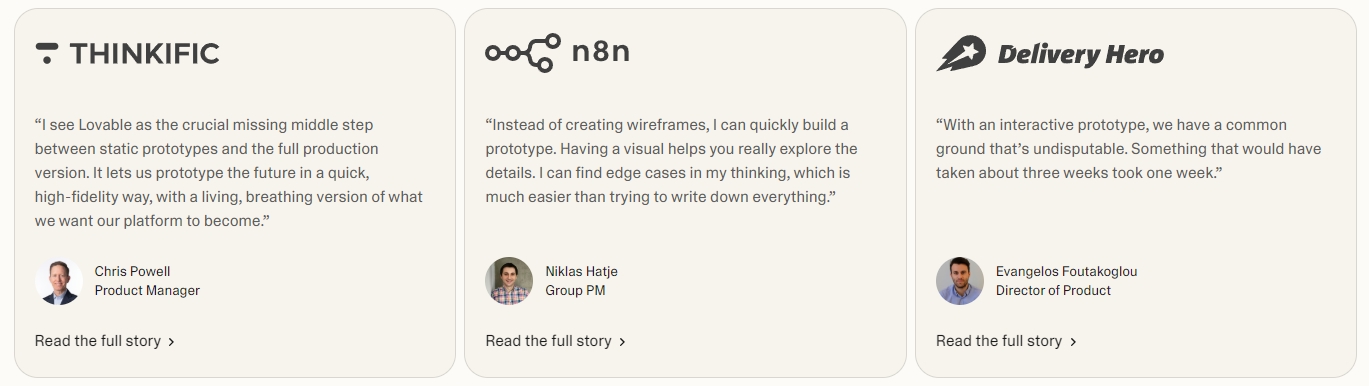
The quality ceiling depends heavily on how well you prompt. Vague prompts ("build a CRM") produce generic results. Specific prompts ("build a pipeline view with drag-and-drop stages, inline editing for deal amounts, and a sidebar showing contact history") produce usable starting points. PMs who invest time learning to describe UI patterns, state management needs, and data relationships get significantly better output. This is a learnable skill, not magic.
Collaboration With Design and Engineering
A common concern: does this replace designers or engineers? The short answer is no. The longer answer is that it changes when and how they engage. Designers still own the design system, brand consistency, accessibility compliance, and complex interaction patterns. Engineers still own architecture, performance, security hardening, test coverage, and production operations. What changes is the starting point. Instead of receiving a PRD and a Figma file, engineers receive a working codebase that implements the core flows. Designers receive a functional prototype they can audit against the design system rather than a static mockup they have to imagine in motion.
This shift creates new collaboration patterns. A PM might build the first three versions of a feature in Lovable, then invite a designer to review the live preview. The designer flags inconsistencies with the design system — wrong border radius, missing focus states, incorrect color tokens. The PM either prompts fixes or creates tickets for the design system team. Meanwhile, an engineer reviews the generated code structure: component hierarchy, state management approach, API layer organization. They might refactor the data fetching layer to use React Query instead of useEffect, or extract shared components into a library. The PM's prototype becomes a specification that runs.
The handoff moment matters. Lovable's GitHub integration means the repository has history. Engineers can see every prompt that shaped the code. They can run git blame on a confusing component and find the natural language request that produced it. This traceability reduces the "what was the AI thinking" problem that plagues AI-generated code. It also means the PM's intent is preserved in the commit messages, not lost in a handoff document.
Real-World Use Cases for Product Teams
Not every product initiative benefits equally from AI app building. The highest-leverage applications share characteristics: they're data-driven, they involve standard CRUD patterns, they need real backend integration to validate, and they're scoped narrowly enough that a PM can describe them completely. Internal tools, admin dashboards, customer-facing portals, and MVP feature slices fit this profile. Complex real-time collaboration features, heavy algorithmic components, or deeply integrated platform extensions do not.
- Internal admin panels for customer support, operations, or sales teams
- Customer-facing portals for self-service account management, billing, or reporting
- MVP feature validation — build the core flow, test with users, decide whether to invest engineering time
- Data visualization dashboards pulling from existing Supabase or PostgreSQL databases
- Form-heavy workflows: onboarding, applications, surveys, configuration wizards
- Integration prototypes: connect Stripe, SendGrid, or third-party APIs to test feasibility
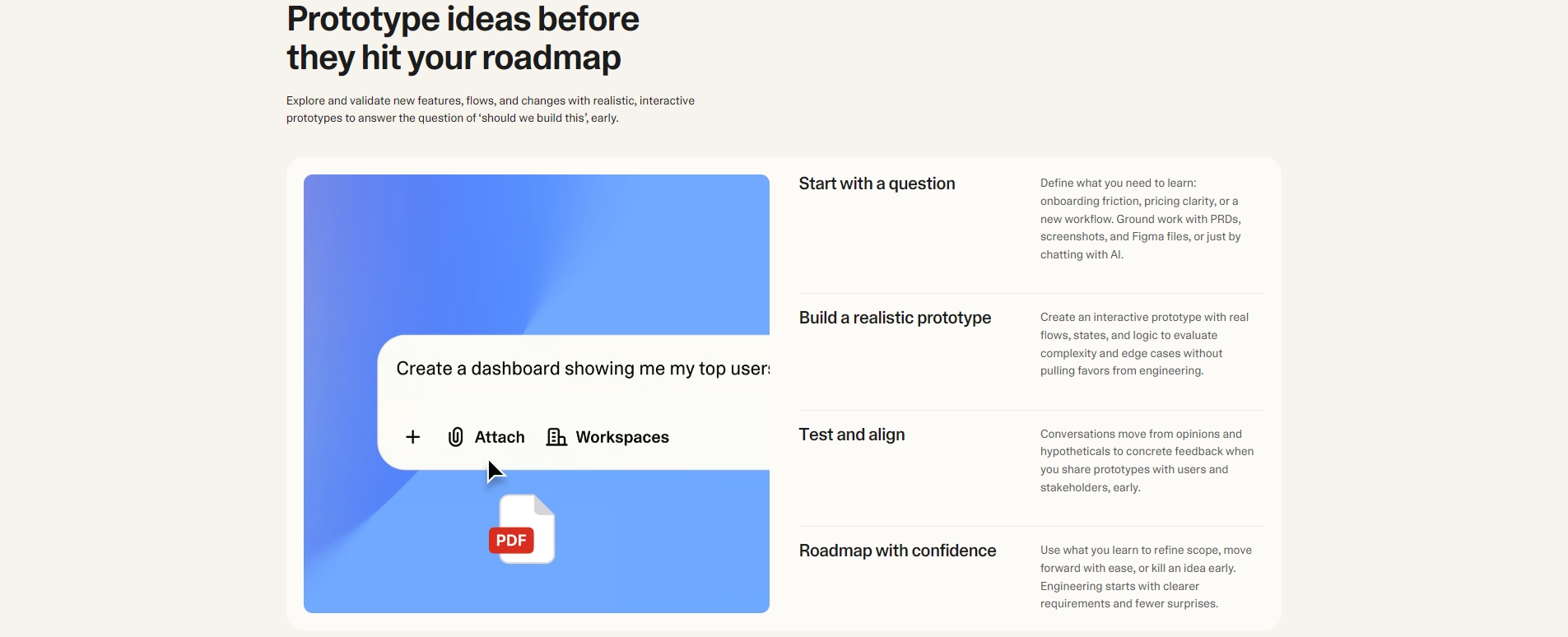
Internal tools deserve special attention. Most companies have a backlog of internal tool requests that engineering never prioritizes. Customer support needs a better ticket view. Sales needs a lead scoring dashboard. Operations needs a bulk export tool. These requests sit for quarters because they don't drive revenue directly. A PM who can build functional versions in Lovable unblocks these teams without consuming engineering capacity. The tools might not be production-grade — they might lack audit logs, advanced permissions, or automated tests — but they solve the immediate problem. If usage justifies investment, engineering can rebuild properly later.
Customer-facing portals follow a similar pattern. A PM building a subscription management portal can implement the full flow — view plan, upgrade/downgrade, cancel, payment method update, invoice history — in a day using Lovable's Stripe integration. The prototype handles real Stripe webhooks, real subscription states, real payment confirmations. Users can test it end-to-end. The PM learns whether the UX works, whether the copy is clear, whether the flow matches mental models. All before a single engineer writes production code.
Pricing Tiers and What They Mean for PMs
Lovable offers four tiers: Free, Pro, Business, and Enterprise. The Free tier includes 5 credits per day (roughly 5-10 prompts), public projects only, and community support. Pro at $25/month provides 100 credits monthly, private projects, and priority support. Business at $100/month adds 500 credits, team collaboration, and advanced security controls. Enterprise includes custom credits, SSO, dedicated support, and compliance features. Credits consume based on prompt complexity — a simple UI tweak might cost 1 credit, while generating a full dashboard with backend integration might cost 5-10.
For an individual PM exploring the tool, the Free tier suffices for learning and small prototypes. The daily credit limit forces discipline — you can't iterate infinitely without waiting. This constraint actually improves prompting habits. You learn to batch related changes into single prompts rather than making ten sequential micro-adjustments. A PM doing serious validation work with stakeholders will hit the Free tier's limits quickly. Pro becomes the practical minimum for regular use.
Scroll horizontally to see all columns
| Tier | Monthly Cost | Credits | Key Limits | Best For |
|---|---|---|---|---|
| Free | $0 | 5/day | Public projects only, no team features | Learning, small personal prototypes |
| Pro | $25 | 100/month | Private projects, priority support | Individual PMs doing regular validation work |
| Business | $100 | 500/month | Team collaboration, advanced security | Product teams with designer/engineer collaboration |
| Enterprise | Custom | Custom | SSO, compliance, dedicated support | Organizations with security and scale requirements |
The Business tier introduces team features that matter for PM workflows: shared projects, role-based access, and the ability for designers and engineers to join the same workspace. A designer can open the project, inspect the generated components against the design system, and leave comments. An engineer can review the code structure, run it locally, and prepare the productionization plan. This collaborative mode transforms Lovable from a solo PM tool into a team validation platform.
Limitations and Honest Constraints
Lovable is not a silver bullet. The generated code follows React and TypeScript best practices but lacks project-specific context. It doesn't know your design system tokens, your API conventions, your testing standards, your error handling patterns, or your deployment pipeline. The code works as a standalone application but requires adaptation to fit into an existing codebase. Engineers will rewrite portions. Accept this upfront.
Complex state management remains a weak point. Lovable handles local component state and simple server state (via Supabase) well. It struggles with complex client-side state machines, optimistic updates with rollback, real-time collaboration logic, or intricate form validation dependencies. You can prompt for these, but the results often need significant refactoring. For anything beyond standard CRUD, plan for engineering to rebuild the state layer.
Accessibility compliance is inconsistent. The generated code uses semantic HTML and includes basic ARIA attributes, but it doesn't guarantee WCAG AA compliance. Focus management, screen reader announcements, color contrast ratios, and keyboard navigation patterns often need manual audit and correction. If your organization has accessibility requirements, budget design and engineering review time for every prototype that reaches stakeholders.
Performance optimization is absent. The AI doesn't implement code splitting, lazy loading, memoization, virtual scrolling, or bundle size optimization. For prototypes with small datasets, this doesn't matter. For dashboards rendering thousands of rows or image-heavy interfaces, the prototype will feel sluggish. Engineers will need to profile and optimize before production deployment.
- No knowledge of your design system, API conventions, or testing standards
- Weak on complex client-side state management and real-time features
- Accessibility compliance requires manual audit and correction
- No performance optimization — code splitting, memoization, virtual scrolling absent
- Generated code often needs refactoring to match team architecture patterns
- Supabase dependency means vendor lock-in for backend (though code is portable)
- Credit limits constrain iteration velocity on lower tiers
- Visual editing mode can't handle all layout changes — some require chat prompts
Adoption Path: From Experiment to Team Workflow
Teams adopting Lovable typically progress through four phases. Phase one: individual exploration. One PM creates a Free account, builds a few prototypes, learns the prompting patterns, and evaluates whether the output quality meets their validation needs. This phase takes two to four weeks of occasional use. The goal isn't mastery — it's a calibrated sense of what the tool can and cannot do for your specific product domain.
Phase two: targeted validation. The PM identifies a real upcoming feature — something scoped, data-driven, and validation-critical — and builds the prototype in Lovable instead of writing a traditional spec. They share it with stakeholders, gather feedback, and measure whether the prototype accelerated decision-making compared to the old process. Key metrics: time to first stakeholder review, number of iteration cycles before alignment, engineering estimation accuracy after seeing the prototype.
Phase three: team onboarding. If phase two succeeds, the PM upgrades to Business tier and invites a designer and one or two engineers to the workspace. They establish shared conventions: how to prompt for design system compliance, how to structure component hierarchy for easy extraction, how to document generated code for handoff. This phase involves friction. Designers will push back on visual inconsistencies. Engineers will critique code quality. The PM's job is to frame these as expected — the prototype is a conversation starter, not a deliverable.
Phase four: workflow integration. Lovable becomes a standard step in the product development process. New feature work starts with a Lovable prototype for validation. The prototype lives in a shared repository. Design review happens against the live preview. Engineering estimation happens against the generated code. The handoff document is a GitHub link. This phase requires process changes — updating PRD templates, adjusting sprint planning, redefining design review criteria — but the payoff is measurable: faster validation cycles, fewer scope changes during development, better engineering estimates.
Comparing Lovable to Alternatives
The AI app builder category has grown rapidly. Bolt.new, v0.dev, Replit Agent, and Cursor all offer overlapping capabilities. For a product manager, the differentiation comes down to three factors: backend integration quality, handoff affordances, and collaboration features. Lovable's Supabase integration is deeper than most — it handles auth, database, storage, and real-time subscriptions as a cohesive unit. Bolt and v0 focus more on frontend generation with optional backend. Replit provides a full development environment but requires more technical comfort. Cursor is an AI-enhanced IDE, not a chat-to-app generator.
Handoff affordances matter because PMs don't ship code — they enable others to ship. Lovable's GitHub integration, commit history, and repository export are purpose-built for this. v0 generates code you can copy-paste. Bolt creates projects you can export. But Lovable's version-controlled repository with Supabase configuration included is the closest to a production-ready handoff artifact. The engineer receives not just components but the infrastructure configuration that makes them work.
Scroll horizontally to see all columns
| Tool | Backend Integration | Handoff Quality | Collaboration | Learning Curve |
|---|---|---|---|---|
| Lovable | Supabase (auth, DB, storage, realtime) | GitHub repo with full config | Team workspaces, roles | Low — chat + visual editing |
| v0.dev | Vercel/Neon optional | Code snippets, project export | Limited sharing | Low — chat only |
| Bolt.new | Supabase, Firebase optional | Project export, GitHub sync | Basic sharing | Low — chat + file tree |
| Replit Agent | Full Replit environment | Repl workspace, GitHub | Multiplayer editing | Medium — IDE paradigm |
| Cursor | Bring your own backend | Native Git workflow | VS Code Live Share | High — requires coding knowledge |
Collaboration features differentiate for team adoption. Lovable's Business tier workspaces let designers and engineers engage directly with the prototype. v0 and Bolt offer sharing links but not collaborative editing or role-based access. Replit's multiplayer editing is powerful but assumes all participants are comfortable in an IDE. For a mixed-discipline product team, Lovable's chat-based interface remains the most accessible common denominator.
Security, Compliance, and Enterprise Readiness
Product managers in regulated industries or enterprise environments face additional constraints. Data residency, SOC 2 compliance, SSO enforcement, audit logging, and vendor security reviews all apply. Lovable's Enterprise tier addresses these with dedicated infrastructure options, SAML/OIDC SSO, audit logs, and compliance documentation. The Business tier includes some security controls — private projects, team access management — but lacks the enterprise governance features.
A critical consideration: when you use Lovable, your prompts and generated code pass through their LLM providers. The platform uses Anthropic's Claude models. If your feature descriptions contain proprietary algorithms, unreleased product strategies, or sensitive user data patterns, that information leaves your environment. Enterprise contracts typically include data processing agreements and zero-retention options, but Free and Pro tiers do not. PMs should treat Lovable prompts with the same discretion they'd apply to any third-party AI service.
Supabase dependency introduces another vendor relationship. Your prototype's backend runs on Supabase (PostgreSQL). If your organization has approved database vendors or data residency requirements, Supabase must clear the same procurement process. The generated code is portable — you can migrate the schema to RDS, Cloud SQL, or self-hosted Postgres — but the migration effort is non-trivial for complex schemas with RLS policies, functions, and real-time subscriptions. Factor this into handoff planning.
Measuring Impact: Does It Actually Help?
Adoption without measurement is just experimentation. PMs introducing Lovable should track leading and lagging indicators. Leading indicators: prototypes built per month, stakeholder review sessions conducted, iteration cycles before alignment, engineering estimation variance (estimated vs. actual story points). Lagging indicators: time from idea to validated concept, feature scope change rate during development, production defect rate for features prototyped in Lovable vs. traditional spec.
The most telling metric is often qualitative: stakeholder confidence. When a PM shows a working prototype instead of a slide deck, the conversation shifts from "do we believe this will work" to "does this solve the problem." Stakeholders ask better questions. They spot missing requirements earlier. They commit to decisions faster. This confidence compound effect — faster decisions, fewer pivots, less rework — is where the real ROI lives. But it's hard to quantify in a spreadsheet.
- Prototypes built per month per PM
- Days from kickoff to first stakeholder review
- Iteration cycles to stakeholder alignment
- Engineering estimation accuracy (prototyped vs. non-prototyped features)
- Scope change rate during development
- Production defect rate for Lovable-prototyped features
- Stakeholder satisfaction scores on validation clarity
Common Pitfalls and How to Avoid Them
The biggest pitfall is treating Lovable output as production code. It's not. It's a high-fidelity prototype with real data. The code will have bugs, accessibility gaps, performance issues, and architectural decisions that don't match your team's standards. If you hand it to engineering with "this is ready to ship," you lose credibility. Frame it explicitly: "This validates the UX and data flow. The code is a starting point for implementation."
Over-scoping prototypes is the second pitfall. Lovable makes it easy to add "just one more feature" through chat. A validation prototype for a checkout flow doesn't need user profiles, notification preferences, or admin analytics. Every extra feature increases prompt complexity, credit consumption, and handoff surface area. Define the validation hypothesis upfront — "users can complete purchase with saved payment method" — and build only what tests that hypothesis.
Ignoring design system compliance creates rework. Lovable doesn't know your design tokens. It generates Tailwind classes with arbitrary values. If your design system uses semantic color tokens ("primary-500" not "blue-600"), spacing scales, and component variants, the prototype will visually diverge. You can prompt for design system compliance if you provide the token reference, but it's easier to have a designer audit the prototype and file tickets for the engineering team to apply the design system during productionization.
Under-communicating with engineering creates friction. Surprise handoffs breed resentment. Involve at least one engineer early — during phase two, not phase three. Let them review the generated code, flag architectural concerns, and shape the prompting conventions. When engineers feel ownership of the handoff process, they become advocates. When they're presented with a fait accompli, they become critics.
Advanced Prompting Patterns for Product Managers
Effective prompting in Lovable follows patterns. The most useful pattern for PMs is the "specification prompt" — a structured description that covers data model, user flows, UI structure, and edge cases in a single prompt. This produces a more complete first version than iterative prompting from a vague start. A specification prompt for a task management feature might read: "Build a Kanban board with three columns (Backlog, In Progress, Done). Tasks have title, description, assignee, due date, priority (low/medium/high), and tags. Drag and drop between columns. Click task to open modal with full details and edit form. Filter by assignee and priority. Empty states for each column. Loading skeletons. Supabase backend with RLS so users only see their team's tasks."
The "refinement prompt" pattern handles iterative changes. Good refinement prompts are specific about scope: "In the task modal, add a comment thread below the description. Comments show author avatar, name, timestamp, and markdown-rendered content. Add a text area for new comments with submit button. Optimistic UI update on submit." Bad refinement prompts are vague: "Make the task modal better." The AI cannot infer intent from vague direction.
The "extraction prompt" prepares code for handoff. After validation, prompt: "Extract the TaskCard component into its own file with TypeScript props interface. Create a useTasks hook that encapsulates all Supabase queries and mutations. Move the Kanban column logic to a separate utility file. Add JSDoc comments to all exported functions." This produces code that's easier for engineers to review and integrate. It's not production-ready, but it's review-ready.
- Specification prompts: data model, flows, UI, edge cases in one structured prompt
- Refinement prompts: specific scope, explicit behavior, measurable criteria
- Extraction prompts: component isolation, custom hooks, utility separation, documentation
- Visual editing for layout tweaks: spacing, alignment, visibility, simple style changes
- Chat for logic changes: state transitions, data fetching, validation, API integration
Final Assessment: Where Lovable Fits in the PM Toolkit
Lovable doesn't replace the product manager's core skills — user research, prioritization, stakeholder management, strategic thinking. It amplifies one specific capability: the ability to make ideas tangible quickly. That amplification has downstream effects. Faster tangibility means faster validation. Faster validation means better decisions. Better decisions mean less wasted engineering effort. The chain is indirect but real.
The tool shines for data-driven features with standard patterns: dashboards, portals, admin panels, form workflows, MVP slices. It struggles with novel interaction paradigms, complex client-side state, performance-critical paths, and anything requiring deep platform integration. A PM who understands this boundary — who reaches for Lovable when validating a customer portal but writes a traditional spec for a real-time collaborative editor — gets disproportionate value.
Adoption works best as a bottom-up experiment. One PM tries it on a real feature. If it helps, they bring in a designer and engineer. If the team sees value, they formalize it into the process. Top-down mandates ("all PMs must use Lovable for specs") fail because the tool requires prompting skill that develops through practice, not policy. The learning curve is gentle but real — expect two to four weeks of regular use before a PM becomes proficient enough to reliably produce validation-ready prototypes.
The pricing model rewards consistent use. Free tier for learning. Pro for individual validation work. Business for team collaboration. Enterprise for organizational requirements. Most PMs will know within their first month whether the Pro tier pays for itself in time saved. The credit system encourages prompt discipline — a useful constraint that improves output quality.
The best prototype isn't the one that looks most polished. It's the one that answers the right question with the least effort.
Frequently Asked Questions
Do I need to know how to code to use Lovable as a product manager?
No. Lovable's chat interface accepts natural language descriptions. You describe features in product terms — user flows, data requirements, UI behavior — and the AI generates the code. However, understanding basic web concepts (frontend vs. backend, database tables, API requests, authentication) helps you prompt more effectively and evaluate the output.
Can Lovable prototypes be deployed to production directly?
Technically yes — you can deploy the generated code to Vercel, Netlify, or any static hosting with Supabase backend. But the code lacks production hardening: comprehensive error handling, automated tests, performance optimization, accessibility compliance, and security auditing. Treat prototypes as validation artifacts, not production releases. Engineering should productionize before shipping to customers.
How does Lovable handle our existing design system?
Lovable doesn't automatically know your design system. It generates Tailwind CSS with arbitrary values. You can prompt it to use specific color tokens, spacing scales, and component patterns if you provide the design system reference. More commonly, designers audit the prototype and engineers apply the design system during productionization. The Business tier allows designers to collaborate directly in the workspace.
What happens when I hit the credit limit on the Free or Pro plan?
On the Free plan, you get 5 credits per day that reset at midnight UTC. On Pro, you get 100 credits monthly that don't roll over. When credits are exhausted, you can't send new prompts until the reset. Visual editing and viewing existing projects still work. Plan prompting sessions to batch related changes and avoid wasting credits on minor tweaks.
Is my proprietary product data safe when I prompt Lovable?
Prompts and generated code are processed by Anthropic's Claude models. Free and Pro tiers don't include zero-retention guarantees or data processing agreements. Enterprise tier offers these protections. Avoid including unreleased strategies, proprietary algorithms, or real user data in prompts unless you have an Enterprise contract with appropriate safeguards.
Can engineers on my team edit the Lovable-generated code directly?
Yes. Every Lovable project is a GitHub repository. Engineers can clone it, run it locally, make changes in their IDE, and push commits. Lovable detects external commits and merges them into the chat context. This bidirectional workflow means engineers can refactor, add tests, and implement design system compliance while the PM continues iterating on new features in the chat.
How does Lovable compare to just using ChatGPT or Claude to write code?
General LLMs generate code snippets. Lovable generates complete, runnable applications with integrated backend (Supabase), authentication, database schema, deployment configuration, and GitHub sync. It maintains project context across prompts, provides a live preview, and handles the full stack — not just frontend components. For PMs building validation prototypes, this integration saves hours of manual wiring.