

AI App Development
Lovable Dev Mobile App: What You Need to Know
A detailed look at mobile access, APK rumors, and how to build apps with Lovable on the go.


Senior Software Developer & Trading Technology Specialist
Ethan Parker is a software developer with over 8 years of experience in building web applications, trading tools, and financial technology solutions. He specializes in Python, JavaScript, API integrations, and trading automation, helping traders improve efficiency through innovative technology.
Lovable Dev has become one of the most talked-about AI app builders in the last year. It lets you describe an application in plain English and watches a full React, TypeScript, and Tailwind project appear in the browser. The workflow feels magical for founders, product managers, and designers who want to move from idea to working prototype without writing boilerplate. But a question keeps surfacing in forums, Discord channels, and search queries: does Lovable Dev have a mobile app? People want to know if they can open an iOS or Android client, tap a few prompts, and have a deployable project before their coffee cools.
Contents
- 1. Current State of Lovable Dev Mobile Access
- 2. Does Lovable Dev Have a Native iOS App?
- 3. Android App and APK Situation
- 4. Using Lovable Dev on Mobile Browsers
- 5. Building Mobile Apps With Lovable Dev
- 6. Lovable Dev Templates for Mobile Projects
- 7. Supabase and Backend Integration on Mobile
- 8. GitHub Sync and Code Export from Mobile
- 9. Pricing Considerations for Mobile Developers
- 10. Community Resources for Mobile Builders
- 11. Alternatives With Native Mobile Apps
- 12. Workarounds for a More App-Like Experience
- 13. What the Roadmap Might Bring
- 14. Final Assessment of Lovable Dev Mobile App Reality
The short answer is that Lovable Dev does not currently ship a native mobile application on the App Store or Google Play. There is no lovable dev ios app to download, no lovable dev android app in the Play Store, and no official lovable dev apk floating around. The product lives entirely in the browser. That means you can visit lovable.dev from a phone or tablet, sign in, and start prompting. The interface is responsive and works well enough on mobile Safari and Chrome for quick edits, reviewing diffs, or merging a pull request. But it is not a dedicated app with offline support, push notifications, or native device integrations.
This distinction matters because the search volume for terms like lovable dev app download, lovable dev app store, and does lovable dev have an app suggests real demand. Some users have even hunted for a lovable dev mod apk, which is a clear sign that the community wants mobile-first access. The absence of a native client is not an oversight. It reflects a deliberate architectural choice. Lovable Dev is built around a cloud-based agent that spins up containers, installs dependencies, runs type checks, and streams the resulting file tree back to the browser. Moving that pipeline to a local mobile binary would require either shipping the entire build environment to the device or rewriting the agent to target a mobile runtime. Neither is trivial.
Current State of Lovable Dev Mobile Access
When you open lovable.dev on a phone today, you get the same single-page application that desktop users see. The left sidebar collapses into a hamburger menu. The chat input sits at the bottom. The preview pane renders your app inside an iframe. You can type a prompt, watch the agent reason, and see files appear in the virtual file tree. Touch scrolling works. Pinch-to-zoom works. The on-screen keyboard covers the chat input on smaller screens, which can be annoying during long sessions. There is no dedicated mobile layout that reflows the three-panel design into a stacked single-column view. The team has acknowledged this in community channels and hinted that a responsive redesign is on the roadmap, but no timeline has been published.
Performance on mobile depends heavily on the device. A recent iPhone 15 Pro or flagship Android handles the WebSocket stream and the Monaco editor instance without noticeable lag. Older devices — think iPhone 11 or mid-range Android from two years ago — start to stutter when the project grows past a few dozen files. The editor is the heaviest component. It loads a full language server for TypeScript, which consumes memory and CPU. On desktop this is invisible. On mobile it can cause the browser to throttle or crash the tab. Some users work around this by keeping sessions short, committing to GitHub frequently, and doing heavy refactoring on a laptop.
Does Lovable Dev Have a Native iOS App?
No. There is no TestFlight beta, no App Store listing, and no enterprise distribution profile circulating. The company has not announced an iOS client. That does not mean they will never build one. Most AI coding assistants start as web apps because the heavy lifting happens on servers. Cursor, Windsurf, and Bolt.new all launched in the browser first. Some later released desktop wrappers using Electron or Tauri. Mobile apps usually come last, if at all, because the development effort is high and the use case — writing code on a phone — remains niche. Lovable Dev's current focus appears to be improving the core agent, expanding integrations, and scaling the cloud infrastructure. A native iOS app would divert engineering resources from those priorities.
That said, the iOS ecosystem offers some workarounds. You can add lovable.dev to the Home Screen from Safari's share sheet. This creates a web app icon that opens in a standalone window without browser chrome. It feels slightly more app-like, but it is still the same web application. You can also use the Shortcuts app to create a quick action that opens a specific project URL. Some power users have built Shortcuts that copy a prompt from the clipboard, open Lovable, and paste it into the chat input via JavaScript. These are fragile hacks, not supported workflows.
The web is the most universal deployment target. Building native clients for every platform slows down the pace at which we can improve the agent itself.
Android App and APK Situation
The Android story mirrors iOS. No Play Store listing. No official APK. No lovable dev mod apk from the company. Any APK claiming to be Lovable Dev is either a wrapper around the web view or malware. The Android web view (Chrome Custom Tab or WebView) renders the same responsive site. You can install it as a Progressive Web App if the site meets PWA criteria — manifest, service worker, HTTPS. As of this writing, lovable.dev does not register a service worker, so offline caching and background sync are not available. The 'Install app' prompt does not appear in Chrome's menu. You can still use 'Add to Home screen' manually, which creates a shortcut that opens in a full-screen Chrome Custom Tab.
Some community members have experimented with wrapping the site in Tauri or Capacitor to produce a private APK for personal use. This works for basic prompting but breaks down when the agent needs to open the preview in a new tab, handle OAuth flows for GitHub or Supabase, or download generated assets. The web view sandbox blocks many of these interactions unless you configure native bridges. Maintaining a custom wrapper across Android versions is a maintenance burden most individuals do not want. The official stance remains: use the browser.
Scroll horizontally to see all columns
| Platform | Native App | PWA Support | Home Screen Install | Offline Mode |
|---|---|---|---|---|
| iOS (Safari) | No | No | Yes | No |
| Android (Chrome) | No | No | Yes | No |
| Desktop (Chrome/Edge/Firefox) | No | No | Yes | No |
Using Lovable Dev on Mobile Browsers
Despite the lack of a native app, the mobile browser experience is usable for a surprising range of tasks. The chat interface is the primary interaction model, and chat works well on touch screens. You can dictate prompts using the microphone button on the on-screen keyboard, which is often faster than typing on a phone. The agent responds with a reasoning trace, file diffs, and a live preview. You can tap through the file tree, open individual files, and read the generated code. Editing code directly in the Monaco editor on mobile is painful — cursor positioning, selection, and multi-cursor editing are all compromised by touch. But you rarely need to edit manually. The agent handles most changes if you describe them clearly.
The preview pane is where mobile shines. You are building a React application. The preview renders that application in an iframe. On a phone, you see exactly how your app looks on a phone. No device toolbar simulation needed. You can test touch interactions, viewport scaling, and responsive breakpoints in real time. This is a genuine advantage over desktop development where you constantly toggle device emulation. If you are building a mobile-first web app, Lovable Dev on a phone gives you instant feedback on the actual target form factor.
- Prompt by voice for faster input on mobile.
- Test responsive layouts on real device dimensions instantly.
- Review and approve agent-generated diffs with taps.
- Merge GitHub pull requests from the notification email on your phone.
- Share preview URLs with stakeholders for quick feedback.
- Avoid heavy refactoring or multi-file edits on mobile — save them for desktop.
Authentication works the same as desktop. You sign in with GitHub, Google, or email. The session persists across browser restarts. If you have two-factor authentication enabled on GitHub, the OAuth flow redirects through the browser and returns to the Lovable tab. This works reliably on both iOS and Android. One caveat: if you use a password manager like 1Password or Bitwarden, the autofill prompt may not appear inside the Lovable iframe preview. You may need to copy credentials from the password manager app and paste them manually during the initial sign-in.
Building Mobile Apps With Lovable Dev
This is where the confusion often starts. People search for a lovable dev mobile app because they want to build mobile apps with Lovable Dev. The platform excels at this. You can prompt: 'Build a React Native app with Expo that shows a list of habits, lets me mark them complete, and persists data to Supabase.' The agent will generate a complete Expo project structure with TypeScript, Tailwind (via NativeWind), navigation, authentication, and database integration. You can then scan the QR code from the Expo dev server with your phone's camera and run the app natively on your device. This is not Lovable Dev running on mobile. This is the app you built with Lovable Dev running on mobile.
The same applies to Progressive Web Apps, Capacitor wrappers, and plain responsive React apps. Lovable Dev generates the code. You decide how to package and deploy it. The platform has first-class templates for mobile-oriented projects. The template gallery includes starter kits for Expo, Next.js with PWA configuration, and Vite + Capacitor. You can browse these templates on mobile, select one, and have a working project in under a minute. The generated code follows current best practices: React 18, TypeScript strict mode, Tailwind CSS, and modern React patterns like server components where applicable.

A common workflow for mobile app builders: start a project on desktop, prompt the initial architecture, push to GitHub, then clone the repo locally and run it on a device. Or stay entirely in the cloud — Lovable Dev integrates with Expo Application Services (EAS) for building native binaries. You can trigger an EAS build from the Lovable chat by asking the agent to configure eas.json and run the build command. The build runs on Expo's servers. You get a download link for an IPA or APK. Install it on your phone. Iterate. This loop — prompt, preview, build, test — is the real mobile development experience Lovable Dev enables.
Lovable Dev Templates for Mobile Projects
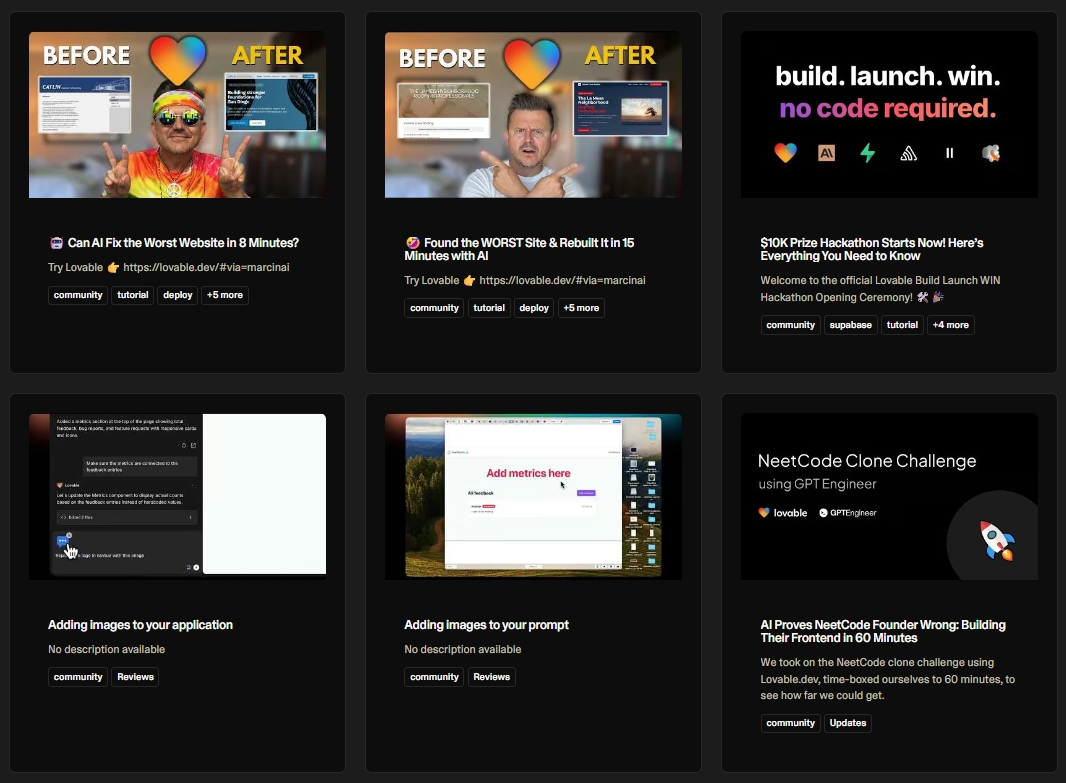
The template system is one of Lovable Dev's underrated features for mobile developers. Templates are not just starter code. They are pre-configured projects with dependencies, folder structure, linting, CI/CD, and often a deployed preview. When you select a template, Lovable Dev clones it into your project, installs dependencies, and opens the chat ready for your first customization prompt. The mobile-relevant templates include a habit tracker (Expo + Supabase), a task manager (Next.js PWA), an e-commerce starter (React Native + Stripe), and a social feed (Expo + React Query). Each template demonstrates a complete feature slice: authentication, data fetching, state management, and UI components.
You can also create your own templates. If your team builds similar mobile apps repeatedly — say, internal tools for field staff — you can push a polished starter to a GitHub template repository and point Lovable Dev at it. The agent will use your template as the base for new projects. This is powerful for agencies and product teams that need consistency across client work. The template gallery is searchable and filterable by tag. Mobile tags include 'expo', 'react-native', 'pwa', 'capacitor', and 'mobile'.
Supabase and Backend Integration on Mobile
Most mobile apps need a backend. Lovable Dev's deepest integration is with Supabase — Postgres, authentication, realtime, storage, and edge functions. The agent can provision a Supabase project, run migrations, create RLS policies, and wire the frontend to the backend in a single prompt. On mobile, you can watch this happen in the chat. The agent shows the SQL it generates, the TypeScript types it derives, and the client code it writes. You can tap the Supabase dashboard link to open the console in a new tab and verify tables, policies, or logs. This end-to-end flow works identically on mobile and desktop because it is all browser-based.
Other backend integrations include Firebase, Neon, PlanetScale, and raw REST or GraphQL APIs. The agent knows the SDKs for each. You can prompt: 'Add Firebase Auth with Google sign-in and Firestore for chat messages.' It will install the Firebase SDK, configure the provider, write the auth context, and create a hook for real-time messages. The generated code is production-ready — not a toy example. You still need to review security rules, indexes, and scaling settings, but the boilerplate is done. On mobile, you can copy the generated config values (API keys, project IDs) from the chat and paste them into the respective console apps.
Scroll horizontally to see all columns
| Provider | Auth | Database | Realtime | Mobile SDK |
|---|---|---|---|---|
| Supabase | Yes | Postgres | Yes | Excellent |
| Firebase | Yes | Firestore | Yes | Excellent |
| Neon | No | Postgres | No | Good |
| PlanetScale | No | MySQL | No | Good |
| Custom REST | Manual | Any | Manual | Varies |
GitHub Sync and Code Export from Mobile
Every Lovable Dev project is a Git repository. The platform creates a private GitHub repo on your account (or organization) when you start a project. Commits happen automatically as the agent generates files. You can view the commit history, open pull requests, and merge from the GitHub mobile app. This is a critical part of the mobile workflow. You do not need to be in Lovable Dev to review code. You can get a push notification from GitHub on your phone, open the PR, read the diff, leave a comment, and merge. The next time you open Lovable Dev, the project reflects the merged state.
Code export is straightforward. You can download a ZIP of the entire project from the Lovable UI. On mobile, the ZIP downloads to your Files app (iOS) or Downloads folder (Android). You can then unzip it, open it in a local IDE like VS Code for iPad or Acode on Android, and continue working offline. Some developers prefer to clone the GitHub repo directly using a Git client on their tablet. Working Copy on iOS and Termux on Android are popular choices. The repo is standard — no Lovable-specific metadata that would break local tooling.
Pricing Considerations for Mobile Developers
Lovable Dev's pricing tiers affect mobile developers in specific ways. The Free tier gives you 5 credits per day. A credit roughly equals one agent turn — a prompt and its response. Building a mobile app with authentication, database, and a few screens might consume 20–50 credits. On the Free tier, that takes several days of daily logins. The Starter tier ($20/month) provides 100 credits per month, which covers a small app per month. The Launch tier ($50/month) gives 500 credits, enough for multiple projects or iterative work on one larger app. The Scale tier ($100/month) and Enterprise (custom) add team seats, higher limits, and priority support.
Mobile developers often hit credit limits faster because mobile apps tend to have more screens, navigation logic, and platform-specific configuration than a simple landing page. Each screen you add — onboarding, settings, profile, feed, detail — is another prompt or two. Testing on device often reveals bugs that require additional prompts to fix. The Expo build process (EAS) also consumes credits if you ask the agent to configure and trigger builds. Plan your credit budget before starting a mobile project. You can always buy credit top-ups, but they are priced per 100 credits and not included in subscriptions.
There is no mobile-specific pricing. The same tiers apply whether you build web, mobile, or both. Students can apply for a discount through the GitHub Student Developer Pack. The discount provides free credits for a limited period. Agencies and freelancers building mobile apps for clients should factor the subscription cost into project estimates. A single Launch tier subscription can support multiple client projects if you manage credits carefully. Some agencies create a separate Lovable account per client to isolate billing and GitHub repositories.
Community Resources for Mobile Builders
The Lovable Dev community has organically produced a wealth of mobile-specific knowledge. The Discord server has a #mobile-dev channel where users share Expo configs, Capacitor plugins, and debugging tips for iOS and Android. The community forum (community.lovable.dev) has tagged threads for 'expo', 'react-native', 'pwa', and 'capacitor'. Many users post complete project walkthroughs — prompt sequences, generated code, and lessons learned. These are often more practical than official documentation because they reflect real constraints: App Store review guidelines, Android permission handling, push notification setup, and TestFlight distribution.
YouTube creators have published full courses on building mobile apps with Lovable Dev. Search for 'Lovable Dev Expo tutorial' or 'Lovable Dev React Native' and you will find hours of free content. Some creators focus on non-technical founders building their first MVP. Others target React developers who want to accelerate their workflow. The quality varies, but the best videos show the entire loop: prompt, preview, test on device, debug, iterate. Watching a few of these before you start can save you days of trial and error.
- Discord #mobile-dev channel — real-time help and config sharing.
- Community forum tagged threads — searchable archive of solutions.
- YouTube tutorials — visual walkthroughs of full mobile builds.
- GitHub awesome-lovable repo — curated templates and examples.
- Twitter/X #lovabledev hashtag — quick tips and project showcases.
- Lovable blog — official case studies with mobile apps.
Alternatives With Native Mobile Apps
If a native mobile client for the AI builder itself is a hard requirement, you have few options. Most AI coding assistants are web-first. Cursor has a native desktop app (Electron) but no iOS or Android app. Windsurf (Codeium) is similar — desktop only. Bolt.new runs entirely in the browser with no desktop or mobile client. Replit has mobile apps for iOS and Android, but they are focused on running and editing Repls, not on an AI agent that builds full applications from prompts. The Replit mobile app lets you view output, edit files, and run code. It does not have a chat-based agent that scaffolds a React Native project from a paragraph of text.
There are mobile-first no-code builders like Draftbit, FlutterFlow, and Adalo. These have native mobile apps for building and previewing. But they are not AI-first in the same way. You drag components, configure actions, and bind data visually. Some have added AI assistants that generate screens or logic, but the core paradigm is visual programming, not natural language prompting. If your goal is to describe an app in English and get production-ready React Native code, Lovable Dev remains the strongest option — even without a native mobile client for the builder itself.
Scroll horizontally to see all columns
| Tool | Native Mobile App | Mobile Browser | Generates React Native | Primary Paradigm |
|---|---|---|---|---|
| Lovable Dev | No | Yes | Yes | Natural language |
| Cursor | No | No | Partial | IDE + chat |
| Windsurf | No | No | Partial | IDE + chat |
| Bolt.new | No | Yes | Yes | Natural language |
| Replit | Yes | Yes | Yes | Cloud IDE |
| FlutterFlow | Yes | Yes | No (Flutter) | Visual + AI |
| Draftbit | Yes | Yes | Yes | Visual + AI |
Workarounds for a More App-Like Experience
Until Lovable Dev releases a native mobile app, several workarounds make the browser experience feel closer to a native client. On iOS, you can create a Shortcut that opens lovable.dev in a Safari View Controller with a custom user agent, hides the address bar, and locks orientation to landscape. On Android, you can use the 'Install as app' feature in Chrome (when available) or third-party tools like Hermit or PWA Builder to generate a signed APK that wraps the site. These wrappers can add a splash screen, custom icon, and full-screen mode. They cannot add offline support without a service worker, which Lovable Dev does not currently provide.
Another approach: use a remote desktop app like Moonlight, Parsec, or Chrome Remote Desktop to control your development machine from your phone or tablet. This gives you the full desktop Lovable Dev experience — including the Monaco editor with keyboard shortcuts, multiple cursors, and full preview — streamed to your mobile device. Latency is low on a good connection. You need a host machine running the agent (your laptop or a cloud VM). This is overkill for quick prompts but valuable for long coding sessions on an iPad with a Magic Keyboard.
What the Roadmap Might Bring
Lovable Dev's public roadmap (roadmap.lovable.dev) does not list a native mobile app as a planned feature. The top-voted items are: better GitHub integration, team collaboration, custom model selection, and self-hosted deployment. Mobile responsiveness improvements appear further down. The company is small — under 20 people as of late 2024 — and engineering bandwidth is directed at the core agent and cloud infrastructure. A native mobile app would require either a React Native rewrite of the frontend or a Tauri/Capacitor wrapper with significant native bridge work for file system access, Git operations, and preview rendering. Neither is a quick win.
That does not mean it will never happen. Vercel released an iOS app for their dashboard years after launch. Netlify has one. GitHub's mobile app arrived long after the web product matured. The pattern is consistent: web first, desktop wrapper second, mobile app third (or never). If Lovable Dev reaches a scale where mobile dashboard usage justifies the investment, a native app becomes plausible. For now, the browser is the only official client. The team has been responsive to community feedback on mobile usability — they fixed the keyboard covering the chat input within weeks of reports. Incremental improvements to the responsive layout are more likely than a full native app in the near term.
We build for the web because that's where the code runs. A native builder app is a nice-to-have, not a prerequisite for building native apps.
Frequently Asked Questions
Does Lovable Dev have an iOS app on the App Store?
No. There is no native iOS app. You can use Lovable Dev in mobile Safari or add it to your Home Screen for a more app-like experience.
Is there a Lovable Dev Android app or APK?
No official Android app or APK exists. Any APK claiming to be Lovable Dev is unofficial. Use Chrome on Android and add the site to your Home Screen.
Can I build a mobile app with Lovable Dev?
Yes. Lovable Dev excels at generating React Native (Expo), Capacitor, and PWA projects. You prompt the architecture, and it produces production-ready code you can build and run on devices.
Does Lovable Dev work on an iPad or Android tablet?
It works in the browser on tablets. The larger screen makes the three-panel layout usable. A Bluetooth keyboard is strongly recommended for serious work.
Can I use Lovable Dev offline on mobile?
No. Lovable Dev requires an internet connection to stream the agent's responses and render previews. There is no offline mode or service worker caching.
How do I test the mobile app I built with Lovable Dev on my phone?
For Expo projects, scan the QR code from the dev server with the Expo Go app. For Capacitor or PWA, deploy to a preview URL and open it on your device. You can also trigger EAS builds for native binaries.
Will Lovable Dev release a native mobile app?
The company has not announced plans for a native mobile app. The public roadmap prioritizes core agent improvements, team features, and self-hosted deployment over a mobile client.
Final Assessment of Lovable Dev Mobile App Reality
Lovable Dev does not have a native mobile app. It likely will not have one soon. The product is a cloud-based AI agent that runs in the browser, and that architecture is its strength — zero installation, instant updates, universal access. The mobile browser experience is functional for prompting, reviewing, and testing the apps you build. It is not a substitute for a desktop when doing heavy editing or multi-file refactoring. If you need to build mobile apps, Lovable Dev is one of the best tools available. If you need to run the builder itself as a native mobile app, you are waiting for a feature that is not on the public roadmap. The practical path today: use the browser on mobile for quick iterations, keep a desktop or laptop for deep work, and let the agent generate the native mobile code that runs on your users' devices.