

AI Development Tools
Lovable Guides: Complete Resource for AI App Development
Master Lovable's AI app builder with comprehensive guides covering everything from basics to advanced features.

Senior Software Developer & Trading Technology Specialist
Ethan Parker is a software developer with over 8 years of experience in building web applications, trading tools, and financial technology solutions. He specializes in Python, JavaScript, API integrations, and trading automation, helping traders improve efficiency through innovative technology.
Lovable has emerged as one of the most accessible AI-powered application builders on the market, letting users describe what they want in plain English and watch functional code appear in real time. But the platform's true power reveals itself only when you understand how to navigate its extensive guide ecosystem. The documentation, tutorials, and community resources form a knowledge base that can take you from a complete beginner to someone shipping production-ready applications.
Contents
- 1. Getting Started with Lovable Guides
- 2. Understanding the Documentation Structure
- 3. Core Tutorial Categories
- 4. Building Your First Application
- 5. Advanced Features and Integrations
- 6. Template Library and Examples
- 7. Video Tutorials and Visual Learning
- 8. Community Resources and Support
- 9. Best Practices for Effective Prompting
- 10. Troubleshooting Common Issues
- 11. Scaling from Prototype to Production
- 12. Pricing Tiers and Feature Access
- 13. Keeping Knowledge Current
- 14. Final Assessment of Lovable Guides
Most users start with a simple prompt and quickly hit questions: how do I connect a database? What's the best way to handle authentication? Can I customize the styling beyond what the AI suggests? The guides address all of these, but they're scattered across official documentation, video tutorials, community forums, and template libraries. This article maps the entire landscape so you can find what you need without wasting hours searching.
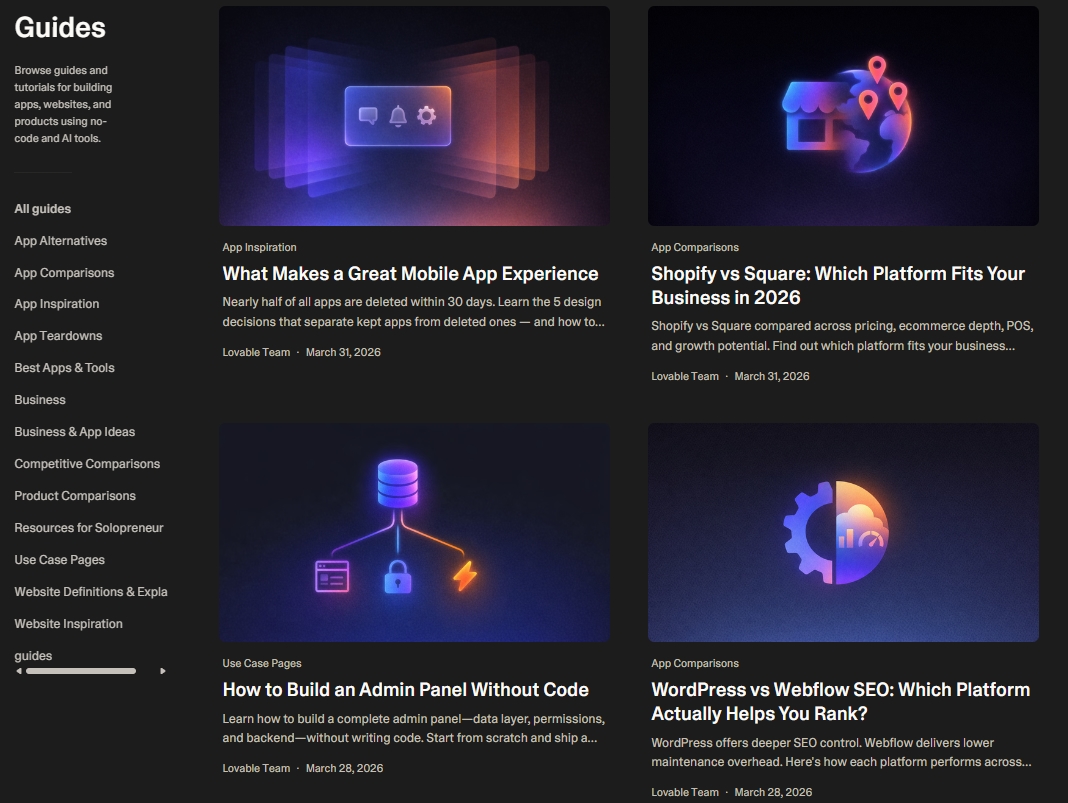
The guide ecosystem divides naturally into several layers. Official documentation covers the platform's core concepts and API references. Step-by-step tutorials walk through building specific application types. Template libraries show completed patterns you can clone and adapt. Video content demonstrates workflows visually. Community contributions fill gaps with real-world solutions. Understanding how these layers connect lets you learn efficiently rather than jumping between disconnected resources.
One practical observation: the platform evolves quickly. Features that required workarounds six months ago now have native support. Guides from early 2024 may suggest outdated approaches. Always check publication dates and cross-reference with the current documentation. The official docs stay current, but third-party tutorials and community posts often lag behind.
Getting Started with Lovable Guides
The official documentation lives at docs.lovable.dev and serves as the authoritative reference. It's organized into conceptual guides, feature references, and integration tutorials. The conceptual section explains the mental model: you describe intent, the AI generates React components with TypeScript, Vite handles the build, Tailwind provides styling, and Supabase manages the backend. Understanding this stack helps you debug when the AI produces unexpected results.
New users should start with the "First App" tutorial. It walks through creating a simple task manager, covering the chat interface, preview pane, code view, and deployment flow. The tutorial takes about fifteen minutes and establishes the core loop: prompt, review, refine, deploy. Don't skip it even if you're an experienced developer — the prompting paradigm differs from traditional coding.
- Create an account and verify email
- Open the chat interface and describe a simple app idea
- Review the generated code in the side panel
- Test the live preview and note any issues
- Refine with follow-up prompts
- Deploy to the provided lovable.app subdomain
After the first app, the "Core Concepts" section deserves careful reading. It covers the project structure, how the AI interprets prompts, the role of context files, and the difference between chat mode and code mode. Many users skip this and later struggle with why the AI "forgets" earlier decisions or produces inconsistent styling. The context system — particularly the lovable.config.ts and any CLAUDE.md files you add — acts as persistent memory for the AI.
Understanding the Documentation Structure
The documentation splits into five main categories. "Basics" covers the interface, project settings, and deployment. "Features" details each capability: database, auth, storage, functions, real-time subscriptions. "Integrations" documents Supabase, Stripe, GitHub, Figma, and various AI model connections. "Guides" provides end-to-end tutorials for specific app types. "Reference" contains API specifications and configuration options.
Scroll horizontally to see all columns
| Category | Purpose | Best For |
|---|---|---|
| Basics | Platform orientation and setup | New users, account configuration |
| Features | Deep dives on each capability | Implementing specific functionality |
| Integrations | Third-party service connections | Adding payments, auth, deployment |
| Guides | Complete application walkthroughs | Learning patterns by example |
| Reference | Technical specifications | Advanced customization, debugging |
A common mistake: treating the Guides section as optional reading. These tutorials demonstrate the idiomatic way to structure prompts, organize components, and handle state. The "Build a SaaS" guide, for instance, shows proper project organization for multi-tenant applications — something the AI won't infer from a single prompt. Read at least three guides relevant to your project type before starting serious work.
The guides aren't just examples. They're the platform's opinion on how applications should be structured. Following those patterns saves weeks of refactoring.
Core Tutorial Categories
Tutorials group into recognizable application patterns. Each category addresses a distinct set of challenges and integration requirements. Knowing which category your project falls into helps you prioritize the right guides.
- SaaS applications: multi-tenancy, subscriptions, admin dashboards, role-based access
- Marketplaces: user profiles, listings, search, messaging, payment splits
- Internal tools: admin panels, data visualization, workflow automation, permissions
- Landing pages: marketing sections, lead capture, A/B testing, analytics
- Dashboards: charts, real-time data, filtering, export functionality
- E-commerce: product catalogs, carts, checkout, order management, inventory
- AI agents: chat interfaces, tool calling, memory, evaluation frameworks
- Mobile-responsive apps: touch interactions, offline support, PWA configuration
The SaaS tutorial deserves special attention because it touches nearly every platform feature. It covers Supabase Row Level Security for data isolation, Stripe webhooks for subscription events, email templates for onboarding, and deployment pipelines for staging and production. Even if you're not building a SaaS, the patterns transfer: authentication flows, database design, environment management, and error handling.
Building Your First Application
The first application teaches the prompting rhythm. Start specific: "Build a task manager with projects, due dates, and priority levels. Use a sidebar for navigation and a kanban board for tasks." Vague prompts like "make a todo app" produce generic results. The AI responds to constraints — the more you specify upfront, the less iteration you need.
After the initial generation, review the code structure. The AI creates components in src/components, pages in src/pages, hooks in src/hooks, and utilities in src/lib. It configures Tailwind, sets up Supabase client in src/integrations/supabase, and defines types in src/types. Understanding this organization lets you make targeted follow-up prompts: "Move the priority badge to a separate component" or "Add a custom hook for filtering tasks by project."
Authentication often trips up beginners. The platform supports email/password, magic links, OAuth providers (Google, GitHub, Discord), and phone auth. The guide "Adding Authentication" walks through enabling providers in Supabase, configuring redirect URLs, and protecting routes. A practical tip: enable email confirmations in development but disable them for faster testing. Re-enable before production.
Database design follows. The AI can generate migrations from prompts like "Add a projects table with name, description, owner_id, and created_at. Enable RLS so users only see their own projects." But you should understand the generated SQL. The Supabase dashboard shows the schema visually. Check that indexes exist on foreign keys and frequently queried columns. The AI sometimes misses composite indexes that matter at scale.
Advanced Features and Integrations
Once comfortable with basics, the integration guides unlock the platform's real utility. Supabase integration goes beyond basic CRUD: real-time subscriptions for collaborative features, Edge Functions for server-side logic, storage for file uploads, and Postgres extensions like pgvector for AI embeddings. Each has a dedicated guide with working examples.
Scroll horizontally to see all columns
| Integration | Guide Focus | Common Use Cases |
|---|---|---|
| Supabase Database | Queries, mutations, RLS, migrations | All data-driven applications |
| Supabase Auth | Providers, sessions, MFA, hooks | User management, access control |
| Supabase Storage | Buckets, policies, CDN, transformations | File uploads, avatars, documents |
| Supabase Edge Functions | Deno runtime, secrets, scheduling | Webhooks, AI processing, integrations |
| Stripe | Checkout, subscriptions, webhooks, portal | Payments, billing, revenue |
| GitHub | Repo sync, CI/CD, preview deployments | Version control, team collaboration |
| Figma | Design tokens, component mapping | Design system implementation |
Stripe integration warrants careful study. The guide covers creating products and prices in Stripe Dashboard, setting up checkout sessions, handling webhook events for subscription lifecycle, and building a customer portal. A frequent oversight: the guide shows test mode configuration but doesn't emphasize the production checklist — verifying webhook endpoints, updating price IDs, configuring tax, and testing failed payment flows.
GitHub integration transforms the workflow. Once connected, every prompt creates a commit. You can review diffs, revert changes, and collaborate through pull requests. The guide explains branch protection rules, preview deployments for PRs, and syncing environment variables. Teams should establish a convention: one feature per branch, descriptive commit messages from the AI, and required reviews for production merges.
Template Library and Examples
The template library at lovable.dev/templates contains production-ready starters. Each template includes a complete application with authentication, database schema, UI components, and deployment configuration. Templates are tagged by category, complexity, and featured integrations. Filtering by "SaaS" and "Stripe" shows starters with billing already implemented.

Using a template effectively requires understanding its architecture before customizing. Open the code view and examine: the database schema in supabase/migrations, the component hierarchy in src/components, the page structure in src/pages, and the configuration in lovable.config.ts. The README usually documents key design decisions. Don't treat templates as black boxes — they're learning resources as much as starting points.
- Clone the template to your account
- Read the README and examine the migration files
- Run the project locally to verify it works
- Identify components you'll need to modify
- Make incremental changes and test each
- Update the README with your customizations
Community templates extend the official library. The Discord community shares specialized starters: a Notion-like editor, a Calendly clone, a Linear-style issue tracker, a Shopify-style admin. These live in GitHub repositories linked from the community forum. Quality varies — check stars, recent commits, and issue activity before investing time. The best community templates include their own documentation and migration guides.
A good template teaches you more in an hour than a week of prompting from scratch. But only if you read the code instead of just deploying it.
Video Tutorials and Visual Learning
The official YouTube channel and video guides complement written documentation. Visual learners benefit from seeing the prompting process in real time — how the creator phrases requests, handles errors, and refines output. The "Build in Public" series shows complete applications built from idea to deployment, including mistakes and course corrections.
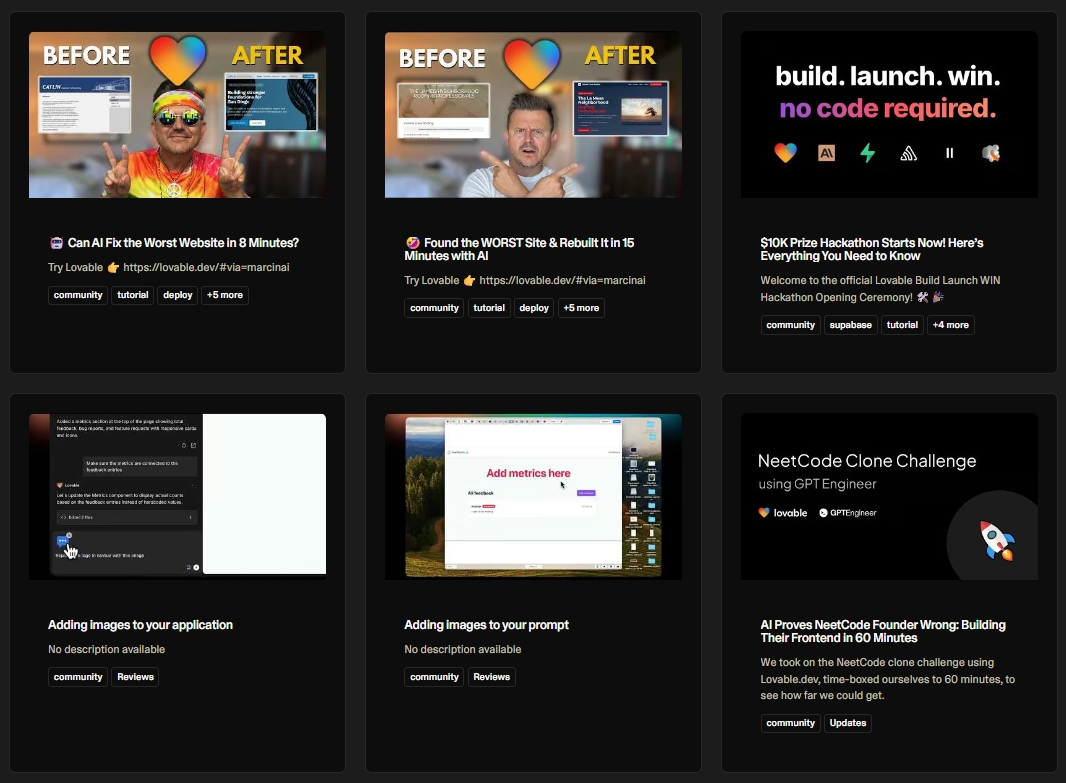
Video content excels at demonstrating workflow nuances that text struggles to capture: the rhythm of prompting, when to switch between chat and code mode, how to use the preview inspector to debug styling, and the GitHub sync process. However, videos age poorly. A six-month-old video may show deprecated UI patterns or outdated Supabase APIs. Always cross-reference with current written docs.
- Official YouTube channel: weekly builds and feature deep-dives
- Build in Public series: full application lifecycles
- Feature spotlights: 5-10 minute focused tutorials
- Community streams: user projects and Q&A sessions
- Conference talks: architecture patterns and scaling stories
Community Resources and Support
The Discord community serves as the de facto support channel and knowledge base. Channels organize by topic: #help for questions, #showcase for completed projects, #templates for sharing starters, #integrations for third-party services, and #feedback for feature requests. The search function surfaces solutions to most common problems — someone has likely encountered your error before.
Community-contributed guides fill documentation gaps. Users write detailed posts on topics the official docs cover briefly: optimizing RLS policies for complex permissions, implementing soft deletes with Postgres triggers, setting up multi-region deployments, customizing the Vite config for library mode. These live in the #guides channel and the community forum. Quality is generally high because contributors solve real problems they faced.
Scroll horizontally to see all columns
| Channel | Purpose | Response Time |
|---|---|---|
| Discord #help | Technical questions and debugging | Minutes to hours |
| Discord #showcase | Project sharing and feedback | Hours to days |
| Community Forum | Long-form guides and discussions | Days |
| GitHub Discussions | Feature requests and bug reports | Days to weeks |
| Twitter/X | Announcements and tips | Real-time |
Official support exists for paid tiers. The Pro plan includes email support with 24-hour response. Enterprise adds dedicated Slack, SLA guarantees, and architecture reviews. Most technical questions resolve faster in Discord because the community includes platform engineers who monitor channels. Reserve official support for billing, security, and contractual matters.
Best Practices for Effective Prompting
Prompting is the primary interface. The guide "Prompt Engineering for Lovable" distills patterns from thousands of user sessions. Key principles: be specific about data models, reference existing components by name, specify styling preferences explicitly, and break complex features into sequential prompts. The AI maintains context within a session but starts fresh each conversation.
- Describe the data model first: tables, relationships, constraints
- Reference existing files: "In src/components/TaskCard.tsx, add a priority indicator"
- Specify design system: "Use the existing Button variant system, don't create new styles"
- Request one feature per prompt: "Add drag-and-drop reordering to the kanban columns"
- Ask for explanations: "Explain the RLS policy you created for the projects table"
- Use code mode for precise changes: switch to code view for surgical edits
The CLAUDE.md file mentioned earlier acts as a system prompt. Document your project's conventions there: component patterns, state management approach, API client usage, testing strategy, and any business logic rules. The AI reads this before every generation. A well-maintained CLAUDE.md reduces the need for repetitive corrections. Update it when you establish new patterns.
Code mode deserves emphasis. The chat interface excels at high-level features and new components. Code mode — accessing the file editor directly — works better for precise changes: fixing a type error, adjusting a Tailwind class, modifying a SQL query, or refactoring a component. The AI assists in both modes but code mode gives you surgical control. Learn to switch fluidly.
The best users don't prompt better. They prompt less. They use code mode for precision, chat for architecture, and CLAUDE.md for consistency.
Troubleshooting Common Issues
The troubleshooting guide covers frequent errors: TypeScript compilation failures, Supabase connection issues, deployment failures, authentication redirects, and styling conflicts. Each entry includes the error message, root cause, and solution. Bookmark this guide — you'll reference it regularly.
Scroll horizontally to see all columns
| Issue | Typical Cause | Resolution |
|---|---|---|
| TypeScript errors after generation | AI imports non-existent types | Check src/types, add missing definitions |
| Supabase connection failed | Environment variables missing | Verify VITE_SUPABASE_URL and ANON_KEY in .env |
| Auth redirect loops | Mismatched redirect URLs | Align Supabase auth settings with deployed URL |
| Styles not applying | Tailwind content paths incomplete | Update tailwind.config.js content array |
| Deployment hangs | Build errors in production mode | Run "npm run build" locally first |
| Real-time not working | RLS policies block subscriptions | Add SELECT policy for real-time access |
A debugging workflow that saves hours: when the AI produces broken code, don't immediately re-prompt. Open the browser console, check the network tab for failed requests, examine the Supabase logs for query errors, and run the build locally. The error is often environmental — missing env vars, incorrect Supabase config, or a migration that didn't apply. Fix the environment, then re-prompt if needed.
Performance issues appear as applications grow. The guide "Optimizing Performance" covers: React.memo for expensive components, virtualized lists for large datasets, Supabase query optimization with indexes and select columns, Edge Function cold start mitigation, and bundle analysis with Vite's built-in tools. Monitor the Network tab — the AI sometimes generates components that fetch entire tables when they need three columns.
Scaling from Prototype to Production
The transition from prototype to production introduces requirements the AI doesn't anticipate: error boundaries, logging, monitoring, CI/CD pipelines, staging environments, database migrations, backup strategies, and compliance considerations. The "Production Checklist" guide enumerates these. Work through it systematically before launching.
- Enable error tracking with Sentry or similar
- Configure Supabase Point-in-Time Recovery
- Set up staging environment with separate Supabase project
- Implement CI/CD with GitHub Actions
- Add health check endpoints for monitoring
- Document API contracts and database schema
- Plan rollback procedures for failed deployments
- Review RLS policies with security mindset
- Load test critical user flows
- Prepare incident response runbook
Database migrations deserve special attention. The AI generates migrations but doesn't manage them across environments. The guide recommends: never edit applied migrations, create new migrations for changes, test migrations on staging data, use Supabase CLI for local development, and maintain a migration log. The Supabase dashboard shows migration history — verify production matches staging before deploying code that depends on schema changes.
Prototypes ignore edge cases. Production is edge cases. The guides won't write your error handling, but they show where you need it.
Team collaboration introduces version control practices. The GitHub integration guide covers: branch protection requiring reviews, preview deployments for every PR, automated type checking and linting, dependency update bots, and release tagging. Establish these early — retrofitting CI/CD into a messy history is painful. The platform generates conventional commits, but you should squash and rewrite messages for meaningful history.
Pricing Tiers and Feature Access
The pricing guide explains how tiers affect guide accessibility. Free tier includes all documentation, community access, and basic templates. Pro adds advanced templates, priority support, and higher usage limits. Enterprise unlocks dedicated guides for compliance, security architecture, and custom integrations. The feature comparison table helps choose the right tier for your project stage.
Scroll horizontally to see all columns
| Resource | Free | Pro | Enterprise |
|---|---|---|---|
| Official Documentation | Full | Full | Full |
| Video Tutorials | Full | Full | Full |
| Template Library | Basic | All | All + Custom |
| Community Discord | Full | Full | Full + Private |
| Email Support | No | 24hr SLA | 4hr SLA |
| Architecture Reviews | No | No | Quarterly |
| Compliance Guides | No | No | SOC2, HIPAA, GDPR |
Most individual developers and small teams never need Enterprise guides. The Pro tier's advanced templates cover patterns that would otherwise require custom architecture work. The Free tier suffices for learning and prototyping. Upgrade when you hit usage limits or need the advanced templates for a specific project type.
Keeping Knowledge Current
The platform ships updates weekly. The changelog at changelog.lovable.dev documents every release with migration notes. Subscribe to the RSS feed or follow the Twitter announcements. Major updates — new AI models, Supabase feature support, deployment regions — warrant re-reading affected guides. The "What's New" section in the dashboard also highlights relevant changes for your projects.
- Check changelog weekly for breaking changes
- Review migration guides before updating projects
- Test new features in a branch before main
- Update CLAUDE.md when conventions change
- Participate in beta programs for early access
- Share migration experiences in community
Community knowledge evolves faster than official docs. The Discord #announcements channel often discusses workarounds for new limitations before official guidance exists. The forum's "Tips & Tricks" category accumulates patterns that eventually become official guides. Engaging with the community keeps you ahead of the documentation curve.
Frequently Asked Questions
Where do I find the official Lovable guides and documentation?
The official documentation lives at docs.lovable.dev with sections for Basics, Features, Integrations, Guides, and Reference. The template library is at lovable.dev/templates. Video tutorials are on the official YouTube channel.
Do I need coding experience to use Lovable guides effectively?
No. The guides are designed for non-technical users. However, basic familiarity with web concepts (databases, APIs, authentication) helps you understand what the AI generates. The "First App" tutorial assumes zero prior knowledge.
How often are the guides updated for new features?
Official documentation updates with every platform release, typically weekly. Community guides and video tutorials may lag by weeks. Always check publication dates and cross-reference with the current changelog.
Can I use Lovable guides for team training and onboarding?
Yes. Many teams use the SaaS tutorial and template library as onboarding material. The Pro and Enterprise tiers include private Discord channels for team questions. Architecture reviews (Enterprise) can include custom training sessions.
What's the best way to learn advanced patterns like multi-tenancy?
Start with the "Build a SaaS" guide, clone the SaaS template, then study the generated RLS policies and database schema. The community forum has detailed posts on multi-tenant patterns. The Enterprise tier includes dedicated multi-tenancy guides.
How do I troubleshoot when the AI generates broken code?
Run the build locally first (npm run build). Check browser console and network tab. Verify environment variables. Check Supabase logs for query errors. The troubleshooting guide in documentation covers the most common error patterns with solutions.
Are there guides for specific integrations like Stripe or custom APIs?
Yes. The Integrations section covers Supabase (database, auth, storage, functions), Stripe, GitHub, Figma, and AI model connections. Each has a dedicated guide with working examples. Custom API integration uses Supabase Edge Functions.
Final Assessment of Lovable Guides
The guide ecosystem is genuinely comprehensive. Official documentation covers every platform feature with working examples. Tutorials demonstrate real application patterns. Templates provide production-ready starting points. Videos show the prompting workflow visually. Community contributions fill edge cases. Together they form a learning path from zero to production that most platforms lack.
Gaps exist. Advanced Supabase patterns — complex RLS, materialized views, logical replication — receive minimal coverage. Custom Vite configuration for library builds or micro-frontends isn't documented. Enterprise compliance guides (SOC2, HIPAA) exist only for Enterprise customers. Teams pushing platform boundaries will spend time in Supabase docs, React docs, and Discord rather than Lovable guides.
The biggest practical limitation: guides teach the platform's happy path. Real projects deviate. You'll combine patterns from multiple guides, adapt templates beyond their design, and encounter errors no guide anticipates. The guides give you the vocabulary to search for solutions and the mental model to debug. They don't eliminate the need for engineering judgment.
For someone starting today: complete the First App tutorial, read Core Concepts, clone a template matching your project type, and build in public on Discord. That sequence teaches more in a weekend than a month of isolated prompting. The guides are a map — you still have to walk the territory.